 Alisha Zulfiqar
Have you ever wondered, what is a tracking pixel and how it can help your online store? Understanding how visitors find and interact with your e-commerce site is key to growing your business. This guide will explain what a tracking pixel is and how to use it to boost sales and build loyal customers.
Quick Summary
A tracking pixel is a tiny, invisible graphic that loads when a user visits a webpage or opens an email. It sends data to a server. This lets you monitor user behavior, track conversions, and measure how well your marketing campaigns work. Knowing this data helps you improve ads, customize the customer experience, and increase ROI.
What is a Tracking Pixel?
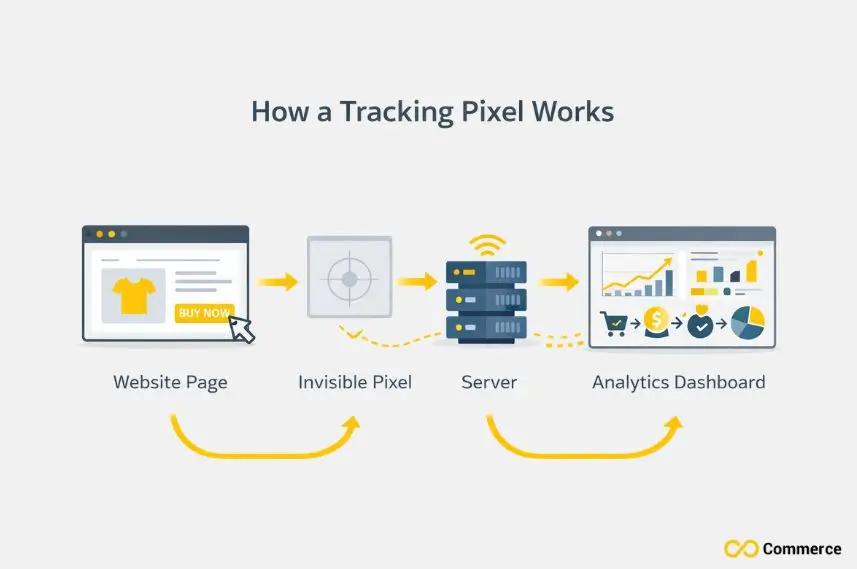
A tracking pixel is a small piece of code, often a 1×1 pixel image, embedded on a website or email. When users load the page, their browser requests this invisible image from a server. This simple request can transmit surprising information about the user and their actions.
The “Invisible” E-commerce Eye
You might hear tracking pixels referred to by other names, like web beacons, tracking bugs, or clear GIFs. They all function similarly: to act as an invisible observer. When a user’s browser loads the pixel, it returns a signal. This confirms that a specific action has happened, such as a page view or click.
The Purpose of Pixels in an E-commerce Context
In e-commerce, the primary purpose of a tracking pixel is to gather data that helps you make smarter business decisions. This data shows which ads boost sales, what products interest customers, and where they drop off in the buying process. Ultimately, pixels bridge the gap between your marketing efforts and actual customer behavior.
How Do Tracking Pixels Work on My Store?
The process behind a tracking pixel is a fascinating journey of data transfer that happens in milliseconds. It starts with a simple piece of code and ends with valuable insights for your e-commerce business.
The Pixel’s Journey: From Code to Data
- Code Implementation: First, you place a small snippet of code, provided by a platform like Google or Meta, into your website’s header. This code contains the tracking pixel.
- User Action: When a visitor lands on a page with the pixel, like a product page or checkout confirmation, their browser executes the code. This triggers the pixel to “fire,” sending a request to the tracking server. This request includes details about the user’s browser, IP address, and their specific action.
What Specific Data Do E-commerce Pixels Collect?
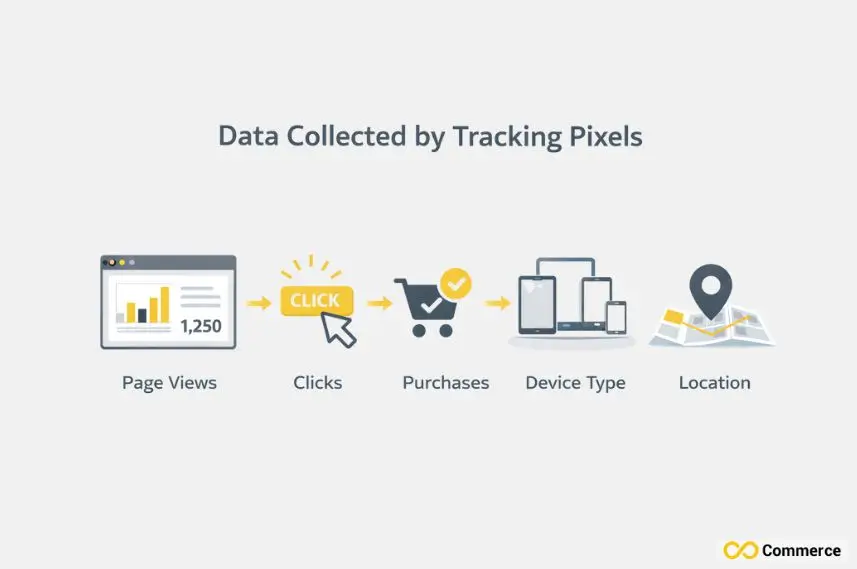
Tracking pixels are designed to capture a wide range of data about user behavior. This information helps you build a detailed picture of how visitors interact with your site.
- Page Views: Which pages a user visits and in what order.
- Time on Page: How long they spend on specific product pages or content.
- Clicks: What buttons or links do they click on?
- Purchase Data: What items are added to the cart, what’s purchased, and the total value.
- User Information: Non-personally identifiable information like browser type, device, and general location.
Why are Tracking Pixels Indispensable for E-commerce?
Tracking pixels are essential for any e-commerce store, whether a small boutique in Austin or a big national retailer. They provide the data needed to compete effectively and grow sustainably.
Optimizing Ad Campaigns and Maximizing ROAS
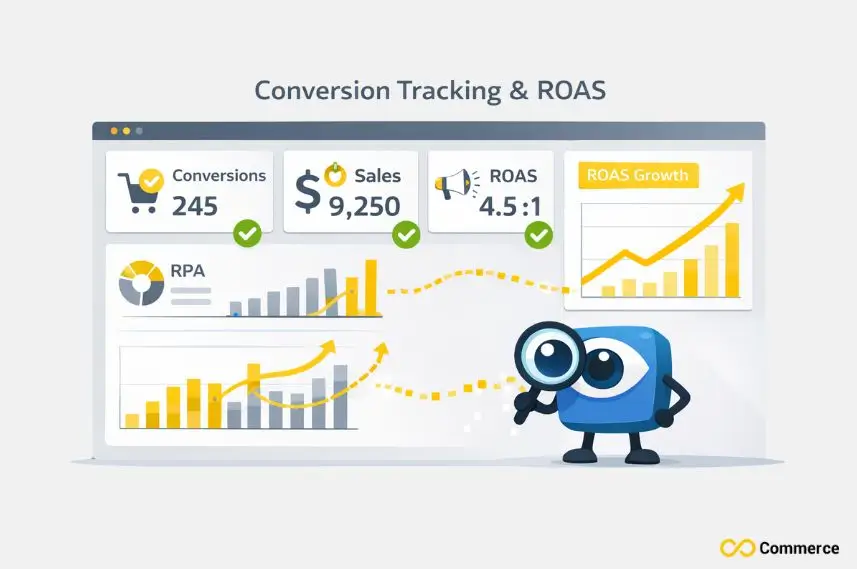
You can reallocate your budget to the most effective campaigns by tracking which ads lead to conversions. This data-driven method boosts your Return on Ad Spend (ROAS). It makes sure your marketing dollars work as hard as they can. You can see which ad copy, images, and targeting strategies resonate with your audience.
Personalizing the Customer Journey
Tracking pixels allow you to understand user interactions and tailor the experience accordingly. For instance, if a user viewed a specific pair of shoes, you can show them ads for those same shoes later. Personalization makes your marketing more relevant. It also boosts the chances of a sale by guiding the customer journey.
Deeper Website Analytics and Insights
Platforms like Google Analytics use pixels to provide comprehensive web analysis. You can see your traffic, identify pages with high bounce rates, and understand users’ paths through your site. These insights are crucial for optimizing your website’s layout and content.
Accurate Conversion Tracking and Attribution
Conversion pixels trigger when a user completes an action, like buying something or signing up for a newsletter. This helps you see how many conversions your campaigns create. It also aids in attribution, showing which touchpoints led to the sale.
What Are Key Types of Tracking Pixels?
Different pixels serve different purposes, and a successful e-commerce strategy often involves combining them. Each type is tailored to a specific marketing and sales funnel aspect.
- Conversion Pixels: These are placed on confirmation or “thank you” pages to measure sales, leads, and sign-ups. They are essential for calculating the ROI of your ad campaigns on platforms like Google Ads.
- Retargeting/Remarketing Pixels: A retargeting pixel allows you to show targeted ads to users who have previously visited your site. This builds custom audiences of engaged users. It also brings back potential customers who didn’t convert on their first visit.
- Analytics Pixels: These pixels, often associated with Google Analytics, are website tracking pixels that collect broad data about website traffic and user behavior. They are fundamental for understanding your audience and website performance.
- Social Media Pixels: Platforms like Meta, TikTok, and LinkedIn offer their own pixels (Meta Pixel, TikTok Pixel, LinkedIn Insight Tag). A social media pixel helps you track conversions from ads and build audiences for future campaigns.
- Email Tracking Pixels: Email tracking pixels (or engagement pixels) are embedded in emails to see who opens them and when. This lets you track how well your email marketing engages readers. It also helps boost your click-through rates.
Tracking Pixels vs. Cookies
Tracking pixels and cookies are often mentioned together but are different technologies. Both serve similar purposes. Understanding their differences is crucial, especially as online privacy evolves.
Similarities and Key Differences
Both are tracking methods used to monitor user activity. However, cookies are small text files stored on a user’s browser, while a pixel is a server request triggered by loading an image. Cookies hold more information for a longer time. Pixels track events in real time.
Why the Distinction Matters in a Privacy-First World
The focus on user privacy has led to browsers restricting third-party cookies. They offer a more durable solution because pixels can operate in a first-party context or through server-side tracking. Your tracking strategy must adapt to these changes and prioritize transparent privacy protections.
Pro Tips for E-commerce Pixel Implementation
To use website tracking pixels successfully, you need a smart plan. This plan should gather useful data while respecting user privacy.
- Plan Your Pixel Strategy: Before adding any code, map your customer journey and identify the key events you want to track (e.g., product views, add-to-carts, purchases). This ensures you collect meaningful data.
- Step-by-Step Setup: Use a tag management tool like Google Tag Manager to deploy your pixels. This simplifies the process and allows you to add, edit, and remove tracking codes without altering your website’s source code. Always check that your pixels are firing correctly after setup.
- Integrate with E-commerce Platforms: Most major platforms like Shopify, BigCommerce, and WooCommerce have built-in integrations or simple apps for adding common tracking pixels like the Facebook Pixel or Google Analytics tracking code.
Advanced E-commerce Strategies Using Pixel Data
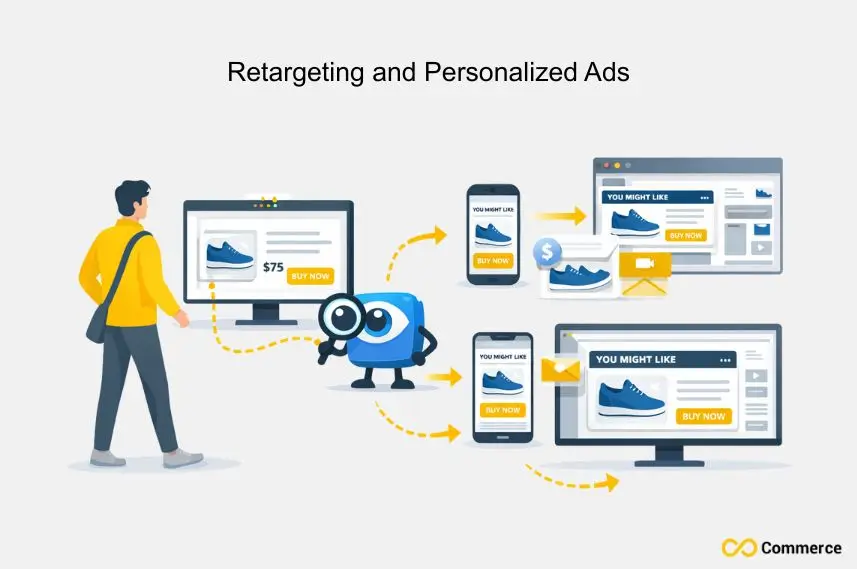
Once your pixels collect data, you can move on to more advanced strategies to accelerate your e-commerce growth.
- Dynamic Product Retargeting: Use a retargeting pixel to show ads featuring the exact products a user viewed on your site. This highly personalized approach capitalizes on their initial interest.
- Building Custom and Lookalike Audiences: Use pixel data to create custom audiences of your most valuable customers. You can then build “lookalike” audiences to find new users with similar characteristics, making your ad targeting more efficient.
- Optimizing the Customer Journey Funnel: Analyze pixel data to identify where users drop off in your sales funnel. Use this information to improve your website and marketing, boosting your overall conversion rate.
- Enhancing User Stickiness and Lifetime Value: Use engagement pixels and other data to create a better user experience that keeps customers returning. Increasing User Stickiness is key to long-term growth.
Navigating Privacy, Compliance, and Building Trust

In the modern e-commerce landscape, ethical data collection is non-negotiable. Building trust with your customers requires transparency and adherence to privacy regulations.
Understanding Key Privacy Regulations
Regulations like the General Data Protection Regulation (GDPR) in Europe and the CCPA in California require businesses to be clear about data collection. They must also get user consent. Familiarize yourself with these rules to ensure your practices are compliant.
Best Practices for Obtaining User Consent
Implement a clear and easy-to-use consent banner on your website. Explain what data you are collecting and why, and give users a simple way to opt in or out. Strong privacy protections build customer confidence.
Ethical Data Collection and Transparency
Be open about your data practices in your privacy policy. Only collect the data you need and use it to improve the customer experience genuinely. Brands prioritizing user privacy build stronger, more lasting relationships with their customers.
Final Thoughts
The future of e-commerce tracking is changing due to Apple’s Mail Privacy Protection and stricter cookie rules. What is a Tracking Pixel? It’s a small tool that helps businesses gather insights. Using it wisely can provide valuable data, but respecting customer privacy is important. Set goals first, then pick the right pixels, and build trust to create a tracking strategy that boosts growth over time.
FAQs
Pixels are server requests that track events in real-time, while cookies are browser-stored files. Pixels can work first-party or server-side, making them more privacy-friendly.
A tracking pixel is a tiny, invisible code or image that collects user behavior data like page views, clicks, and purchases.
A LinkedIn tracking pixel monitors user actions from LinkedIn ads, tracking conversions and engagement.
Yes, pixels are legal if you follow privacy laws like GDPR or CCPA. Ethical use means getting consent and only collecting needed data to improve customer experience.
You can check pixels via browser tools or testing platforms. Shopify users can manage and verify pixels easily with Infinite FB & TikTok Pixels.

