 Alisha Zulfiqar
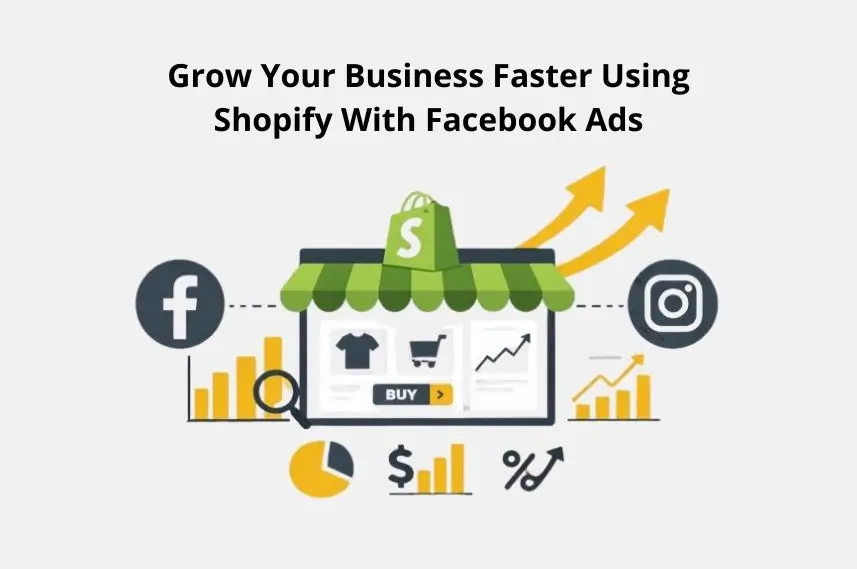
Have you ever wondered how combining Shopify with Facebook Ads can help you grow your business faster and reach more customers? When these two platforms work together, they can transform your online store into a powerful sales machine that attracts the right audience and boosts your conversions. This guide will walk you through the simple steps to connect Shopify with Facebook Ads so you can get better results, higher sales, and a smarter marketing strategy.
Quick Summary
This post is your comprehensive guide to accelerating your Shopify store’s growth using Shopify with Facebook Ads. You’ll discover how to set up your Meta Business ecosystem, install the Meta Pixel, and create custom audiences that pack a punch. Finally, you’ll design eye-catching ad creative while focusing on building strong ad campaigns, choosing the best objectives, and analyzing key metrics so your marketing efforts drive profitable and sustainable growth.
Grow Online Sales Fast Using Shopify with Facebook Ads
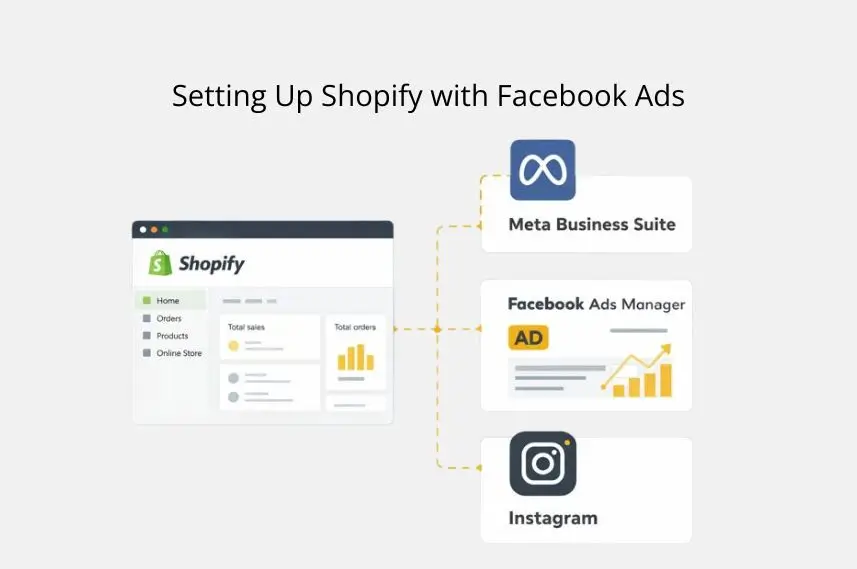
Before you can launch high-velocity ad campaigns, you need a solid foundation. Setting up your Meta Business ecosystem correctly is a non-negotiable first step. I’ve seen countless businesses waste money because they skipped these fundamental details.
Setting Up Your Meta Business Ecosystem
Your journey begins in the Facebook Business Manager (now Meta Business Suite). This is your central hub for managing all your marketing and advertising activities on Facebook and Instagram.
- Create your Business Manager account if you haven’t already.
- Set up your Facebook Business Page and connect it.
- Create a Facebook Ad Account specifically for your Shopify store to keep your finances organized.
- Verify your domain to establish trust with Meta and unlock full functionality.
Installing and Optimizing the Meta Pixel and Conversions API (CAPI)
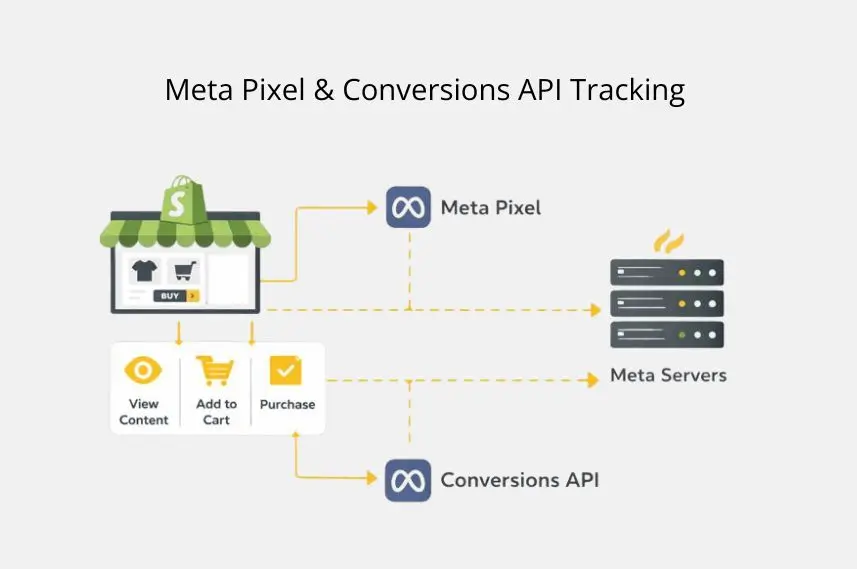
Data is the fuel for your growth engine. The Meta Pixel and Conversions API (CAPI) track user actions on your site. They provide valuable data for targeting, optimization, and measurement.
- Meta Pixel: This piece of code tracks events like ‘View Content’, ‘Add to Cart’, and ‘Purchase’. You’ll get your unique Pixel ID from the Events Manager in your Business Manager.
- Conversions API (CAPI): CAPI creates a more reliable connection that works alongside the pixel. It sends data straight from your server to Meta’s. This helps you catch conversions that the pixel might miss because of browser settings or ad blockers. Using the Facebook CAPI is crucial for accurate tracking.
Connecting Your Shopify Store to Meta
Shopify makes this process incredibly simple with its built-in sales channels. The Facebook & Instagram app is the official integration you need.
- Go to your Shopify admin, click on “Sales Channels,” and add the Facebook & Instagram app.
- Follow the setup wizard to connect your Facebook Business Manager, ad account, and business page.
- Paste your Pixel ID into the designated field. This single step automatically installs the pixel across your entire online store.
- This integration syncs your product catalog, creating dynamic product listings for ads.
Building High-Velocity Audiences
With your technical setup complete, it’s time to find your customers. Your target audience is the most critical element of a successful ad campaign. Shopify’s customer data gives you a massive advantage here.
Mastering Audience Creation with Shopify’s Data Advantage
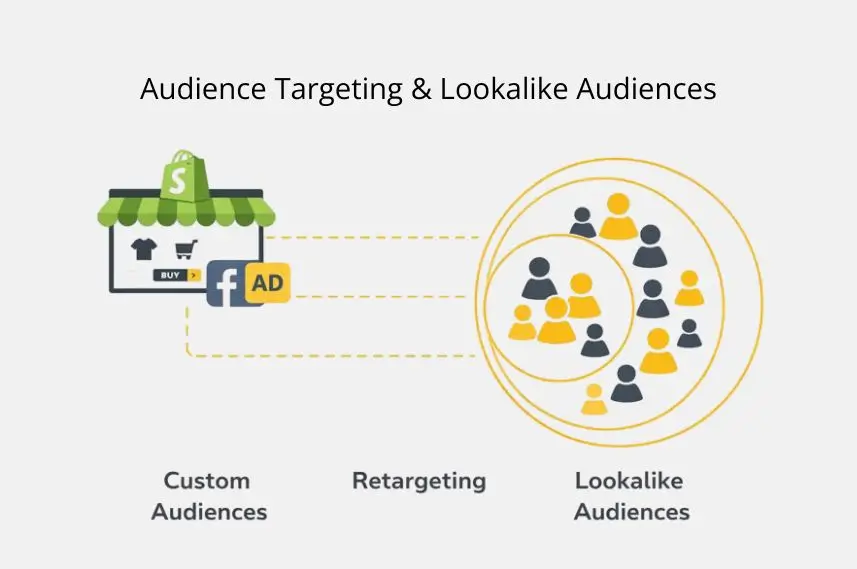
Your Shopify store is a goldmine of first-party data. You can use your customer file to create powerful custom audiences in Ads Manager.
- Website Visitors: Target everyone who has visited your store.
- Specific Actions: Create audiences of users who have added items to their cart but not purchased.
- Past Purchasers: Target previous customers to encourage repeat business and improve customer retention.
- Lookalike Audiences: This is where the magic happens. Upload your best customer list, and Meta will find new users who share similar characteristics.
Advanced Targeting Strategies for Rapid Customer Acquisition
Don’t just rely on broad targeting. Get granular with your ad targeting to lower your Customer Acquisition Cost (CAC).
- Interest and Behavior Stacking: Combine different interests to narrow your audience. For example, instead of just “yoga,” target users who like “yoga” AND “sustainable fashion.” This is how you find your perfect target demographic.
- Lookalike Audience Layering: Create Lookalike Audiences based on high-value customers (e.g., those with the highest lifetime value) and layer them with interest targeting for hyper-specific reach.
Retargeting Campaigns for Accelerated Conversions
A visitor rarely buys on their first visit. Retargeting campaigns are essential for bringing them back and closing the sale. Use dynamic product ads to show users the exact products they viewed on your site. This simple creative strategy can dramatically boost your conversion rates.
What Makes Your Ad Creative Scroll-Stopping?
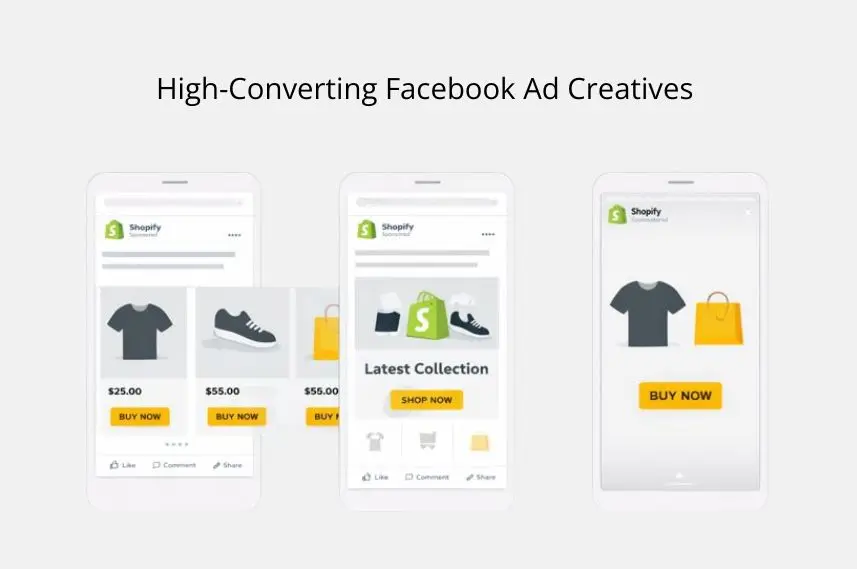
In a crowded feed, your visuals must demand attention. For Shopify products, this means high-quality images and videos that showcase your items in the best light.
- Dynamic Product Ads (DPAs): Automatically show products from your catalog to users who have shown interest.
- Carousel Ads: Feature multiple products or different angles of a single product.
- Collection Ads: Create an instant, full-screen shopping experience when a user taps your ad.
- User-Generated Content (UGC): Feature customer reviews or photos. This builds trust and provides social proof.
Writing Irresistible Ad Copy for Shopify Products
Your copy should be clear, concise, and compelling. Focus on the benefits, not just the features.
- Hook: Start with a question or a bold statement to grab attention.
- Value Proposition: Clearly state what makes your product special.
- Call to Action (CTA): Tell the user exactly what to do next (e.g., “Shop Now,” “Learn More”).
Optimizing Ad Creative for Different Placements and Devices
An ad that looks great on a Facebook feed might not work as well in Instagram Stories. Customize your ad creative for each ad placement. Use vertical video for Stories and Reels and ensure your text is readable on smaller mobile screens.
What Campaign Objectives Should I Choose?
For rapid growth, your campaign objectives should focus on driving sales. Start with the “Sales” objective in Ads Manager. This tells Meta’s algorithm to find users most likely to make a purchase.
Structuring Ad Sets and Allocating Budget for Velocity
Structure your ad sets around different audiences (e.g., one for a Lookalike Audience, one for retargeting). Use Campaign Budget Optimization (CBO) to let Meta automatically allocate your budget to the best-performing ad set. This accelerates learning and improves efficiency.
Implementing Advanced Ad Funnels for a Shortened Buyer Journey
A well-structured marketing funnel guides customers from awareness to purchase quickly.
- Top of Funnel (TOFU): Use broad targeting and Lookalike Audiences to attract new users.
- Middle of Funnel (MOFU): Retarget website visitors and those who have engaged with your page.
- Bottom of Funnel (BOFU): Target users who added items to their cart with compelling offers to complete their purchase. This is a core part of effective ad funnels.
A/B Testing for Accelerated Learning and Continuous Optimization
Never assume you know what will work best. Continuously use A/B testing on your ad creative, copy, and audiences. Test one variable at a time to get clear, actionable insights for campaign optimization.
Considerations for Expanding Your Reach
Once you’ve mastered your local market, consider country expansion. Use Meta’s tools to target new countries with similar demographics. Also, don’t put all your eggs in one basket; complement your Facebook Ads with other channels like Google Ads and email marketing.
Measuring, Analyzing & Iterating for Continuous Acceleration
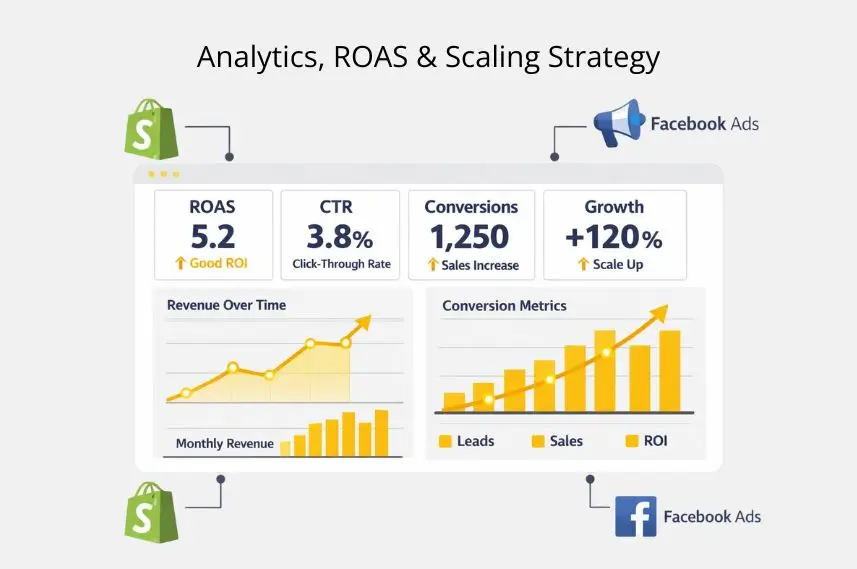
You can’t improve what you don’t measure. Regularly check your Ads Manager dashboard to track performance.
Key Metrics for Faster Growth and Profitability
- Return on Ad Spend (ROAS): The most important metric for profitability.
- Cost Per Purchase (CPP): How much you’re spending to get one sale.
- Click-Through Rate (CTR): A measure of how engaging your ads are.
- Add to Cart Rate: Shows interest in your products.
Leveraging Meta’s Events Manager and Shopify Analytics for Insights
Cross-reference the data in Meta’s Events Manager with your Shopify Analytics. This gives you a more complete picture of your customer’s journey and helps you identify any tracking discrepancies.
Attribution Models and Privacy-Compliant Data Strategies
Understand how Meta attributes conversions. As privacy rules change, collecting first-party data is more important. This includes methods like email sign-ups and loyalty programs. Always ensure your data collection practices are privacy-compliant.
Future-Proofing Your Ad Strategy
The digital marketing landscape is always changing. Stay informed about updates to Meta’s platform and evolving privacy laws. Be prepared to adapt your strategy to maintain performance and compliance.
Pro Tips
Here are some pro tips I’ve learned from managing millions in ad spend:
- Check the Facebook Ads Library: Spy on your competitors! See what ads they’re running to get inspiration for your own marketing campaigns.
- Warm-Up Your Ad Account: Don’t launch a massive campaign on a brand-new ad account. Start with a small budget and gradually increase it to avoid getting flagged.
- Optimize Your Product Pages: Sending paid traffic to a slow or confusing product page is a waste of money. Ensure your pages load quickly and have clear CTAs.
Final Thoughts
Linking Shopify with Facebook Ads can drive amazing growth for your business. It needs a smart plan, strong technical skills, and a focus on ongoing testing and improvement. The journey may look hard, but this blueprint will help you scale your Shopify store quickly.
Your brand has a story to tell, and there are customers out there waiting to hear it. Now, go build your growth engine and unlock your store’s full potential.
FAQs
Yes, Facebook Ads work great for Shopify by helping you target ideal buyers and boost sales. With proper Pixel setup, they can deliver strong ROI and steady growth.
Add the Facebook & Instagram Sales Channel in Shopify and link your Business Manager and Pixel. For faster setup.
Start small with $10–$30 per day and scale as you find winning audiences and creatives. Focus on improving ROAS and lowering Cost Per Purchase for profitability.
Use Shopify’s built-in Facebook app to run ads easily without coding. The Infinite Pixel – FB & TikTok Pixels app simplifies tracking for non-technical users.
Combine Meta Pixel and CAPI for accurate tracking and use Shopify data for smarter targeting. Run retargeting and lookalike campaigns to drive quick, scalable sales.

