 Alisha Zulfiqar
Have you ever wondered what is a Facebook Pixel and how it can make tracking easier for your Shopify store? Many store owners run their business without truly understanding how their customers behave, which is like driving blindfolded; you’re moving, but not sure where you’re going. The Facebook Pixel helps you see what’s working, what’s not, and how to reach the right people to grow your store faster.
Quick Summary
Facebook Pixel is a small piece of code that tracks what visitors do on your Shopify store. This powerful tool helps you run effective ads on Facebook and Instagram by collecting valuable customer behavior data. It improves ad targeting, measures conversion rates, and builds custom audiences for retargeting campaigns. Installing this tracking code is essential for Shopify merchants who want to grow their business through smart, data-driven marketing.
What is a Facebook Pixel?
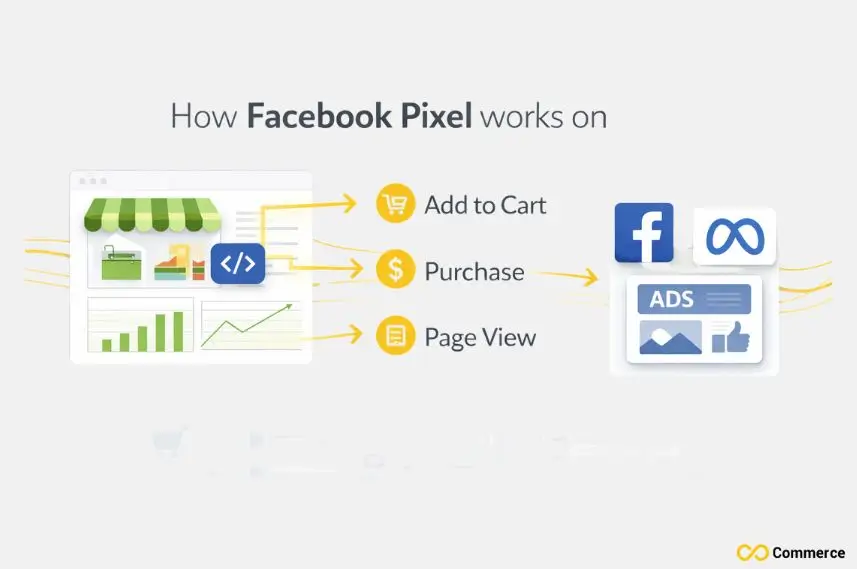
The Facebook or Meta Pixel is a small piece of code added to your website that tracks user actions and behavior. It helps you measure ad performance, retarget visitors, and optimize campaigns for better conversions.
Why Your Shopify Store Needs the Facebook Pixel?
Without the Meta Pixel, your Shopify store misses out on valuable customer insights. It helps you track actions, optimize ads, and make smarter marketing decisions that drive real results.
Enhanced Ad Targeting Precision
The Meta pixel transforms your advertising from spray-and-pray to sniper-like accuracy. Target people who have shown interest in your products. This includes those who visited certain pages or added items to their cart. Don’t just show ads to random users.
Conversion Tracking That Actually Works
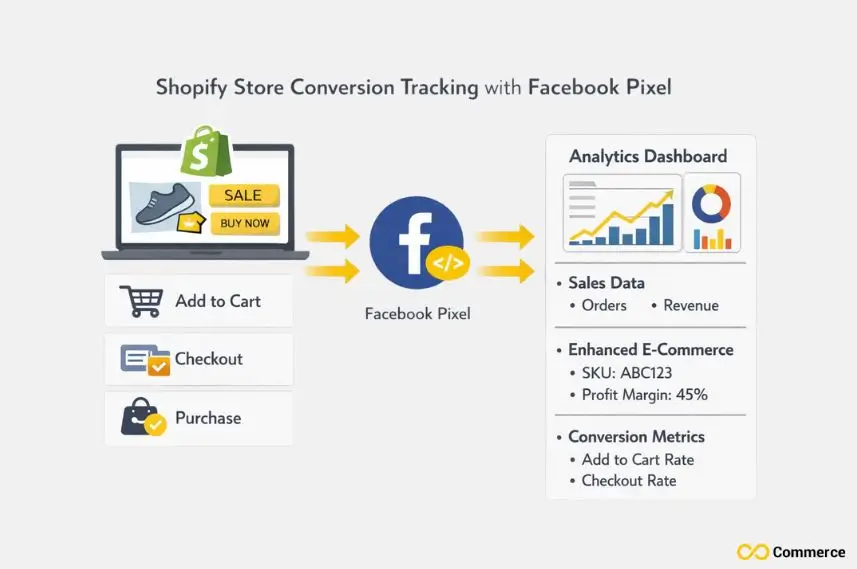
Without proper tracking, you’re essentially throwing money into a black hole. The pixel tracks key events such as purchases, add-to-cart actions, and checkout starts. This gives you a clear view of which campaigns boost your revenue.
Building Powerful Custom Audiences
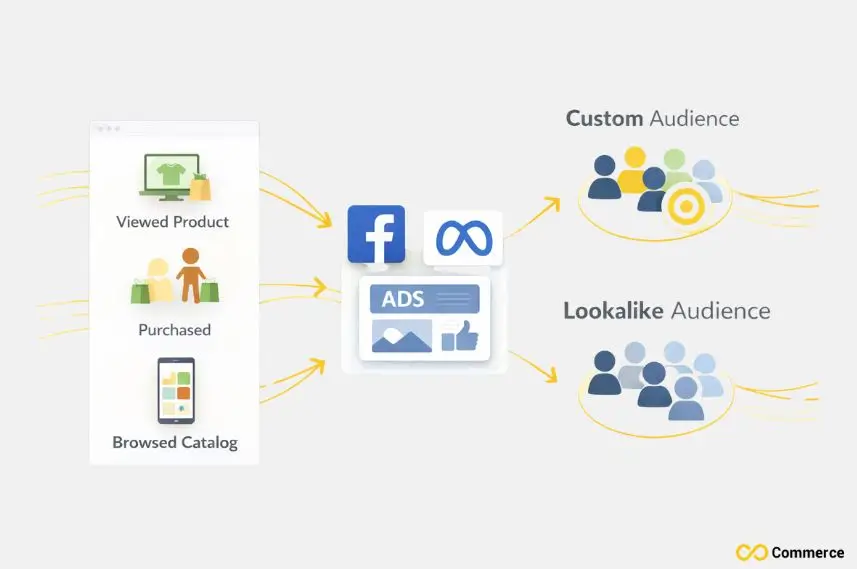
The pixel enables you to create audience segments based on actual behavior.
You can create lists of:
- People who viewed certain products but didn’t buy.
- Customers who made purchases in the last 30 days.
- Visitors who browsed your product catalog for over five minutes.
Lookalike Audience Generation
Once you have enough conversion data, Facebook’s algorithm can spot people who are similar to your best customers. Lookalike audiences often have high conversion rates for acquiring new customers.
Installing the Meta Pixel on Your Shopify Store
To set up your pixel, connect your Facebook Business Manager account to your Shopify admin panel.
Step 1: Access Your Facebook Business Manager
Go to your Facebook Business Manager dashboard. Find your pixel ID in the Events Manager section.
If you haven’t created a pixel yet, Facebook will guide you through the setup process, which takes less than five minutes.
Step 2: Install through Shopify’s Facebook Channel
Go to your Shopify admin, search for “Facebook” in the app store, and install the Facebook Channel app. This method handles the technical integration automatically.
Step 3: Use Third-Party Shopify Apps
Another option is to install a third-party app like Infinite Facebook Pixel. This app offers advanced features, including standard event tracking, and gives you far more control over your data. If you’re looking for a tool with a wide range of capabilities, it’s an excellent choice.
Alternative Installation Methods: Advanced users can manually add the pixel code to their theme’s header section or use Google Tag Manager for more sophisticated tracking setups.
Advanced Tracking for a Competitive Edge
Without the Meta Pixel, your Shopify store misses out on valuable customer insights. It helps you track actions, optimize ads, and make smarter marketing decisions that drive real results.
Custom Events for Deeper Insights
Standard events track common actions, like purchases and page views. Custom events, on the other hand, help you monitor specific behaviors unique to your business. You can track when customers watch product videos, download catalogs, or chat with support.
Enhanced E-commerce Tracking
Set up your pixel to capture key product details like SKUs, categories, and profit margins. This detailed data helps you improve campaigns based on real profits, not just conversion numbers.
Cross-Platform Attribution
The pixel works seamlessly across Facebook, Instagram, and the broader Facebook Advertising Network. Customers may find your products on Instagram. They might research your website and then buy through your Shopify store. The pixel tracks this whole journey.
Server-Side Tracking Implementation
iOS 14 and ad blockers can limit client-side tracking effectiveness. Using Facebook’s Conversion API with your pixel provides a backup for tracking. This method collects data, even if traditional tracking fails.
How Do Privacy Laws Affect Pixel Tracking?
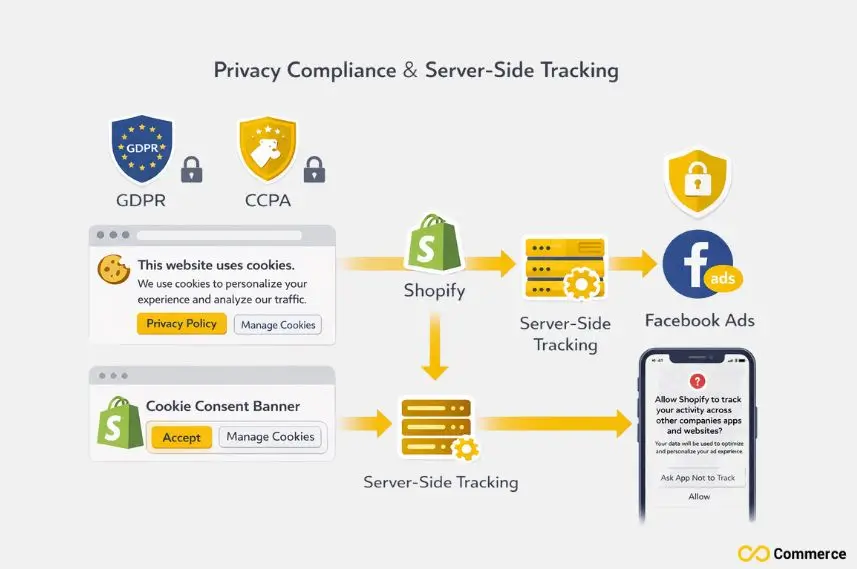
Privacy laws like GDPR and CCPA have changed how businesses collect and use customer data. These rules affect how your Meta Pixel tracks users, making consent and transparency more important than ever.
Understanding iOS 14 Impact
Apple’s iOS 14 update added App Tracking Transparency. Now, apps must ask for permission before tracking users across other apps and websites. This change cut down the data available for ad targeting. So, server-side tracking is now more important than ever.
GDPR and Data Privacy Compliance
If you serve customers in the EU, you must follow GDPR rules for collecting customer data. This usually means showing cookie consent banners. It also includes clear privacy policies that explain how customer data is used.
Limited Data Use Settings
Facebook has Limited Data Use settings for businesses that serve customers in California. This is in line with CCPA rules. These settings limit how Facebook can use customer data. They still let basic advertising work.
Aggregated Events Measurement
Due to privacy changes, Facebook now limits the number of conversion events that can be tracked per domain. Focus on your key events, like purchases and add-to-cart actions. This way, you keep important data flowing, even with these limitations.
What Are Common Pixel Implementation Mistakes?
Even a small setup error can cause your Meta Pixel to miss key data or track incorrectly. Understanding common mistakes helps you avoid problems and keep your tracking accurate from the start.
Duplicate Pixel Installations
Installing multiple pixels or using the Facebook Channel app with manual code can cause tracking issues. This may lead to inflated metrics. Always use a single installation method and verify proper setup using Facebook Pixel Helper.
Incorrect Event Configuration
Misconfigured purchase events may track page views instead of real transactions. This can result in very inaccurate conversion data. Make sure your purchase event triggers only after customers finish checkout. It shouldn’t activate when they just view product pages.
Missing Enhanced Conversions Setup
Enhanced conversions improve attribution accuracy by sending hashed customer information alongside conversion data. Shopify merchants often overlook this feature, missing opportunities for better campaign optimization.
Ignoring Custom Conversions
Custom conversions let you set specific actions as goals. For example, you can track newsletter signups or catalog downloads. Micro-conversions improve campaigns by focusing on actions that lead to purchases. This is especially vital for businesses with longer sales cycles.
Final Thoughts
The Facebook Pixel is a simple yet powerful tool that helps boost your Shopify store’s marketing performance. If you’ve ever wondered what is a Facebook Pixel, it’s the key to collecting valuable data that grows more useful over time and creates compound returns on your advertising investment. Successful e-commerce stores treat this data as their most important asset because it turns customer interactions into powerful marketing insights.
The pixel automatically collects and organizes data, ensuring every advertising dollar delivers maximum value. Start with a basic setup today and add advanced features as your business grows. Your future self will thank you for establishing a robust tracking system that supports profitable, scalable, and data-driven advertising campaigns.
FAQs
A Facebook Pixel is a small tracking code placed on your website that collects user actions to help optimize ads and measure conversions.
You can run ads without a pixel, but you’ll miss crucial tracking and retargeting data. For accurate insights and better ad optimization, you can add a meta pixel.
Using a Facebook (Meta) Pixel is completely free; you only pay for your ads. It tracks customer actions to improve targeting and boost your Shopify store’s ad ROI.
Deleting your Facebook Pixel removes all past tracking data and stops retargeting and conversion tracking. It’s safer to back up or disable it temporarily instead of deleting it.
Create your pixel in Meta Events Manager and link it through any Shopify app. For managing multiple pixels easily, you can use the Infinite Pixels App for a fast, code-free setup.

