 Amber Naz
Quick Summary
Ecwid and Shopify both promise to help you sell online without writing code, but they start from opposite places. Ecwid adds a store to a website you already have. Shopify gives you a complete store, website included, built around its own checkout and app ecosystem. That one difference shapes almost everything else: cost, design control, marketing tools, and how well each platform tracks your ads.
This comparison uses each company’s current pricing page rather than older reviews. Several popular articles still describe Ecwid’s free plan or outdated Shopify prices, so the numbers below may differ from what you have read elsewhere. By the end, you will know which platform matches how you sell, what each will really cost, and where tracking fits into your decision.
Quick answer
- Choose Ecwid if you already have a website on WordPress, Wix, Squarespace, or another builder, you want to add a store without rebuilding anything, and your catalog is small to medium.
- Choose Shopify if you want one platform for your whole store, expect a large or fast-growing catalog, plan to run paid ads, or want built-in marketing tools and a deep app ecosystem.
Both are easy to start with. The difference shows up a year later, when your catalog, ad spend, and team have grown.
The core difference: a store for your site or a store as your site
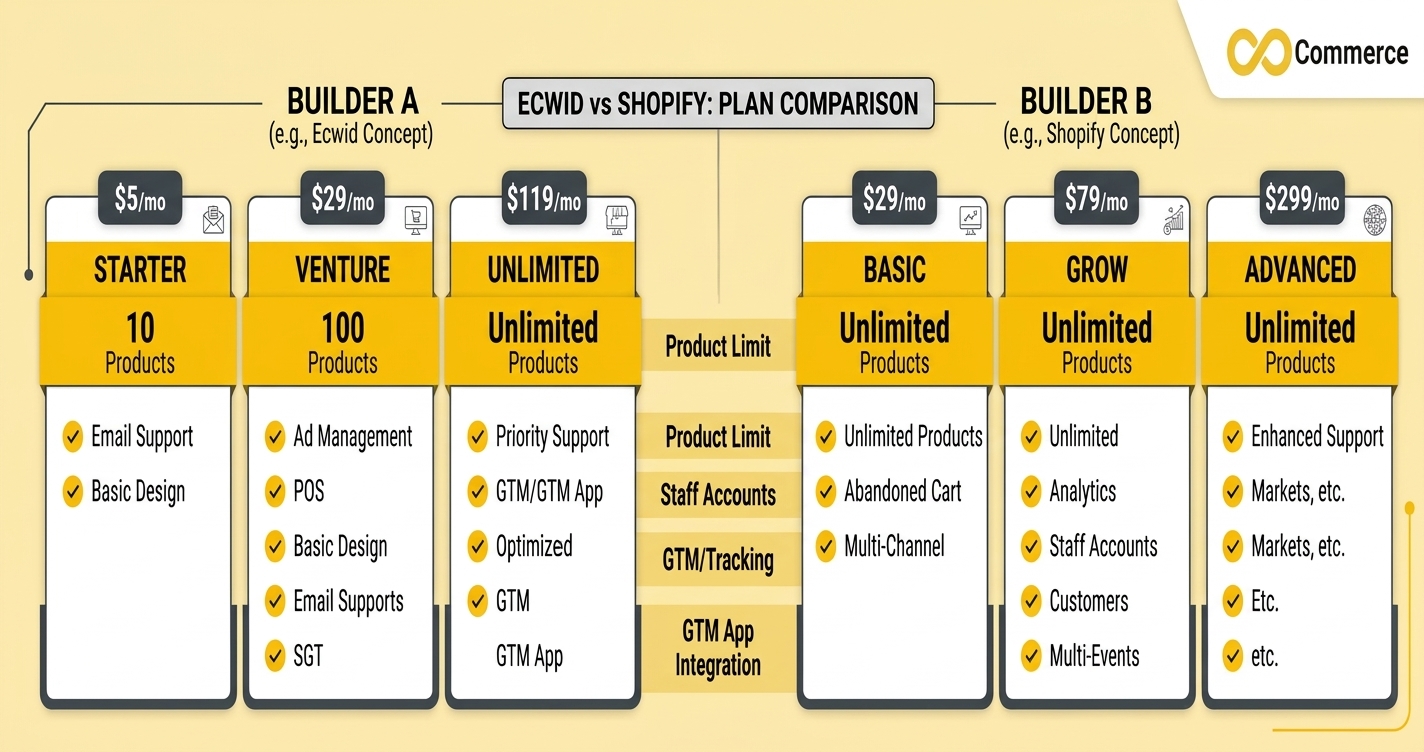
Ecwid is built to plug into an existing website. According to Ecwid’s pricing page, you can add a store to a site built on WordPress, Wix, Squarespace, or any other platform, and you can show the same store on several sites while managing products and orders from a single account. Ecwid also offers Instant Site, a code-free website builder with more than 70 templates, for sellers who are starting from scratch.
Shopify works the other way around. The store is the website: themes, product pages, checkout, and admin all live in one system. Shopify also has a Buy Button sales channel that lets you embed buy buttons on an external website and have customers check out through Shopify Checkout, but the full platform is where it is strongest.
Which model is better depends on where you are starting. If your current website is branded, ranking in search, and working well, adding Ecwid can save you a migration. If your website is an afterthought, or you want everything in one place, Shopify is the simpler long-term home.
Ecwid vs Shopify at a glance
| Feature | Ecwid | Shopify |
| Entry plan | Starter, $5/mo for 10 products | Basic, $29/mo billed yearly |
| Main paid plans (billed yearly) | Venture $29, Business $49, Unlimited $119 per month | Basic $29, Grow $79, Advanced $299 per month |
| Same plans billed monthly | $35, $65, $149 | $39, $105, $399 |
| Product limit | 10, 100, 2,500, then unlimited by plan | Unlimited on every plan |
| Platform transaction fee | None | None with Shopify Payments; 2% to 0.2% with other gateways |
| Abandoned cart recovery | Business plan and above | Included on every plan |
| Staff accounts | 2 on Business, unlimited on Unlimited | None on Basic, 5 on Grow, 15 on Advanced |
| Best fit | Adding a store to an existing website | Running a complete store |
Prices checked on each company’s pricing page on October 12, 2026. Ecwid prices vary by currency, and Ecwid says annual billing saves 16%.
Pricing: what you will actually pay
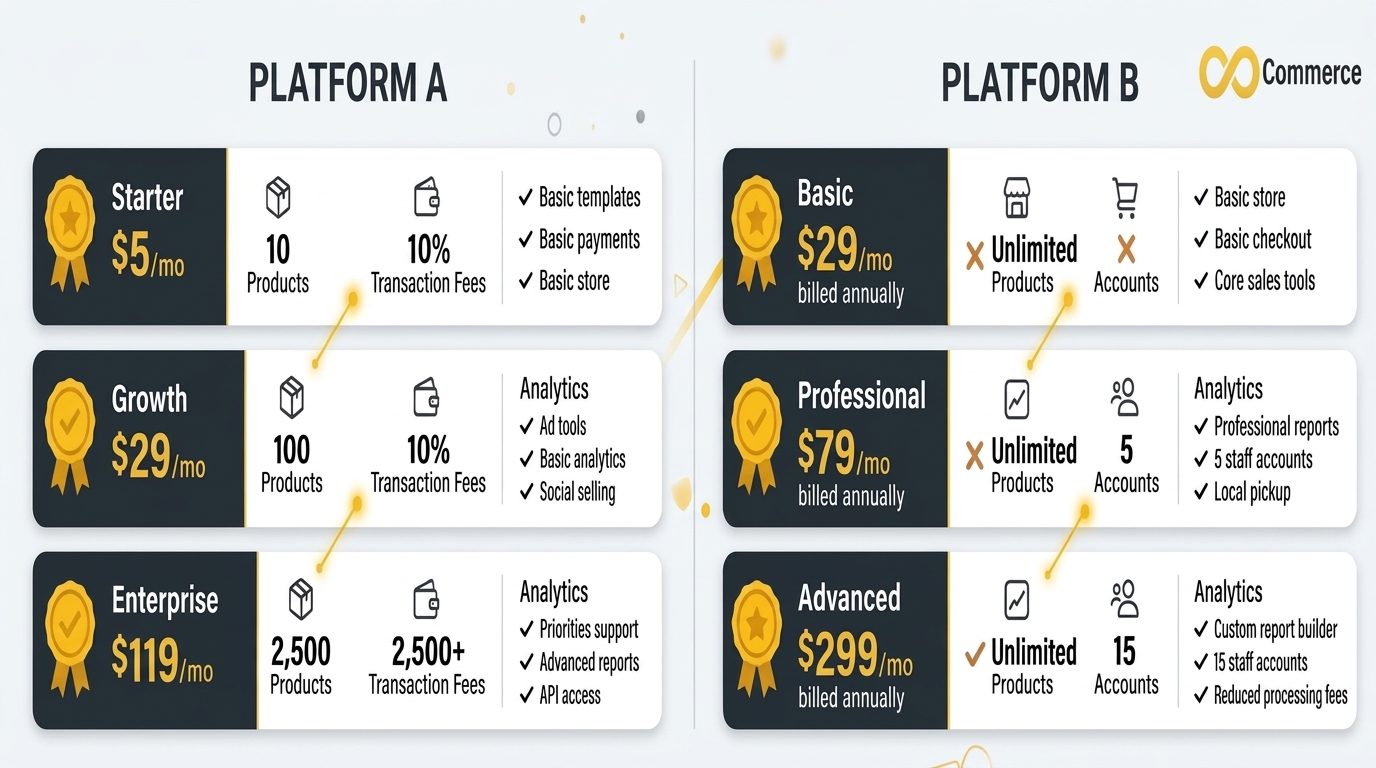
Ecwid’s pricing page lists four plans. Starter costs $5 a month and covers up to 10 products. Venture is 29amonthbilledyearly(35 monthly) for up to 100 products. Business is 49billedyearly(65 monthly) for up to 2,500 products, and Unlimited is 119billedyearly(149 monthly). All plans are month to month with no long-term commitment.
Older comparisons often describe a free Ecwid plan. The pricing page I checked lists Starter at $5 a month as its entry point, so confirm what is offered in your country before you plan around a free tier.
Shopify’s pricing page lists Basic at $29 a month billed yearly($39 monthly), Grow at $79($105), and Advanced at $299($399). New stores get a 3-day free trial, then pay $1 a month for the first 3 months.
Put the two side by side at the same price and the trade-off becomes clear:
- Product limits. At $29 a month billed yearly, Ecwid Venture allows up to 100 products. Shopify Basic costs the same and allows unlimited products.
- Abandoned carts. Ecwid includes abandoned cart recovery from the Business plan, which is $49 a month billed yearly. Shopify includes abandoned checkout recovery on every plan.
- Team access. Ecwid Business adds 2 staff accounts. Shopify Basic does not include additional staff accounts, but Grow at $79 adds 5.
So Ecwid is cheaper for sellers who need only a handful of products and basic tools. Once you need hundreds of products or built-in marketing features, the price gap narrows or reverses.
Transaction and payment fees
Ecwid says it charges no setup or transaction fees on any plan, and it works with more than 70 payment providers, including PayPal and Stripe. You still pay each provider’s own processing fees.
Shopify also adds no transaction fee when you use Shopify Payments, with online card rates starting at 2.9% plus 30 cents on Basic. If you use a third-party payment gateway instead, Shopify adds a fee of 2% on Basic, 1% on Grow, and 0.6% on Advanced. On a $100 order, that is an extra $2 on Basic before the gateway’s own charges.
Per Shopify’s FAQ, Shopify Payments is only available in certain countries. If your country is not supported, the gateway fee is a real cost of choosing Shopify, and it is the one cost Ecwid avoids entirely. Check this before you decide.
Features and room to grow
Store building and design
Both platforms are designed for people who do not code. Shopify’s pricing page says you can start a store from a simple prompt or a pre-built template, and it offers a large theme library you can customize. Ecwid’s Instant Site offers more than 70 templates and works well for simple sites, with limits on how many extra pages (such as blogs and FAQs) you can add on each plan.
If you want a distinctive brand website with plenty of room to customize, Shopify gives you more to work with. If you already have a site you like, Ecwid lets you keep it.
Selling channels
Ecwid lists selling on Facebook and Instagram (in limited countries), TikTok, Pinterest, Snapchat, Google, and marketplaces, plus a link-in-bio page called Linkup. Marketplace selling runs through third-party apps, and Ecwid notes that additional fees may apply. Shopify includes selling on social channels, marketplaces, and in AI chats on every plan, and lets you import unlimited marketplace orders, with the first 50 synced orders per month free.
Products and digital goods
Ecwid handles digital goods well, with files up to 25 GB each, and it offers pre-orders, pay-what-you-want pricing, recurring subscriptions on higher plans, and product filters. Shopify supports unlimited products on every plan, which removes the catalog ceiling that Ecwid’s lower plans have.
Marketing and sales tools
Ecwid includes discount coupons, scheduled promotions (3 on Business, 500 on Unlimited), abandoned cart emails, automated email marketing, a Mailchimp integration, and product reviews on higher plans. Shopify bundles unlimited contacts, customer segments, email campaigns, marketing automations, lead capture, live chat, pay-per-send SMS campaigns, and abandoned checkout recovery into every plan.
For a store that depends on email and automation, Shopify gives you more out of the box. For a store that only needs coupons and the occasional promotion, Ecwid’s set may be enough.
In-person selling
Ecwid has a mobile point of sale that accepts cash at fairs and shows and syncs inventory with your store. It also connects to Lightspeed Retail POS, and to Square and Clover in limited countries. Full POS integration sits on the Unlimited plan. Shopify supports casual in-person sales on every plan, and adds POS Pro for retail locations at $89 a month per location.
Selling globally and supporting a team
Ecwid offers a multilingual store from the Business plan. Shopify supports translated storefronts, local currencies, and local payment methods through Shopify Markets, though some of these need Shopify Payments. On staff access, Shopify scales from none on Basic to 15 on Advanced, while Ecwid goes from none on Venture to 2 on Business and unlimited on Unlimited.
Customer support
Ecwid offers email support on all plans, live chat 24 hours a day from Monday to Friday, phone call-backs on higher plans, and priority support on Unlimited. Shopify lists 24/7 live chat on Basic and Grow, enhanced live chat on Advanced, and priority support on Plus.
Ads and tracking: where the platforms differ
If you plan to advertise, tracking deserves a place in your decision. Ad platforms optimize on the conversion data your store sends them, so weak tracking can quietly raise your cost per sale.
Ecwid’s pricing page lists setup for the Meta Pixel, Google Ads code, Pinterest Tag, and Snap Pixel to monitor ad performance and run remarketing. That covers the basics for many stores. The page does not mention Google Tag Manager or server-side tracking, so check Ecwid’s help center if your setup depends on them. If your store is embedded in another website, also make sure your tags and conversion events are set up and tested on the store pages themselves, not just on the surrounding site.
Google Tag Manager matters because it lets you manage tags without changing your site’s code. Per Google’s own help page, you add two snippets of code once, then set up tags, triggers, and variables inside Tag Manager. A single container can replace manually coded tags from Google Ads, Google Analytics, and third parties.
On Shopify, tracking is a core use of the app ecosystem. Infinite Commerce’s Google Ads Tracking and GTM app is a Shopify app where you paste your Google Ads ID or GTM container ID to connect tracking, without editing theme code. Its Standard plan covers page views, add to cart, begin checkout, and purchase events, and its Premium plan adds GA4 and Bing integrations, server-side setup, and enhanced conversions. Both plans include a 7-day trial.
The practical takeaway: if paid ads will drive a meaningful share of your sales, Shopify gives you more ways to set up and verify tracking. If you rely on organic traffic, social posts, or an existing audience, this matters much less.
Who should choose Ecwid
Ecwid fits you if:
- You already have a website you want to keep, and you want to add a store to it
- You sell a small to medium catalog and do not expect thousands of products
- You want to show the same store on several sites and manage it from one account
- You sell digital products and want large file support
- You want to keep payment costs low by avoiding platform transaction fees on any gateway
Who should choose Shopify
Shopify fits you if:
- You want your website and store in one system
- You expect your catalog to grow beyond a few hundred products
- You plan to run Google, Meta, or TikTok ads and need dependable conversion tracking
- You want email, automation, and abandoned checkout recovery built in
- You expect to hire help, sell in several countries, or sell in person at scale
Switching later
Many sellers start on a lighter tool and move when they outgrow it, so it is worth knowing the exit is manageable. Plan for three things: moving your products and customers, rebuilding page links, and re-testing your tracking before you run ads. When your product URLs change, set up redirects so old links and search results still reach a working page. Shopify explains how in its guide to creating and managing URL redirects, including the rule that a redirect only works from a URL that is actually broken.
How to choose: five questions to ask yourself
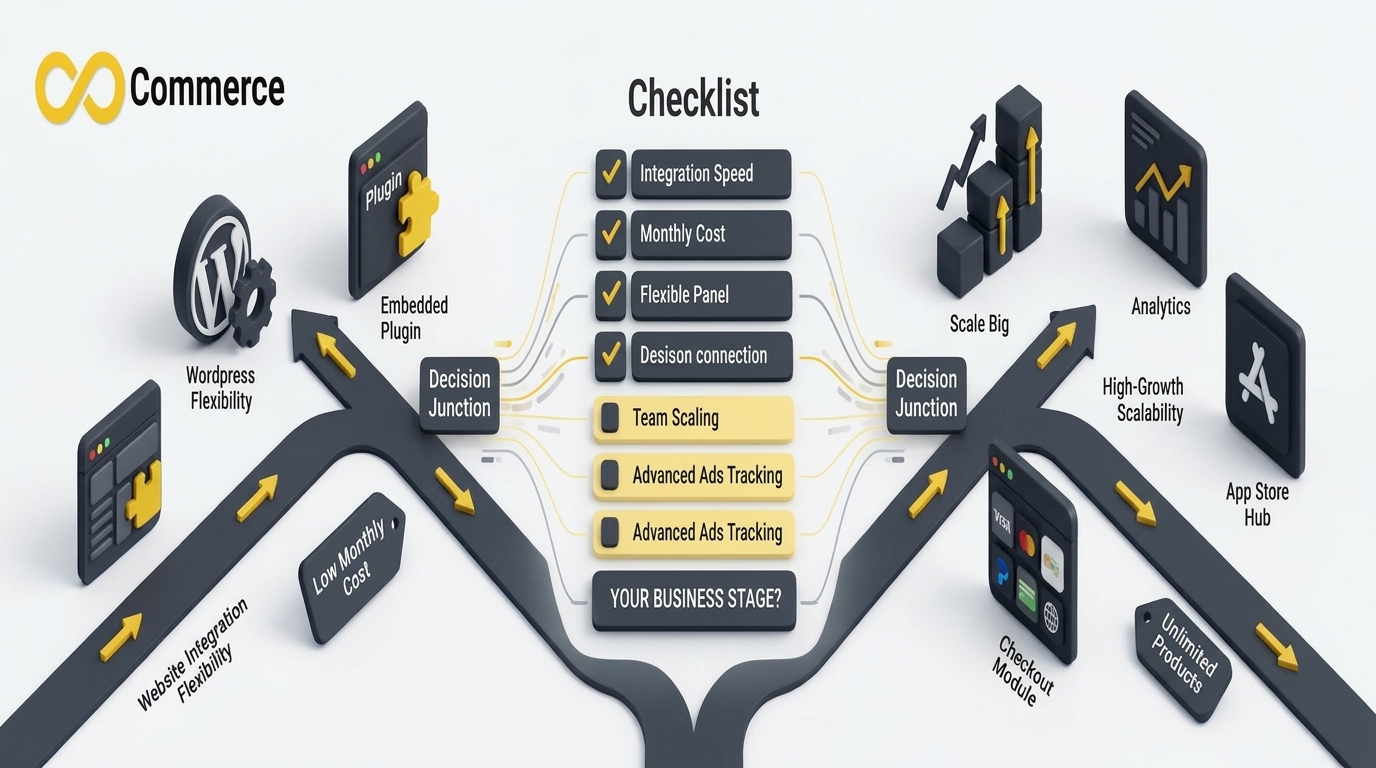
Feature lists only go so far. These questions turn the comparison into a decision.
- Do you already have a website you want to keep? If yes, and you are happy with it, Ecwid’s add-a-store approach avoids rebuilding. If you are starting from nothing, Shopify gives you the site and the store together.
- How many products will you sell in a year? Compare your answer with the product limits in the table above. A catalog that fits comfortably today but will double soon is a reason to look at unlimited plans.
- How much will you spend on ads? The more you spend, the more a missed or duplicated conversion costs you. Check how each platform supports the ad tags you need, and plan time to test them.
- Who will run the store? A solo owner may value a simple setup. A growing team may need staff accounts, so compare the staff limits on each plan.
- What does the full monthly cost look like? Add the plan price, any apps you need, and payment processing fees. The cheapest plan is not always the cheapest store.
If you answer these honestly, the right platform is usually clear. When it is not, start with the option that matches the next twelve months, not the next five years.
Final verdict: which should you pick?
Ecwid and Shopify are built for different starting points. Ecwid is the better fit when you already have a website and want to add a store to it at a low monthly cost. Shopify is the better fit when you want a complete store with room to grow: unlimited products, built-in marketing, and a large ecosystem of apps for tracking, shipping, and more.
A simple rule works well. If you can describe your store today and expect it to look about the same in two years, Ecwid can serve you well. If you expect your catalog, ad spend, or team to grow, start on Shopify and avoid a migration later.
Set up reliable Google Ads tracking on Shopify
If you choose Shopify and plan to advertise on Google, start with tracking you can trust. Infinite Commerce’s Google Ads Tracking and GTM app connects your Google Ads and Tag Manager setup to your Shopify store, with a 7-day trial on every plan. If you want help getting your tracking right from day one, contact our team.
FAQs
At the low end, yes. Ecwid’s entry plan is $5 a month, against $29 a month for Shopify Basic billed yearly. At the same $29 price, though, Ecwid Venture allows 100 products while Shopify Basic allows unlimited products.
Ecwid says it charges no setup or transaction fees on any plan. You still pay your payment provider’s processing fees.
Not when you use Shopify Payments. With a third-party gateway, Shopify adds 2% on Basic, 1% on Grow, and 0.6% on Advanced. Shopify Payments is only available in certain countries.
Yes. Ecwid says you can add a store to a site built on WordPress, Wix, Squarespace, or any other platform. Shopify can also add a Buy Button to an external site, though its full store experience lives on Shopify.
Both support the main ad platform tags. Shopify has a larger app ecosystem for tracking, including apps for Google Ads, Google Tag Manager, GA4, and server-side setups. Whichever you choose, test your conversion events before you spend on ads.
Yes. You will need to move your products and customers, set up redirects from old URLs, and test your tracking before launching ads.
