 Amber Naz
Quick Summary
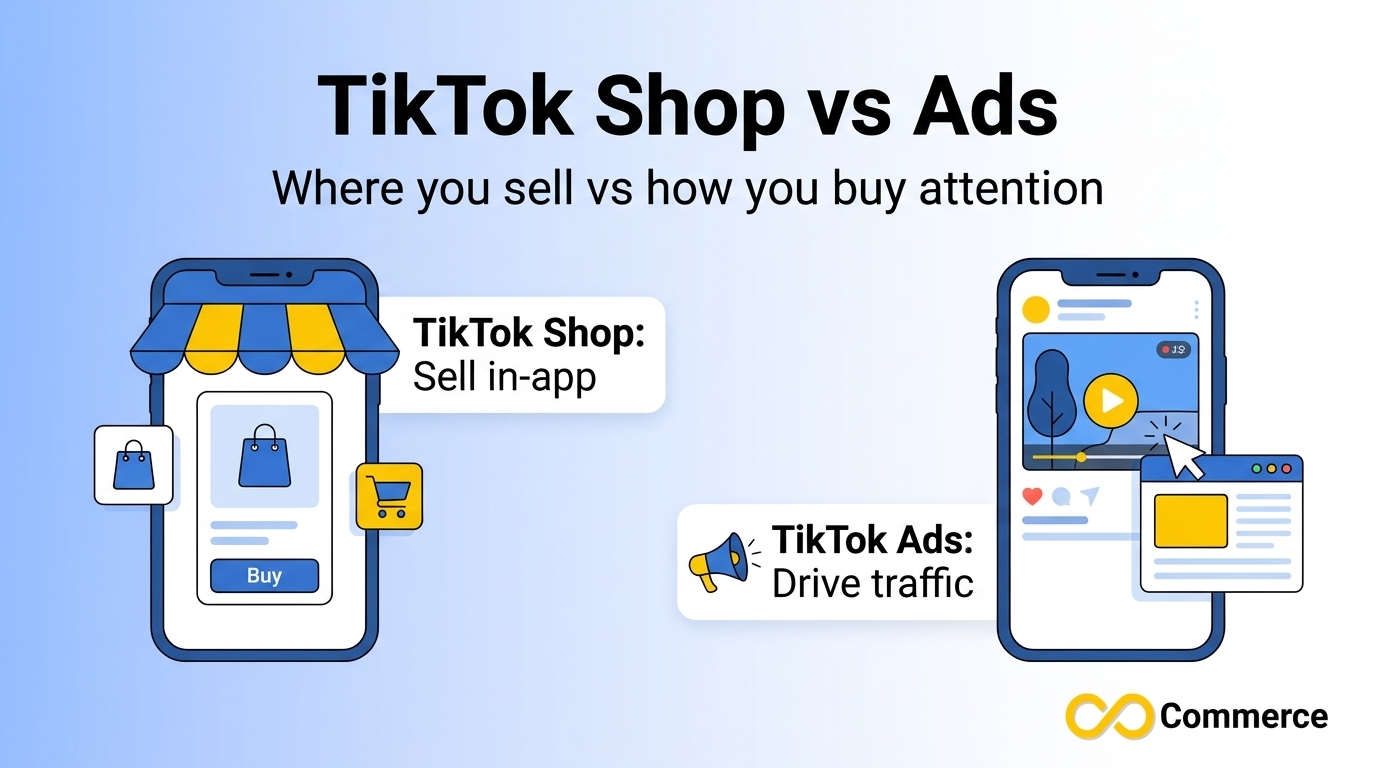
TikTok shop vs ads is not a contest between two rivals. It is a native storefront where people browse, buy and return products inside TikTok. TikTok Ads is the paid advertising system run through TikTok Ads Manager, and it can send people to your own website or promote products pulled from a catalog. On the catalog question: TikTok Shop runs on products you list in TikTok Seller Center, Shop Ads can use those Shop products as their source, and catalog-powered ads in Ads Manager need a catalog asset. A plain website traffic campaign does not. Either way, clean and accurate product data makes every path easier.
If you sell physical products and have started researching TikTok, you have probably hit the same wall as everyone else. Two names sound almost identical, and a third word, “catalog,” appears in every setup guide. Shop, Shop Ads, TikTok Ads, Catalog Ads, Seller Center, Ads Manager. It is easy to lose a week reading before you know which door to walk through.
This guide removes the guesswork. You will learn what each option is, how checkout and costs differ, which one needs a product catalog, and how to choose based on your own store. The explanations come from TikTok’s own Business Help Center. Where fees, market availability or feature names can change, we point you to your account rather than guessing.
TikTok Shop vs Ads: The Core Difference in Plain Terms
The quickest way to understand TikTok shop vs ads is to ask where the customer finishes the purchase and who runs the shopping experience.
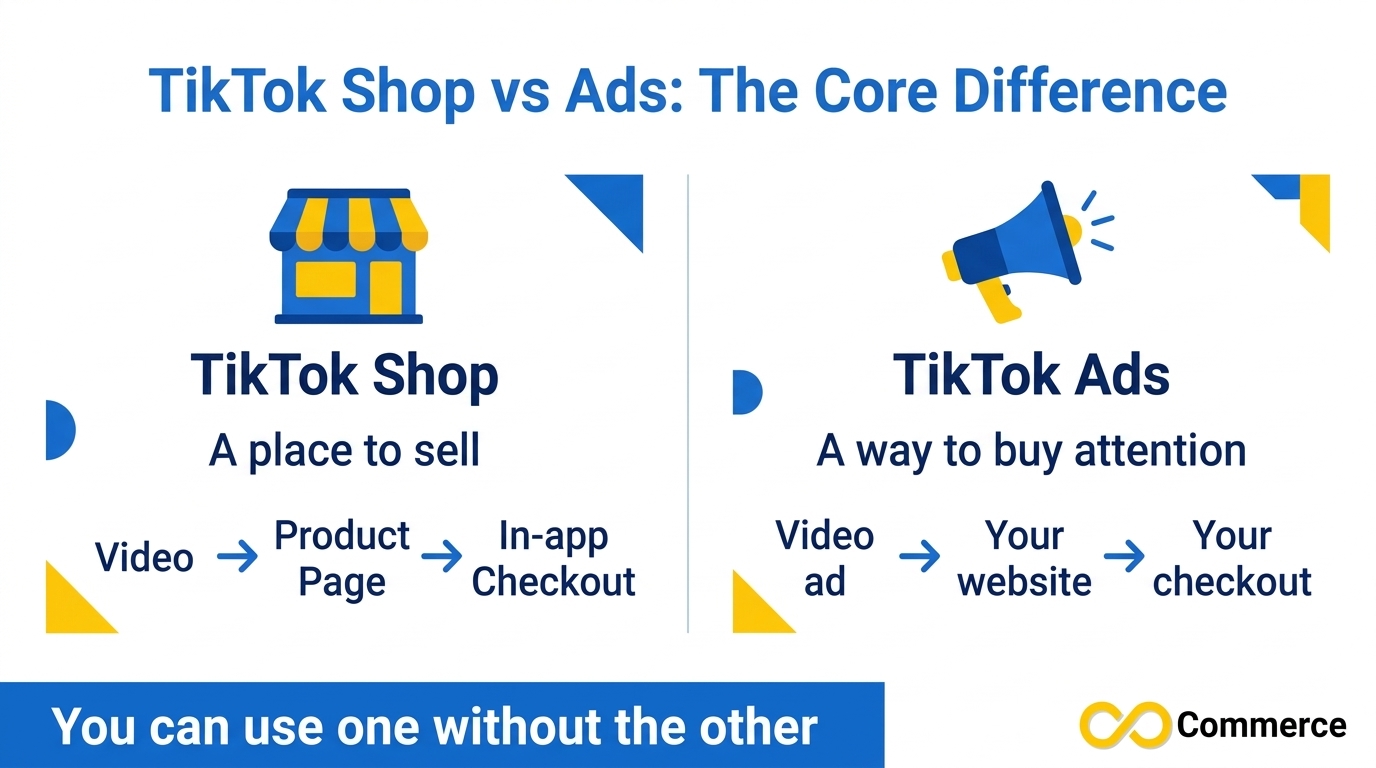
With TikTok Shop, the answer is inside TikTok. TikTok’s own description of TikTok Commerce calls it a fully native shopping experience in which product discovery, product detail pages, product management, shipping, billing, purchases and returns are handled on the TikTok platform.
With traditional TikTok Ads, the answer is usually your own website. You pay to put a video in front of the right audience, people tap through, and your store’s checkout takes the order.
TikTok groups these ideas under TikTok Commerce, which it says offers two paths for selling products directly from your account: Shop Ads and TikTok Shop. The two are not separate universes. TikTok Shop is the storefront. Shop Ads are a paid format that promotes products inside TikTok.
The short answer: TikTok Shop is a place to sell. TikTok Ads is a way to buy attention. You can use TikTok Shop without running ads, and you can run ads without opening a TikTok Shop.
Four terms cause most of the confusion, so here they are in one place:
- TikTok Shop: the in-app storefront managed through TikTok Seller Center, with native checkout.
- Shop Ads: ads created in TikTok Ads Manager with the sales objective that promote products sold through the Shop.
- Website traffic ads: ads that send people to your own store or landing page, where your checkout completes the sale.
- Catalog ads: ads built from a product library you store in Ads Manager, such as Smart+ Catalog Ads, which TikTok describes as showing personalized creatives to each consumer.
What Is TikTok Shop?
TikTok Shop lets you run an e-commerce business directly on the TikTok platform. According to TikTok, you manage it through TikTok Seller Center and Affiliate Center, and people can discover your products through live streams, videos and the product Showcase, from your own account or from creators’ accounts.
TikTok lists three marketplace tools as part of the experience:
- TikTok Seller Center: a workstation portal for launching and managing your Shop.
- TikTok Affiliate Program: a way to connect with creators who make commission-based product content.
- Native checkout flow: customers complete checkout and payment on your TikTok Shop.
Availability is not universal. TikTok’s page lists Indonesia, Malaysia, the Philippines, Singapore, Thailand, the United Kingdom, the United States and Vietnam, but it was last updated in July 2025, so confirm the current list for your country.
How a TikTok Shop Sale Works
A typical journey is short. A shopper watches a video or live stream, taps a product, lands on a product detail page inside TikTok and pays with native checkout. They never leave the app. Creators can also promote your products for a commission through the affiliate program, so your reach is not limited to your own audience.
What TikTok Shop Does Well
Because discovery and checkout sit in the same place, TikTok Shop suits visual products that are easy to demonstrate and priced for quick decisions.
The Trade-Offs
You work inside TikTok’s rules. Checkout and returns follow the native experience, which can matter if you rely on your own abandoned cart emails or branded unboxing. Fees and commissions differ by market and category, so read the current schedule in Seller Center instead of trusting a number from a blog post, including this one.
What Are TikTok Ads?
TikTok Ads is TikTok’s paid advertising platform, and you run it through TikTok Ads Manager. You choose an objective, define an audience, set a budget and upload or generate creative. What you do after the click depends on the campaign type.
Ads That Send Traffic to Your Own Website
This is the classic setup. A short video promotes a product, and the call to action opens your product page. Your store handles the cart and payment. The upside is control over branding, checkout and the customer relationship, so keep the landing page fast with our Shopify speed tips. The cost is friction, since the shopper leaves the app, and measurement, since you need tracking to know which ads led to sales. A correctly installed pixel is what makes that possible, and our guide to how tracking pixels work in e-commerce explains the basics. If you run Shopify, the Facebook and TikTok Pixel app from Infinite Commerce covers the TikTok side of that setup.
Shop Ads and Catalog Ads
TikTok Shop ads, which TikTok calls Shop Ads, are created by choosing the sales objective in Ads Manager. TikTok describes benefits such as personalized recommendations, creative automation and dynamic product landing pages. Catalog ads work from a different source: a product library you maintain in Ads Manager. Both formats are product-focused, but they pull their product information from different places, and that difference is exactly why the catalog question needs its own section below.
TikTok Shop vs Ads: Side-by-Side Comparison
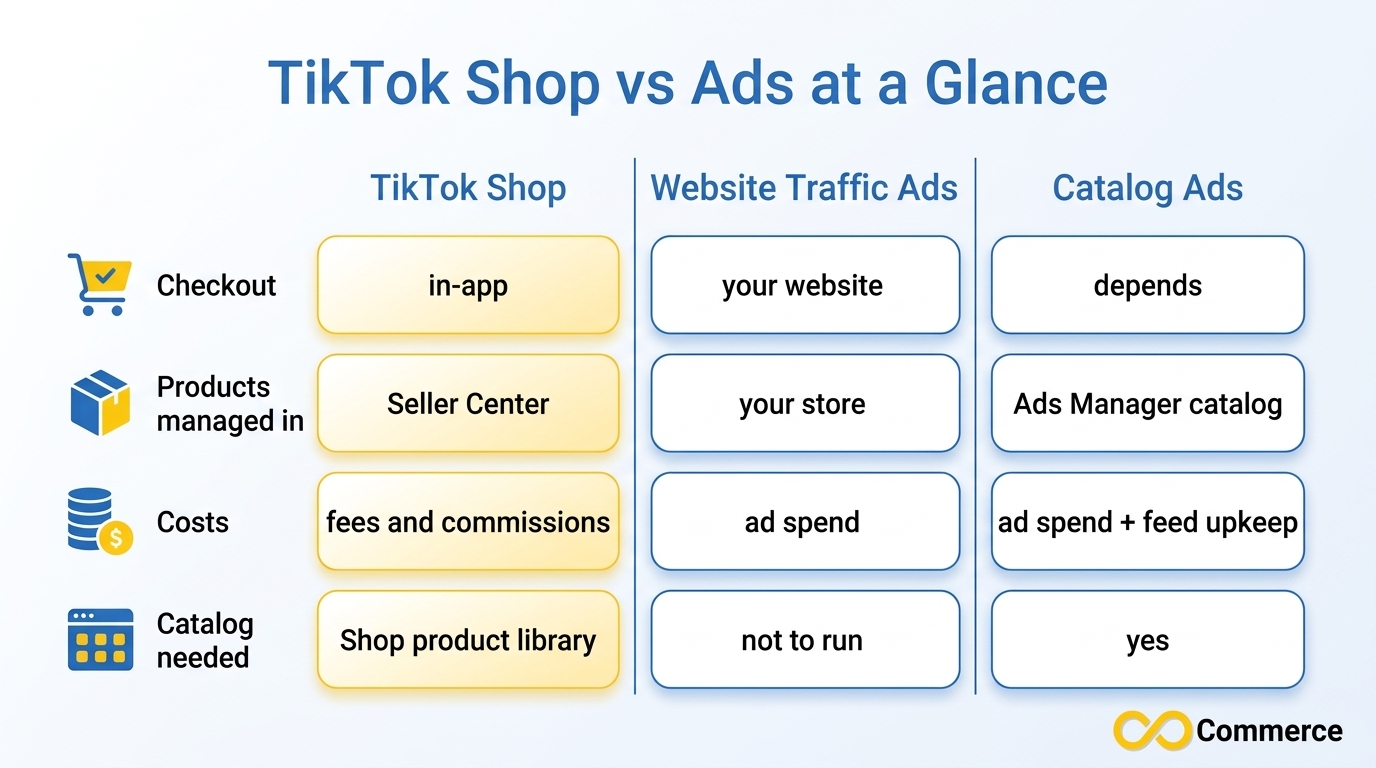
Use this table as a quick reference. It reflects how TikTok describes its own tools, and it flags where you should check your account for current rules.
| Factor | TikTok Shop | Website traffic ads | Catalog ads |
| Where the purchase happens | Inside TikTok, with native checkout | On your own website | Depends on the ad setup you choose |
| Where products are managed | TikTok Seller Center | Your own store platform | A catalog in TikTok Ads Manager |
| What you pay | Shop fees and commissions that vary by market and category | Ad spend you control through budgets | Ad spend, plus the effort of keeping the catalog accurate |
| Product catalog needed? | Products listed in Seller Center | Not to run the campaign itself | Yes, an Ads Manager catalog |
| Control over checkout | Follows TikTok’s native flow | Full control on your site | Depends on destination |
| Best fit | Impulse-friendly products and creator-led selling | Brands that want their own checkout and data | Stores with many products that want automated product ads |
| Tracking | Handled inside TikTok’s Shop environment | Needs pixel and event setup on your site | Needs a connected data source and tracking |
Tracking and fee details vary by setup, so verify them in your own account.
Which One Needs a Product Catalog?
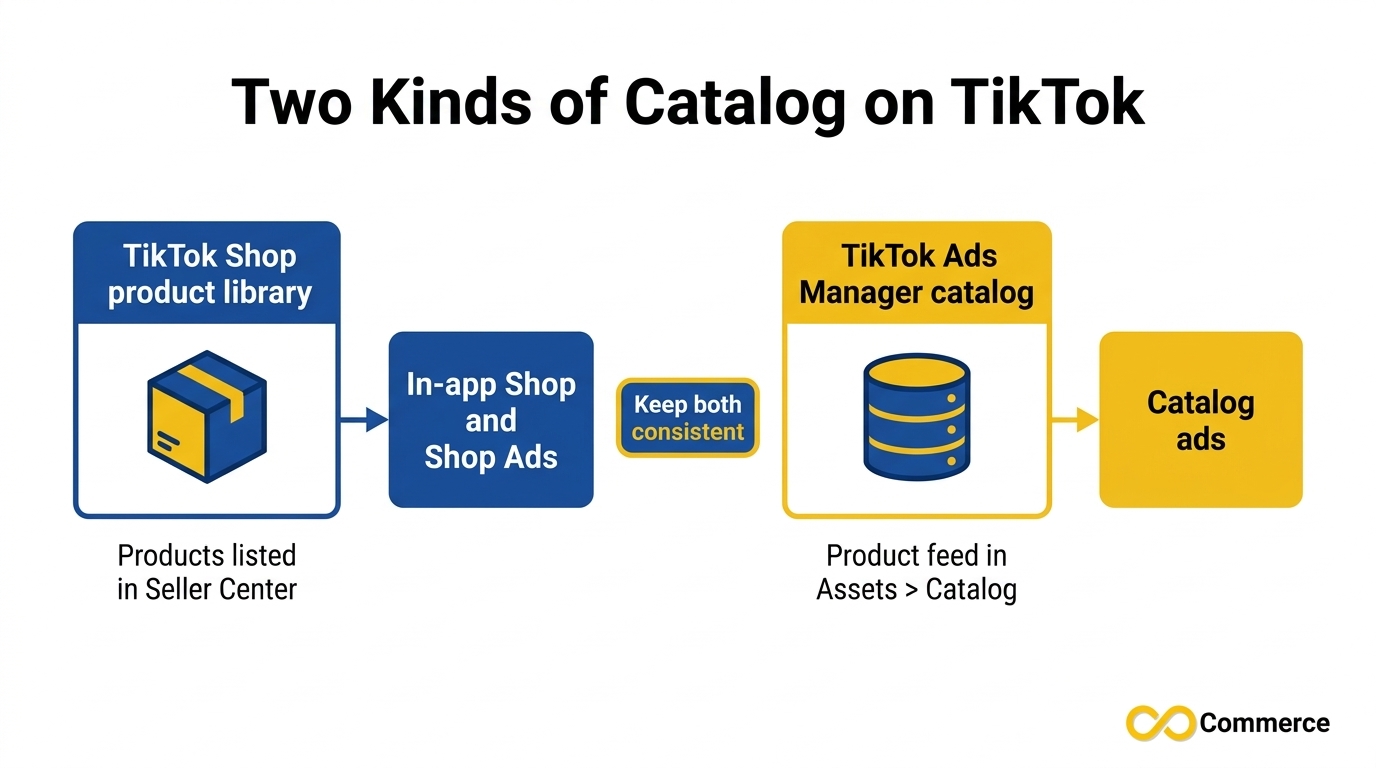
Most competing articles skip this question or answer it vaguely, because “catalog” means two different things on TikTok. One is the product library behind TikTok Shop. The other is a catalog asset you create in Ads Manager. Mixing them up is how two guides can seem to contradict each other.
TikTok Shop vs Catalog: What the Shop Side Needs
A TikTok Shop is built on products you list and manage in TikTok Seller Center. In that sense, yes, the Shop needs a product library, but it is the Shop’s own library, not an Ads Manager catalog you build separately. TikTok’s help content also describes running Shop Ads with the Product Sales objective and a TikTok Shop product source, so the products in your Shop can feed those ads. Confirm which asset connections your account requires before you launch, because requirements can differ by market.
For Shopify merchants, the practical challenge is accuracy. Titles, prices, images, variants and stock levels change constantly, and a listing that does not match your store creates refunds and support tickets.
TikTok Ads Manager Catalog: When Ads Need One
A catalog in TikTok Ads Manager is an asset that stores information about the products you want to promote. TikTok says that once you create one, you can build Smart+ Catalog Ads that show personalized creatives for each consumer, powered by your product library. A catalog lets you:
- Upload product names, descriptions, prices, images, videos and more directly to Ads Manager.
- Create product sets and automated rules to customize how product information appears.
- Generate custom videos for products using TikTok’s video template and dynamic video generator tools.
TikTok positions this for anyone who wants an efficient way to manage ads featuring many products, such as an online retailer. You can create a catalog in Ads Manager under Assets, then Catalog, or through partner platforms TikTok lists, including Shopify, WooCommerce and BigCommerce.
So the TikTok Ads Manager catalog is not required for every campaign. It is required when you want ads generated from your product library instead of one creative at a time.
Do You Need a Catalog? A Quick Decision Table
| Your goal | Catalog you need |
| Sell products inside TikTok with native checkout | Products listed in TikTok Seller Center |
| Run Shop Ads to products already in your Shop | Your TikTok Shop products as the product source |
| Run a standard website traffic campaign for a few hero products | No catalog needed to run the campaign; you need a landing page and tracking |
| Run catalog-powered ads across a large product range | A catalog in TikTok Ads Manager |
| Do both Shop and catalog ads | Both product sources, kept consistent |
TikTok Shop or Ads: How to Choose
Asking tiktok shop or ads as if you must pick one forever is the wrong framing. The better question is which one to start with, given what you have today.
Start With TikTok Shop If
- Your products are easy to show in a short video or live stream and suit quick decisions.
- You want creators to promote you for commission.
- Your country is on TikTok’s current Shop market list and you are comfortable with native checkout and returns.
Start With TikTok Ads If
- You want shoppers on your own website, with your checkout and branding.
- TikTok Shop is not available in your market or does not suit your product type.
- Your product needs more explanation than an in-app listing allows.
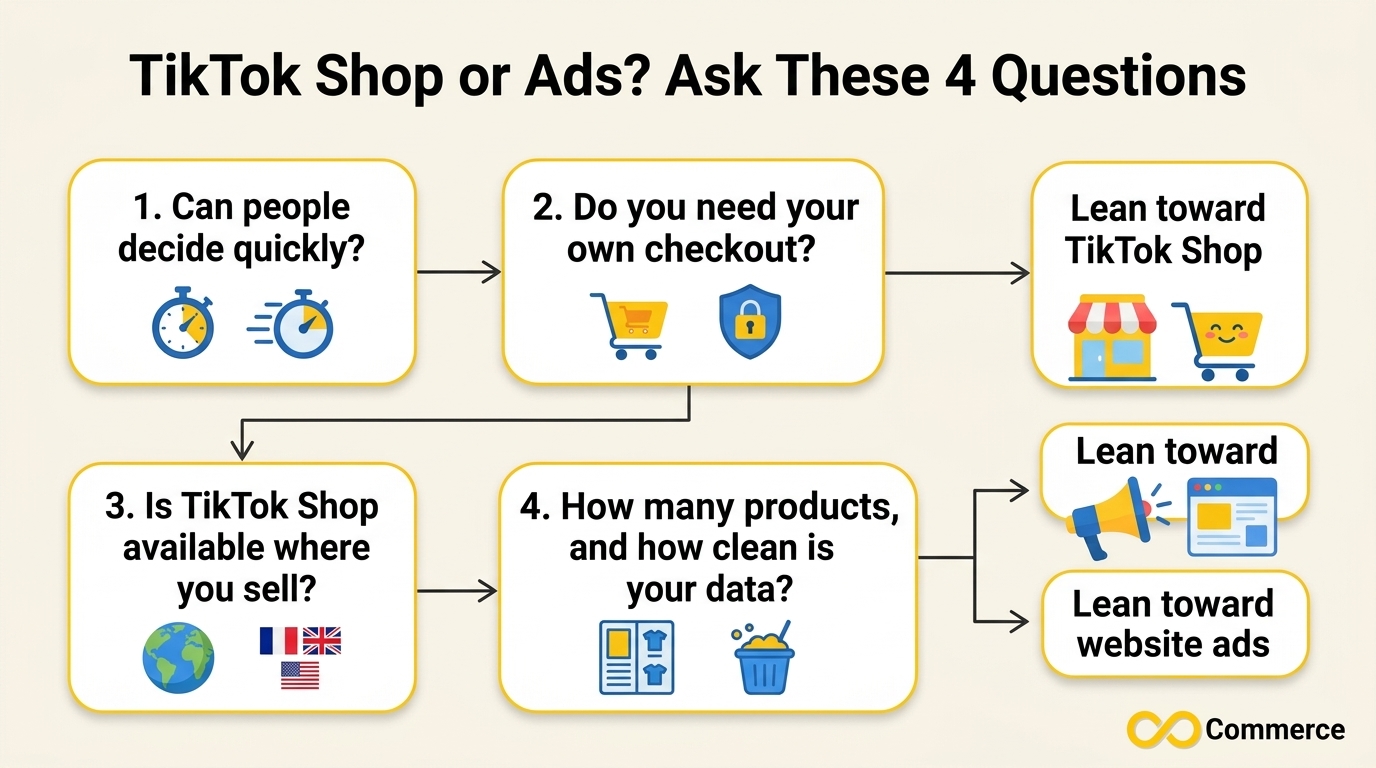
A Four-Question Test
- Can people decide quickly? If yes, the Shop’s in-app flow is a strength.
- Do you need your own checkout? If yes, lean toward website traffic ads.
- Is TikTok Shop available where you sell? If no, the decision is already made.
- How many products do you have, and how clean is the data? Many products with accurate data favor catalog-driven ads. A handful of hero items can run on simple campaigns.
This is also where the phrase tiktok ads vs shop stops being a debate. Your answers usually point clearly in one direction.
Can You Run Both at the Same Time?
Yes, and many stores eventually do. The two channels solve different problems, so they can support each other.
TikTok Shop vs Ads: A Practical Two-Channel Setup
A sensible pattern:
- Use the Shop for discovery and creator selling. Organic videos, live streams and affiliate creators bring shoppers in.
- Use TikTok Shop ads to amplify what already sells. When a product gets traction, paid promotion can extend its reach.
- Use website traffic ads for your own store. Send audiences who prefer your site there.
- Compare results by channel. Track each lane separately.
The risk with running both is inconsistency. If a product’s price, title or availability differs between your Shop, your ads and your website, you lose trust. Product data management matters more with every channel you add.
Product Data Mistakes That Hurt Every Path
Whichever side of TikTok shop vs ads you lean toward, the same problems show up again and again:
- Weak or missing images. TikTok is visual, and a poor product image undermines the best video.
- Prices that do not match your store. A shopper who sees one price in an ad and another at checkout leaves.
- Out-of-stock products still promoted. Wasted spend and unhappy customers.
- Titles without key attributes. Missing size, color or brand details hurt matching.
- Slow or manual updates. A catalog refreshed only when someone remembers to upload a file drifts from reality.
- Tracking that was never tested. If events do not fire, you cannot tell which channel earns sales.
A Simple Action Plan Before You Spend Anything
- Write down your goal. In-app sales, website sales, or both?
- Check availability. Confirm TikTok Shop is open in your market and your products are eligible.
- Audit your product data. Review titles, images, prices, variants and stock, and fix the worst gaps first.
- Set up tracking. Install and test your pixel before your first paid campaign.
- Start with one lane. Pick the path that matches your four-question test answers and give it time to produce data.
- Add the second lane when the first is stable.
How Infinite Commerce Helps With Your TikTok Product Data
Whether you start with the Shop, with ads, or with both, the product feed underneath is the part that quietly breaks. If you run a Shopify store, the Infinite TikTok Catalog Feed app is built to manage that layer.
According to its Shopify App Store listing, the app helps you customize product titles with variant titles and vendor names, automatically update your TikTok catalog when your store changes, sync and automate your TikTok feed and TikTok Shop, and integrate TikTok Pixel feed data. It works with TikTok Catalog API, TikTok Business Center and TikTok Commerce Manager, and a free plan is available. Its feature set also includes automatic product sync, multi-currency and multi-language support, scheduled bulk operations and AI-assisted product optimization. Check the current listing for plan limits before you install.
For more practical guides on tracking, feeds and store operations, browse the Infinite Commerce blog.
Conclusion
TikTok shop vs ads stops feeling confusing once you separate the roles. It is the storefront inside the app. TikTok Ads is the paid system that buys attention, whether that attention lands on your website, on your Shop, or on a catalog-powered product ad. The product catalog question has a clear answer too: the Shop needs products in Seller Center, Shop Ads can use those Shop products, catalog ads need an Ads Manager catalog, and a simple website traffic campaign does not need one to run.
The smartest next step is not to open every tool at once. Decide where you want the sale to happen, confirm what TikTok offers in your market, audit your product data, and launch one lane properly first.
If you run on Shopify and want your TikTok product data to stay accurate without manual uploads, explore the Infinite TikTok Catalog Feed app, or visit Infinite Commerce to see the full set of Shopify apps for feeds, pixels and tracking, or contact our team with questions.
FAQs
TikTok Shop is an in-app storefront where customers discover, buy and return products without leaving TikTok. TikTok Ads is a paid platform managed in Ads Manager that can send people to your website or promote products through formats like Shop Ads and catalog ads. One is where you sell, the other is how you pay for attention.
TikTok Shop runs on products you list and manage in TikTok Seller Center, so you need that product library to sell there. It is separate from a catalog you create in TikTok Ads Manager. Check your Seller Center account for the exact requirements in your market.
Not for every campaign. A standard website traffic campaign points to a URL and does not depend on a catalog. You need a catalog in TikTok Ads Manager when you want catalog-powered formats, such as Smart+ Catalog Ads, that generate ads from your product library.
Yes. TikTok describes Shop Ads as a path within TikTok Commerce, created in Ads Manager with the sales objective. They promote products that are sold through your TikTok Shop, so the Shop and the ads work together.
It is an asset in Ads Manager that stores information about the products you want to promote, including names, descriptions, prices, images and videos. TikTok says it lets you create Smart+ Catalog Ads. You can build one in Ads Manager or through partner platforms such as Shopify.
No. TikTok’s page names specific markets and says TikTok Commerce is available for select markets and platforms. It was last updated in July 2025, so confirm the current list in Seller Center.
