 Amber Naz
Summary
A text message lands on the device your customer carries everywhere. That’s why ecommerce SMS marketing appeals to store owners: a short note about a restock or a forgotten cart can reach a shopper in the moment. It’s also a channel where mistakes feel personal and can carry legal risk, so the stores that do well treat it as a permission-based service, not a bigger megaphone.
This explainer covers how SMS marketing works for online stores, the message types most stores start with, the consent and compliance basics, how to measure results, and a 30-day plan to launch without annoying customers.
The short answer: Ecommerce SMS marketing means sending text messages to customers who have opted in, usually automated messages triggered by behavior (welcome, abandoned cart, back in stock) plus occasional campaigns. Get clear consent, register your sending numbers, keep messages short and useful, send during daytime hours, honor opt-outs fast, and track every link.
A note on scope: the rules below focus on the United States, and compliance sections are general information, not legal advice. Other countries have different rules, so check local law before sending.
What Is Ecommerce SMS Marketing?
It’s the practice of sending text messages to customers and prospects who have agreed to hear from your store. In practice there are three kinds of texts, and keeping them separate matters:
- Marketing texts: promotions, launches, restock alerts and exclusive offers. Shopify’s own help documentation describes SMS marketing campaigns as messages sent to customers who have opted in to marketing texts from the store, in supported countries.
- Transactional texts: order confirmations and shipping updates. Shopify handles these separately as SMS notifications, and the marketing consent checkbox at checkout is a separate setting from order confirmation SMS.
- Conversational texts: two-way replies, such as answering a sizing question. Some SMS platforms support this.
Why the separation? A customer who wants delivery updates hasn’t agreed to receive promotions. Mixing the two is the fastest way to generate complaints and unsubscribes.
How SMS Marketing Works Behind the Scenes
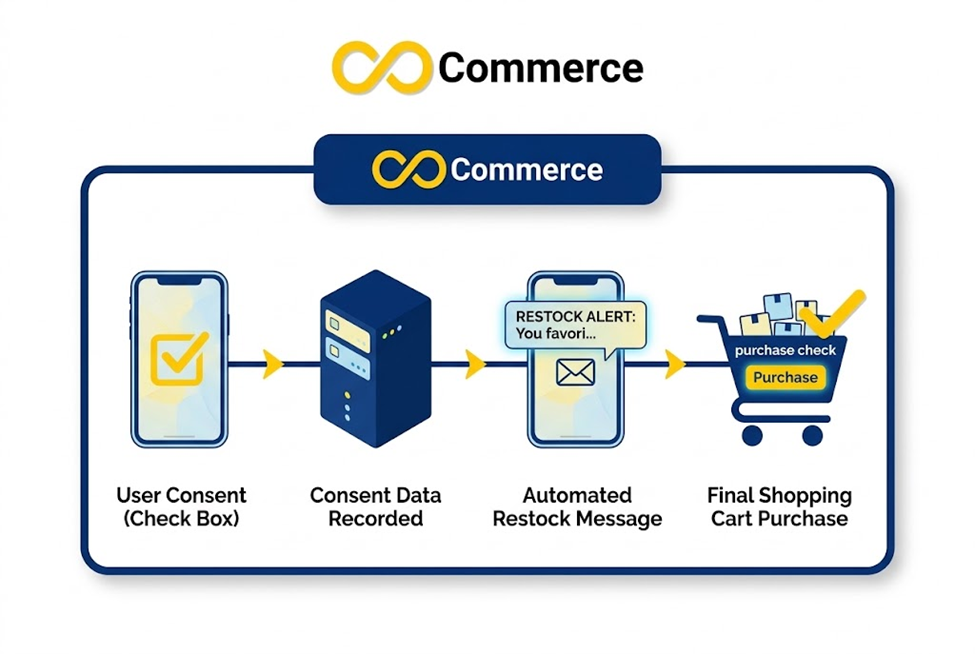
Here’s the path a message takes from opt-in to sale:
- A customer opts in. They enter a phone number and agree to marketing texts, usually through a checkout checkbox or a sign-up form.
- Your platform records consent and adds the number to a list or segment.
- You set up messages. Automations (also called flows) send texts when a customer does something, such as abandoning a checkout. Campaigns are one-off sends you schedule to a segment.
- Messages travel through registered sending numbers. In the US, Twilio’s guidance says all major carriers require messages sent from standard 10-digit numbers to go through an approved campaign, which involves registering your brand, your use case and how you manage consent, and that unregistered messages are subject to blocking. Twilio’s page describing this dates from 2023, and most SMS platforms walk you through registration, but you supply the business details.
- Links bring shoppers back to your store, ideally with tracking parameters attached.
- Replies and opt-outs are handled. A shopper who texts STOP should be removed from marketing messages.
- Reports show what happened: clicks, orders, revenue and unsubscribes.
Where Shopify fits: Shopify Messaging lets merchants on the Basic, Grow, Advanced and Plus plans send SMS campaigns and automations to subscribers. Shopify says you need Shopify Network Intelligence enabled in your privacy settings to use it, and that costs depend on how many messages you send, with figures on Shopify’s SMS pricing page. Many stores instead use a third-party SMS app from the Shopify App Store. Compare pricing, registration help and reporting before you choose.
SMS vs. Email: When Each Channel Fits
SMS doesn’t replace email. It does a different job. Email suits longer content: newsletters, detailed product stories, receipts and anything a shopper might want to save. SMS suits short, time-sensitive nudges: a restock, a cart reminder, a delivery update. Most stores run both, and the two share a rule of thumb: the more relevant and expected the message, the better it lands.
The channels also differ in how consent works. Shopify lets you preselect the email checkbox for certain customer regions, while the SMS checkbox can’t be preselected. They differ in cost too: Shopify says SMS costs depend on how many messages you send, so every text to a disengaged number is money spent. Third-party apps price differently, so compare before you commit. That makes list quality more important for SMS than for email.
The Messages Most Stores Start With
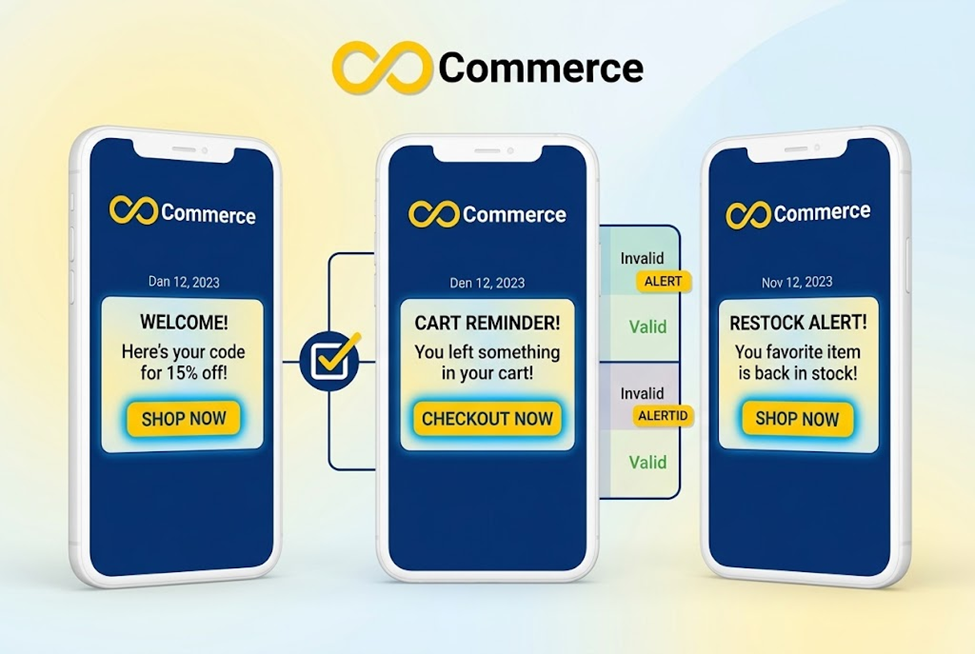
No article can tell you which message will perform best for your store. Vendor-published open rates and conversion statistics vary widely and are mostly self-reported by SMS companies, so we haven’t used them here. A better rule: start with messages tied to a clear customer action, then measure your own results.
| Message | When it sends | Why start here / watch out for |
| Welcome | Right after opt-in | Confirms the subscription, delivers any promised offer and sets expectations on frequency |
| Abandoned checkout | After a customer starts checkout and stops | Timely and relevant. Our suggestion: one or two reminders at most |
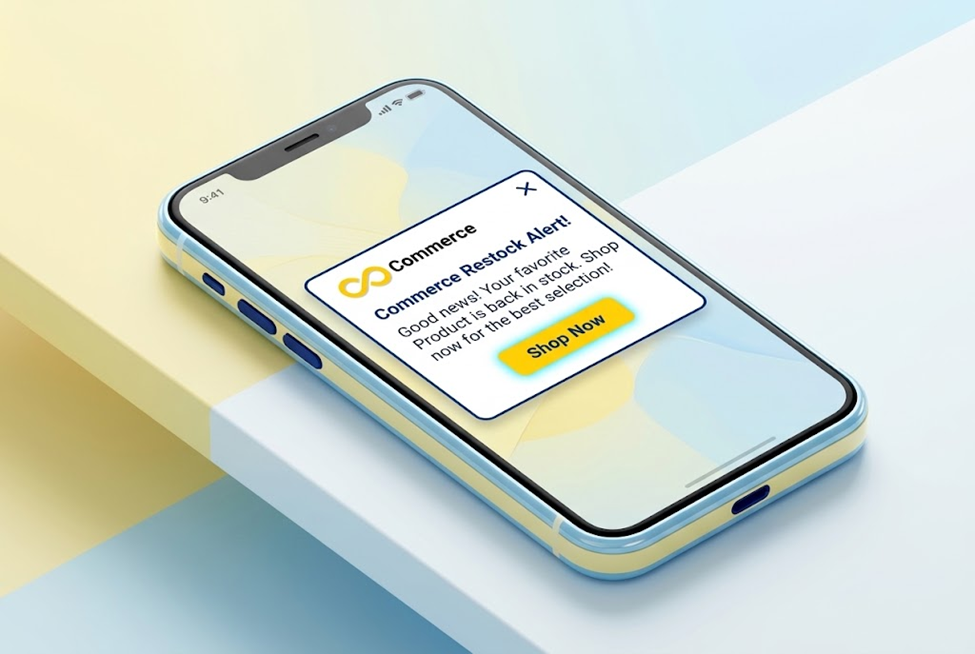
| Back in stock | When a product the customer asked about returns | The customer requested it, so it feels like service, not promotion |
| Shipping update | As the order moves | Transactional. Keep it free of promotions |
| Post-purchase | A few days after delivery | A review request or helpful care tip. Avoid a hard sell right after delivery |
| Campaign | Manual, to a segment | Product launches or sales. Use sparingly and segment, for example past buyers |
| Win-back | After a long gap since the last order | Only for customers who are still opted in |
Sample copy (our own examples; adapt them to your brand and platform’s required disclosures):
- Welcome: “Trailhead: You’re in! Use WELCOME10 for 10% off your first order: [link]. About 1 text a week. Reply STOP to opt out.”
- Abandoned checkout: “Trailhead: Still deciding? Your cart is saved: [link]. Reply STOP to opt out.”
- Back in stock: “Trailhead: The Summit Jacket in size M is back. We held a spot for you: [link]”
Copy habits that help: name your brand first so people recognize you, give one clear action and one link, skip all caps and heavy punctuation, and tell people how to opt out. These are practical recommendations rather than rules.
Consent and Compliance: Get This Right First
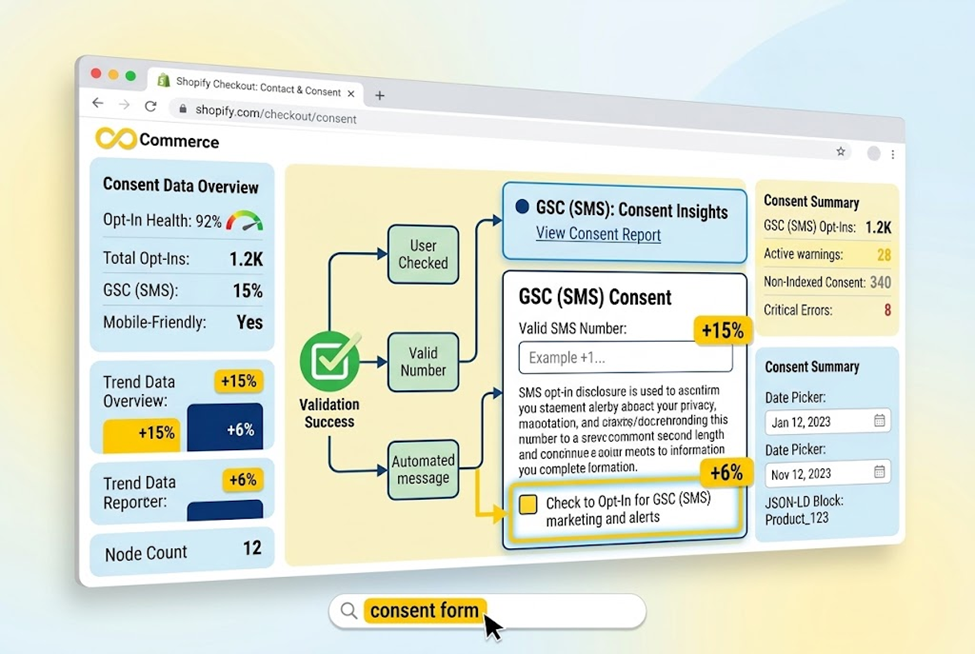
Texting rules exist because people feel a text more than an email. This is general information; ask a qualified attorney to review your setup.
Get explicit consent. Shopify’s checkout settings let you show an SMS marketing checkbox, and Shopify says it can’t be preselected, so customers must give clear consent themselves. You can edit the wording under “Customize labels” in the “Checkout marketing” text. Say who you are, what kinds of messages you’ll send, roughly how often, and that people can opt out. Klaviyo’s setup guidance also tells merchants to update their terms of service and privacy policy before collecting SMS consent.
Consider double opt-in. Klaviyo strongly recommends it: the customer confirms by replying before consent is recorded. It adds a step, but it reduces the chance of texting a wrong or unwilling number.
Keep consent records. Our recommendation: store the phone number, timestamp, where the person signed up and the exact wording they saw.
Honor opt-outs quickly. According to a law firm summary (Manatt) of the FCC’s revocation rule, which took effect April 11, 2025, consumers can revoke consent by any reasonable means, and the FCC listed words such as stop, quit, revoke, opt out, cancel, unsubscribe and end as counting automatically. The summary says requests must be honored within ten business days, and that a sender may send one confirmation text within five minutes as long as it only confirms the opt-out. Don’t aim for the deadline: treat each of those words as an opt-out and process it immediately.
Mind quiet hours. FCC rules restrict telemarketing calls before 8 a.m. or after 9 p.m. in the recipient’s local time. Whether that applies to texts to people who consented is contested. Law firm commentary (Buchalter, Squire Patton Boggs) describes class actions against ecommerce brands over texts sent outside those hours, defendants arguing that consented messages are exempt, and an industry petition to the FCC that had not been acted on at the time those articles were written. Because it’s unsettled, the cautious approach is to send within 8 a.m. to 9 p.m. in each recipient’s local time, which also respects your customers’ sleep.
Register your numbers. See step 4 above. Skipping carrier registration can mean blocked messages.
Know your market. Canada, the UK, the EU and other regions have their own rules. We haven’t covered them here.
Build Your List Without Annoying Customers
Your list is only an asset if the people on it want to be there.
- Checkout checkbox. In your Shopify admin, SMS can be turned on under Settings > Checkout > Marketing options. Shopify’s “Phone number or email” contact option lets customers choose how to check out, though it can’t require both, and you can require a phone number by setting “Shipping address phone number” to Required. Klaviyo notes that consent syncs when a customer enters a phone number, checks the SMS box and clicks Continue to shipping, so they don’t need to finish the order.
- Sign-up forms and pop-ups. Offer a reason to join, such as early access, restock alerts or a first-order offer, and show the consent wording next to the button.
- Thank-you and order status pages. Klaviyo says SMS app blocks can collect marketing and transactional consent on these pages for all Shopify customers.
- Be honest about frequency. If you say “about 2 texts a month,” stay near it.
Avoid: buying phone lists, texting numbers collected for shipping without marketing consent, and pre-checked boxes. All of these undermine consent.
Frequency, Timing and Tone
Nobody can give you a cadence that fits every store, and the guidance we reviewed lacked a sourced rationale for specific numbers. A sensible approach, offered as our recommendation:
- Separate automated flows from campaigns. Flows are triggered by a shopper’s action, so they feel relevant. Campaigns are your choice, so they need restraint. Start with one or two campaigns a month.
- Watch the opt-out rate after every send. A spike means something was off: timing, frequency, offer or audience.
- Segment. Text past buyers about new arrivals in their category rather than texting everyone about everything.
- Stop texting people who never engage. Since Shopify says costs depend on message volume, silent subscribers cost money and add little.
- Sound like your brand, in plain, friendly words.
Plan for Replies
People answer texts. Expect questions (“Is this in size L?”), complaints and the occasional “who is this?” Decide before launch who reads replies, how fast they get an answer, and what your auto-reply says. A simple auto-reply that points to your support email or help page, with opt-out instructions, is better than silence. Check replies daily during your first few weeks, since they show what customers actually want to know.
Track and Measure SMS Results
Define a few numbers before you send anything:
- Click rate: clicks divided by messages delivered.
- Conversion rate: orders divided by clicks.
- Revenue per message: attributed revenue divided by messages sent.
- Opt-out rate: opt-outs divided by messages delivered, which is your early warning.
- List growth: new subscribers minus opt-outs over a period.
Tag every link with UTM parameters. Google’s campaign URL documentation describes utm_source, utm_medium and utm_campaign as the core parameters and notes the values are case sensitive, so pick a naming convention and keep it. For example:
https://yourstore.com/products/summit-jacket?utm_source=sms&utm_medium=text&utm_campaign=back-in-stock
Expect overlap. The same shopper may click a text, open an email and see a retargeting ad in one week, and each channel may claim the sale. If you run paid campaigns, our guide on how to retarget Pixel audiences effectively on Shopify explains how that audience is built so you can coordinate it with your texts.
Test incrementality. Our recommendation: before a campaign, hold back a small random group and compare their orders with the group that received the text. It’s a simple way to see whether SMS caused sales or reached people who would have bought anyway.
Check your event tracking. Click a text link on your phone and confirm product views, add to cart, begin checkout and purchase events fire. Our Google Ads Tracking & GTM app tracks these events for Google Ads and Tag Manager if you need help.
Where to Start: A 30-Day Plan
| Week | What to do |
| Week 1: Foundations | Choose Shopify Messaging or an SMS app. Complete sender registration. Update your privacy policy and terms. Turn on the checkout SMS checkbox and write clear consent wording. |
| Week 2: First automations | Launch the welcome message and one abandoned checkout reminder. Test both on your own phone, including the UTM links. |
| Week 3: Add service messages | Add back-in-stock and post-purchase texts. Set sending hours in your platform. Test opt-outs using STOP and other words such as cancel and unsubscribe. |
| Week 4: First campaign | Send one campaign to a small, engaged segment. Review clicks, orders, revenue and opt-outs, then decide what to change. |
Before You Hit Send: A Quick Checklist
- Every recipient opted in, and you can show when and how
- Your brand name appears at the start of the message
- The message has one clear purpose and one link
- Opt-out instructions are included
- The send time falls between 8 a.m. and 9 p.m. in each recipient’s local time
- The link carries UTM parameters and works on mobile
- You tested the message on your own phone, including the landing page
Common Mistakes to Avoid
- Pre-checking the consent box or hiding consent in fine print
- Texting numbers collected only for shipping
- Treating STOP as the only way to opt out
- Sending late at night or without checking time zones
- Offering a discount in every message
- Skipping carrier registration
- Sending one message to everyone
- Launching without UTM links, so you can’t see what SMS earns
Conclusion: Permission First, Then Performance
Ecommerce SMS marketing works best when it feels like service: a welcome that does what it promised, a cart reminder at the right moment, a restock alert someone asked for. Build the foundations first, meaning clear consent, registered numbers, working opt-outs and sensible sending hours. Then launch a few automated messages, tag every link and judge results over weeks, not days.
Before you add a new channel, make sure you can see what it earns. If you want a second pair of eyes on your conversion tracking, try our Google Ads Tracking & GTM app or talk to the Infinite Commerce team.
FAQs
It’s sending text messages to opted-in customers to promote products, recover abandoned checkouts, announce restocks and support orders.
In the US, businesses send marketing texts lawfully when they follow the rules on consent, opt-outs and related requirements. Details vary by country and some issues, such as quiet hours for consented texts, are contested, so have an attorney review your program.
Texts are short and need clear opt-in. Shopify, for example, lets you preselect the email checkbox for certain regions but doesn’t allow a preselected SMS checkbox. Shopify also says SMS costs depend on how many messages you send.
There’s no universal number. Start with automated flows and one or two campaigns a month, then watch opt-outs and adjust.
In the US, Twilio’s guidance says carriers require messages from standard 10-digit numbers to be registered, and your SMS platform usually guides you through it. Confirm the current requirements with your provider.
Use UTM-tagged links, compare orders and revenue against a holdout group, and check opt-out rates alongside revenue.
