 Amber Naz
Quick Summary
A TikTok out of stock product is one whose available quantity has dropped to zero, so shoppers can no longer buy it. How TikTok shows that status depends on where the product lives: a TikTok Shop listing may appear sold out or be set to inactive, while a product in an ad catalog switches its availability value to “out of stock,” which TikTok says cannot be advertised. To handle it, confirm the zero is real, fix any sync problem, restock or use a backorder option if you qualify, pause the traffic pointing at the product, and mark true end-of-life items as discontinued. Then tighten your inventory sync so the same problem does not repeat.
A creator posts a video, views climb, and by the time you open Seller Center the product that sold all week shows zero units. For a TikTok seller, that moment is a win and a problem at once. The demand is real, but every visitor who lands on an unavailable listing is a sale you cannot take.
This guide is written for Shopify merchants and TikTok sellers who want a clear, practical answer. You will learn what a sold-out status means on TikTok, why products drop to zero, what to do in the first hour, how to handle items you will never restock, and how to prevent repeat stockouts. We build Shopify tracking and feed tools at Infinite Commerce, so the advice leans toward stores that sync a Shopify catalog with TikTok. Where TikTok’s behavior differs by region or setup, we say so instead of guessing.
What Does TikTok Out of Stock Mean for Your Shop?
In plain terms, a product is out of stock on TikTok when its available quantity reaches zero. Shoppers cannot complete a purchase, and the product stays unavailable until you add inventory. The exact label depends on where the product appears. A TikTok Shop listing, a catalog used for ads, and the Shopify store connected to both each track availability in slightly different ways, which is why sellers often see a different status in each place.
Because TikTok stock zero can mean several things, it helps to separate three situations:
- A real, temporary stockout. You sold through your units and a restock is coming.
- A sync-caused zero. You have units, but a connection, setting, or mapping problem told TikTok you do not.
- An end-of-life product. You will not restock it, and it should be retired cleanly.
Each one needs a different response, and mixing them up is the most common way sellers lose sales or create overselling problems.
TikTok Shop Sold Out vs. Inactive Listings
When people say TikTok Shop sold out, they usually mean a live listing with no stock. The sources we reviewed describe two behaviors. Some seller tools report that a zero-stock product stays listed but cannot be ordered. Others, including a multichannel integration guide, say a listing is deactivated when every variant reaches zero or is missing from the feed. The behavior can depend on your region, fulfillment setup, and how your store connects to TikTok, so treat your own Seller Center as the source of truth.
Deactivation is also different from deletion. Documentation from AfterShip explains that deactivated products move to a Deactivated tab in Manage Products instead of being removed. Before you assume that restocking in Shopify will bring a listing back, check how your connection treats deactivated items. A TikTok sold out listing that quietly turned inactive will not sell, however much stock you add elsewhere. Shopify’s own help page on managing product availability for the TikTok channel is a good place to confirm how products sync from your store.
Understanding TikTok Availability Status in Catalogs
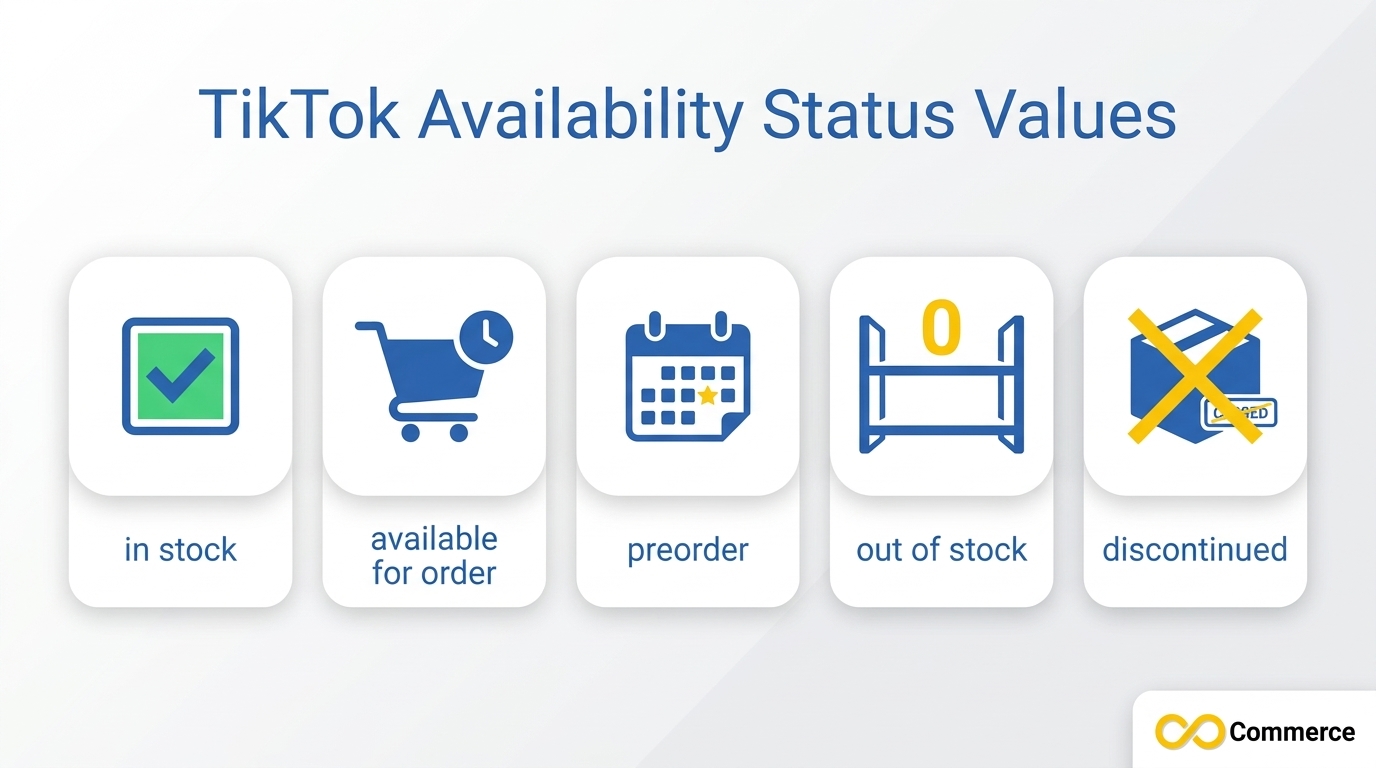
If you advertise from a product catalog in TikTok Ads Manager, each product carries a TikTok availability status field. TikTok’s catalog documentation lists five supported values: in stock, available for order, preorder, out of stock, and discontinued. The field is required, and TikTok notes that out-of-stock products cannot be advertised. TikTok also advises keeping availability updated so it matches your landing page, because a mismatch can hurt ad performance.
| Availability value | Plain-English use |
| in stock | Units are ready to ship now |
| available for order | The item can be ordered even though it is not sitting in stock |
| preorder | The item is not released yet but can be reserved |
| out of stock | Nothing is available right now; it cannot be advertised |
| discontinued | The product is no longer sold and will not return |
These descriptions are plain-language guidance. Confirm the exact definitions for your market in the documentation before you map fields in a feed.
Why Products Hit TikTok Stock Zero
Understanding the cause tells you which fix to use. Four causes come up most often.
Real demand spikes
Short video, live selling, and creator posts can send a burst of orders in a short window. If your reorder point was built for steady demand, a single popular video can use up the units you expected to last weeks. This is the good kind of problem, and it is the one you can plan for.
Sync delays between Shopify and TikTok
If inventory moves between Shopify and TikTok on a schedule instead of instantly, orders can arrive before the count updates. That creates overselling in one direction, and in the other direction a stale zero can hide products you could still sell. Sync speed matters most during campaigns and sales events.
Settings mismatches
Shopify lets you turn off “Track quantity” or enable “Continue selling when out of stock,” and neither maps cleanly to a platform that expects a concrete positive number. Seller communities also report new products arriving on TikTok with zero stock, and errors tied to warehouse mapping, after an otherwise normal sync. When Shopify shows inventory but TikTok does not, check these settings and your location or warehouse mapping first.
Multichannel safety buffers
Some multichannel inventory tools zero out a channel when stock falls below a safety threshold. One vendor notes that without a designated priority channel, several marketplaces can show zero at once with no error. If you run a multichannel tool, review its push rules so TikTok is not zeroed by a rule you forgot you set.
How to Handle a TikTok Out of Stock Product, Step by Step
Work through these seven steps in order. Most take only a few minutes, and the first two tell you which of the others you actually need.
Step 1: Confirm the TikTok Out of Stock Status Is Accurate
Open Seller Center, find the product, and check the quantity on every variant. Then open Shopify and compare the same SKUs. Three outcomes are possible:
- Both show zero. The stockout is real. Go to Step 2.
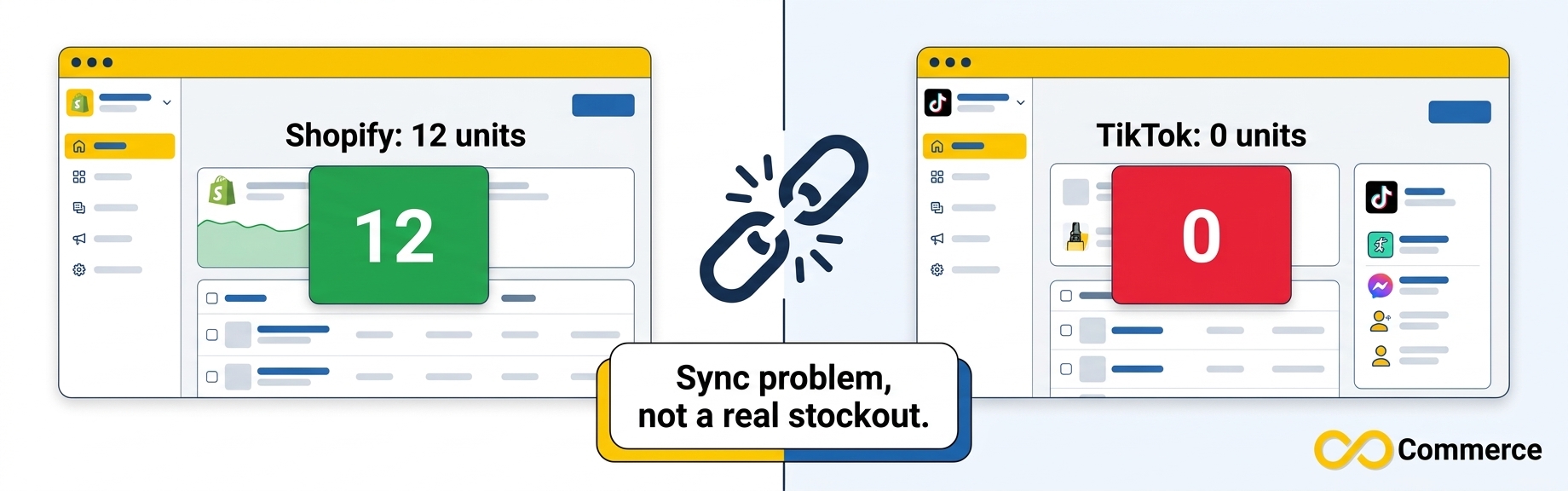
- Shopify shows stock but TikTok shows zero. This is a sync problem. Go to Step 3.
- TikTok shows stock but Shopify shows zero. You risk overselling. Correct TikTok immediately.
Example (hypothetical): a store sells a hoodie in four sizes. Shopify shows 12 units of size M, but TikTok shows zero for every size after a catalog update. The listing is not sold out. The inventory location or warehouse mapping broke during the update, so the fix is in the connection, not in a purchase order.
Always check each variant. Where every variant is at zero, some integrations deactivate the whole product, so one empty size can look like a full stockout once the rest sell through.
Step 2: Decide Whether the Stockout Is Short, Long, or Permanent
How long the gap lasts decides how you respond.
| Situation | What it means | Best move |
| Restock in days | Short gap | Keep the listing, update the quantity the moment stock lands, pause promotion until then |
| Restock in weeks | Longer gap | Pause ads, consider a backorder option if you qualify, tell shoppers what to expect |
| Never restocking | End of the product | Mark it discontinued or deactivate it, and point shoppers to a replacement |
Be honest about the date. A restock you hope for is not a restock you can promise.
Step 3: Update the Quantity or Fix the Sync
For a real stockout that has ended, add the new quantity. Seller Center supports manual stock edits, bulk CSV changes, and API-based sync, so choose the method that matches how many products you are updating. For a sync problem, fix the source: confirm inventory tracking is on in Shopify, check the location or warehouse mapping, and trigger a fresh sync.
After the quantity is above zero, confirm the listing is active again. Some systems reactivate a listing when stock returns, while others need a manual check, and the behavior can vary. Test with one product before you push changes across the catalog.
Step 4: Consider Backorders if You Qualify
TikTok Shop US introduced backorder quantity thresholds in December 2025, which let approved sellers keep accepting limited orders during short stockouts. According to integration documentation from ChannelEngine, backorders are only available to select sellers. Eligible sellers can enable them in Seller Center by choosing Manage products, editing a product, and ticking Activate back order under Sales information. Regular stock is used first, and backorder stock only after regular stock runs out.
Backorders can protect revenue during a short gap, but they are a promise. Use them only when you are confident about restock timing and handling time. If you are not in the US or not approved, this option may not appear, and that is normal.
Step 5: Pause Ads, Lives, and Creator Traffic
Traffic that lands on a TikTok out of stock product is wasted. In a catalog, products marked out of stock cannot be advertised, so confirm that your feed reflects the zero. Beyond the catalog, check any ad, planned live stream, or affiliate video that points at the product. Ask creators to feature an in-stock item instead, and move budget to products you can ship today.
Step 6: Handle TikTok Discontinued Products Properly
TikTok discontinued products need a different treatment from temporary stockouts. In a catalog feed, “discontinued” is a supported availability value, so use it when an item is gone for good rather than leaving it at “out of stock” for months. In Seller Center, deactivate the listing instead of deleting it if you are not completely sure, because deactivated products stay in the Deactivated tab where you can still find them.
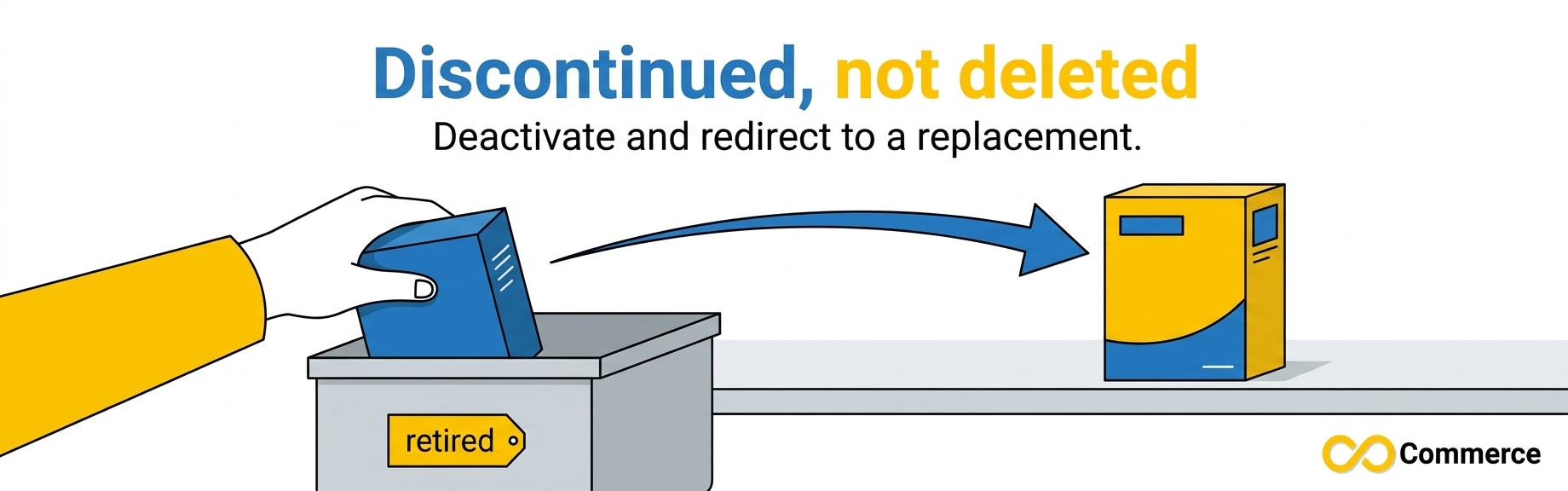
If you have a successor product, direct shoppers there through your videos, profile link, and replies. Once active campaigns end, remove the discontinued item from your feed so it stops generating errors.
Step 7: Tell Shoppers What Is Happening
Silence after a viral video costs trust. Reply to comments with a short, honest status, mention the restock plan on live streams, and avoid dates you cannot meet. A clear “back soon” message keeps interested viewers coming back. A vague promise that slips only creates cancellations.
How to Prevent the Next Stockout
Set stock alerts and reorder points early
Seller Center includes stock dashboard tools and stock alert values you can set per product, though menu names can vary by region. Set the alert above your normal reorder point for any product that creators feature, because social demand arrives faster than a normal sales curve. Heading into peak season, plan inventory alongside everything else in our Shopify Black Friday checklist.
Example (hypothetical): if a product normally sells 20 units a week and you hold 100, a creator video that triples demand could clear your shelf in under two weeks. A higher alert value gives you time to reorder before the zero appears.
Automate inventory sync
Manual updates break under pressure. The Infinite TikTok Catalog Feed app syncs a Shopify catalog to TikTok, detects inventory changes, and offers bulk editing and scheduled bulk operations. The app page lists sync frequency and features by plan, so check which plan fits how quickly your stock moves before you choose.
Keep tracking in place
Once a product returns, you want to know who still wants it. Installing your TikTok pixel through the Facebook and TikTok Pixel app helps you measure visits and conversions, so you can see which products deserve restock priority. For more setup and troubleshooting guides, browse the Infinite Commerce blog.
Common Mistakes to Avoid
- Running ads on a zero-stock product. Budget goes to clicks that cannot convert.
- Deleting instead of deactivating. Deletion is harder to undo than a pause.
- Entering fake stock to avoid zero. It invites overselling, cancellations, and unhappy buyers.
- Ignoring variants. One size at zero can look like a whole product problem, or hide one.
- Letting feed and landing page disagree. TikTok advises matching them to avoid ad-performance issues.
- Forgetting to reactivate. Restocking does nothing if a TikTok sold out listing stays inactive.
Quick Checklist
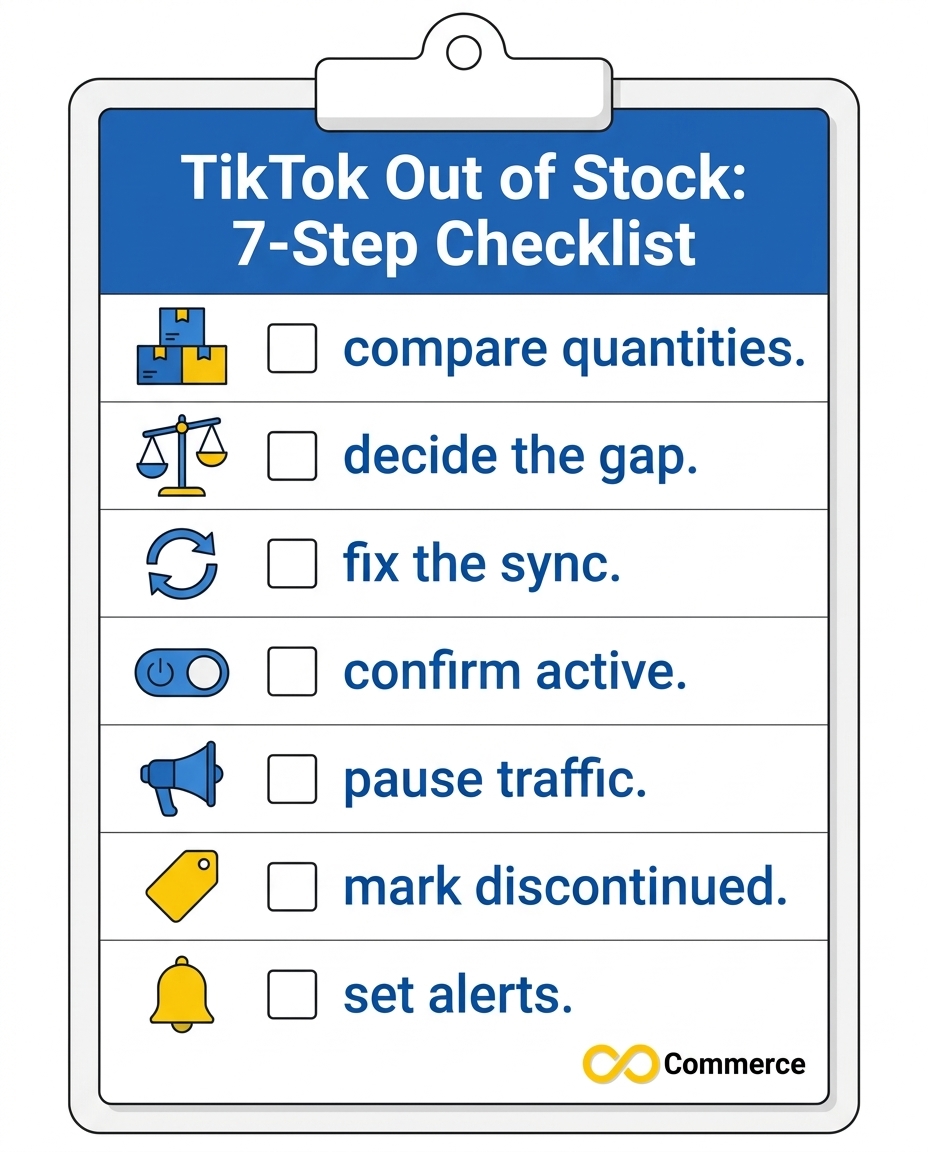
- Compare Seller Center and Shopify quantities on every variant.
- Decide if the gap is short, long, or permanent.
- Fix the quantity or the sync source.
- Confirm the listing is active after restocking.
- Pause ads, lives, and creator traffic that point to the item.
- Mark discontinued items correctly in feed and Seller Center.
- Set stock alerts and automate inventory sync.
Conclusion
A TikTok out of stock moment is not a disaster if you respond in the right order. Confirm the zero is real, work out whether it is short, long, or permanent, fix the quantity or the sync, pause traffic that cannot convert, and retire true end-of-life items as discontinued. Then reduce repeat stockouts with alerts, honest communication, and inventory sync you do not have to babysit.
If you sell on Shopify and TikTok, Infinite TikTok Catalog Feed can help keep your catalog accurate, so your best-selling products do not sit at zero for the wrong reason. Explore the app, compare the plans, and start a trial when you are ready.
FAQs
When available quantity reaches zero, shoppers cannot order the product. Depending on your region and setup, the listing may stay visible as sold out or become inactive. In a catalog, the availability value changes to out of stock, which TikTok says cannot be advertised. Restocking and confirming the listing is active brings it back.
From the documentation we reviewed, zero stock hides or deactivates a listing rather than deleting it, and deactivated products appear under a Deactivated tab. Behavior varies by region and integration, so check your own Seller Center before relying on this.
Only through backorders, and only if you are an approved seller in a market that offers them, such as TikTok Shop US. Otherwise, buyers cannot order an item with zero stock.
In a catalog feed, set the availability value to discontinued. In Seller Center, deactivate the listing rather than deleting it if you are unsure it will not return.
Common causes include sync delays, warehouse or location mapping errors, Shopify inventory tracking settings, and multichannel rules that zero stock below a threshold. Compare variants in both systems, then check your connection settings.
TikTok says out-of-stock catalog products cannot be advertised and that mismatched availability can hurt ad performance. Some third-party guides claim stockouts damage organic ranking for weeks, but TikTok has not published figures we could verify, so treat those numbers with caution.
