 Amber Naz
Quick Summary
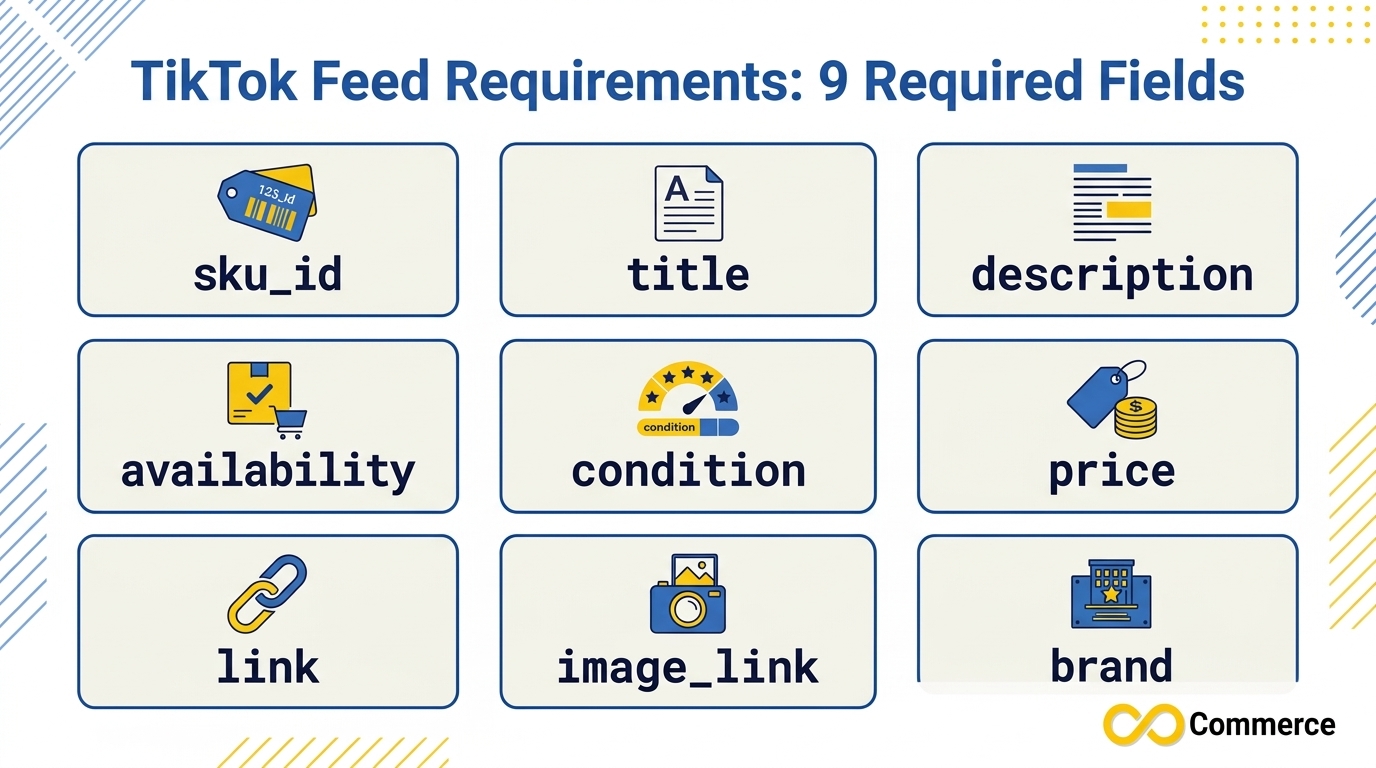
TikTok feed requirements start with nine mandatory fields: sku_id, title, description, availability, condition, price, link, image_link and brand. If any of them is missing, TikTok returns an error for your data feed. On top of those nine, TikTok supports 27 optional fields and accepts CSV, XML (RSS), XML (Atom), ZIP and GZ files up to 50GB and fewer than 20 million products. This guide explains every required field, the values TikTok accepts, the file format rules, and a checklist to run before each upload.
If you sell online and want your products to appear in TikTok Shopping Ads, your product feed is the foundation. The ads, the prices and the product images people see are all pulled from the data you upload. When that data is wrong or incomplete, products get rejected, ads show stale prices, or the catalog fails to import at all.
Most feed problems are not mysterious. They come from a short list of predictable mistakes: a missing brand, a price that does not match the product page, an image link TikTok cannot open, or a title packed with “free shipping.” Fixing them starts with knowing exactly what TikTok expects.
This guide is built from TikTok’s own Business Help Center documentation, reviewed in November 2026. TikTok’s parameter page shows a “last updated” date of February 2025, so always confirm details against the template you download inside Ads Manager before a big upload.
TikTok Feed Requirements at a Glance
Here is the short version. Every product row in your catalog needs these nine fields, and TikTok will flag the file if any are absent.
| Field | Type | What TikTok expects | Example |
| sku_id | String | A unique ID per item, such as a SKU | tiktok_item_1234 |
| title | String | Product name, no emoji or promotional text | T-Shirt (Unisex) |
| description | String | A short description of the item | A vibrant crewneck made from 100% cotton |
| availability | Enum | in stock, available for order, preorder, out of stock, discontinued | in stock |
| condition | Enum | new, refurbished, used | new |
| price | String | Cost with currency, matching your landing page | 9.99 USD |
| link | String | Working product landing page URL | https://www.example.com/products/t-shirt |
| image_link | String | Image URL ending in JPG or PNG | https://www.example.com/images/t-shirt-001.jpg |
| brand | String | The real brand name | Nike |
Everything beyond these nine fields is optional, but optional fields are what help TikTok understand your products and match them to the right shoppers.
Who These Requirements Apply To
Two clarifications will save you confusion before you start.
First, this article covers catalog feeds uploaded through TikTok Ads Manager, which power catalog-based shopping ads. TikTok Shop, the in-app marketplace, uses its own product upload flow and category templates, so its rules are a separate topic.
Second, TikTok states that its catalog product parameters are available for managed accounts based in launched markets where Video Shopping Ads (Catalog) is present. If you are unsure whether your account qualifies, ask your TikTok representative before you invest time in building a feed. These TikTok feed requirements are the starting point, but your market and account type can change what you see in the template.
You can read TikTok’s own breakdown in its Catalog Product Parameters documentation.
TikTok Required Fields, One by One
The following explains each of the TikTok required fields, what TikTok says about it, and where merchants usually go wrong. If you only want the TikTok product feed requirements in checklist form, skip ahead to the pre-upload checklist later in this guide.
sku_id
This is the unique identifier for each item. TikTok says that if the same ID appears more than once, the duplicates are ignored. You also need to reuse the same ID when you want to update an existing product in a later feed, so choose an ID you will keep stable.
Use only valid unicode characters and avoid control or function characters. Note that sku_id is TikTok’s identifier name. If you are adapting a feed built for another channel that uses a field called id, remap that column.
title
The title is the product name shoppers see. TikTok’s guidance is specific: use valid unicode characters, and avoid control characters, function characters and emoji. Do not include promotional text such as “free shipping,” “high quality” or “wholesale.”
TikTok warns that a wrong title can lead to product rejections and hurt ad performance. Keep titles factual: product type, key attribute, and variant where relevant.
description
A short, plain description of the item. TikTok’s example is a single sentence about a crewneck and its fabric. Skip marketing slogans and keep it accurate. A good description states what the product is, what it is made from and who it is for.
availability
This is an enumerated field, so only TikTok’s supported values work: in stock, available for order, preorder, out of stock, discontinued. Anything else, including values copied from another channel, can cause rows to fail.
TikTok also asks you to keep availability updated so it matches your landing page. An ad that promotes an out-of-stock product wastes spend and frustrates shoppers.
condition
Another enumerated field with three supported values: new, refurbished, used. Most stores will send “new” for every row, but if you sell refurbished or used items, label them correctly.
price
TikTok expects the cost of the item, and its example is written as a number followed by a currency code, such as 9.99 USD. By default, currency follows the catalog’s target country. The key rule is accuracy: the price in your feed must match the price on your landing page. TikTok notes that mismatched prices may lead to poor ad impressions or conversions.
link
The URL of the product landing page, or the website where the item can be bought. TikTok recommends checking link status regularly so you avoid 404 errors and empty pages. Link each row to the specific product page, not to your homepage or a collection page.
image_link
The URL of the image used in your ad. TikTok’s rules here are the most detailed of the nine:
- For square (1:1) carousel ads, the image should be at least 500×500 pixels.
- Image links should end in JPG or PNG.
- TikTok lists Imgur, Imgshare.io, Photobucket and Imageshack as supported image hosts.
- TikTok lists Google Drive, Flickr, Pinterest, 500px, Imgbb, Smugmug and Dropbox as unsupported hosts.
- The link must open without errors, or product review can be delayed.
If your product images live on your own store domain or a standard CDN, make sure they are publicly reachable and not blocked behind a login.
brand
Use the real brand name for the product. TikTok strongly recommends an accurate value rather than a meaningless placeholder, because brand helps with recommendations and ad performance. If you sell your own private-label products, use your own brand name consistently.
Optional Fields Worth Adding
TikTok supports 27 optional fields. You do not need all of them, but a handful make a visible difference.
Variants and grouping
- item_group_id: gives every variant of a product the same group ID, which helps TikTok avoid recommending several variants of the same item.
- color, size, material, pattern: attributes that describe the variant.
Audience matching
- gender: male, female or unisex.
- age_group: newborn, infant, toddler, kids or adult. TikTok stresses that accuracy matters here, since it affects who sees the product.
Categories and identifiers
- google_product_category: a value from Google’s product taxonomy, limited to three levels.
- product_type: your own category path, first three levels only.
- gtin and mpn: standard product identifiers.
Creative and pricing
- additional_image_link: up to 10 extra image URLs, wrapped in double quotes and separated by commas.
- video_link: a product video. TikTok recommends vertical 9:16, at least 720×1280, and at least 516kbps with sound and captions.
- sale_price and sale_price_effective_date: needed if you plan to use a discount overlay. TikTok notes that the effective date field is currently not used as the criterion for expiring a sale price, so check your sale prices manually.
- custom_label_0 to custom_label_4: up to five labels of up to 100 characters each, useful for grouping products in campaigns.
Some optional fields, such as ios_url and android_url, are mandatory only for retargeting delivery and deeplinks. If you do not run app re-engagement, you can leave them out.
TikTok Feed Format: CSV, XML, ZIP and GZ
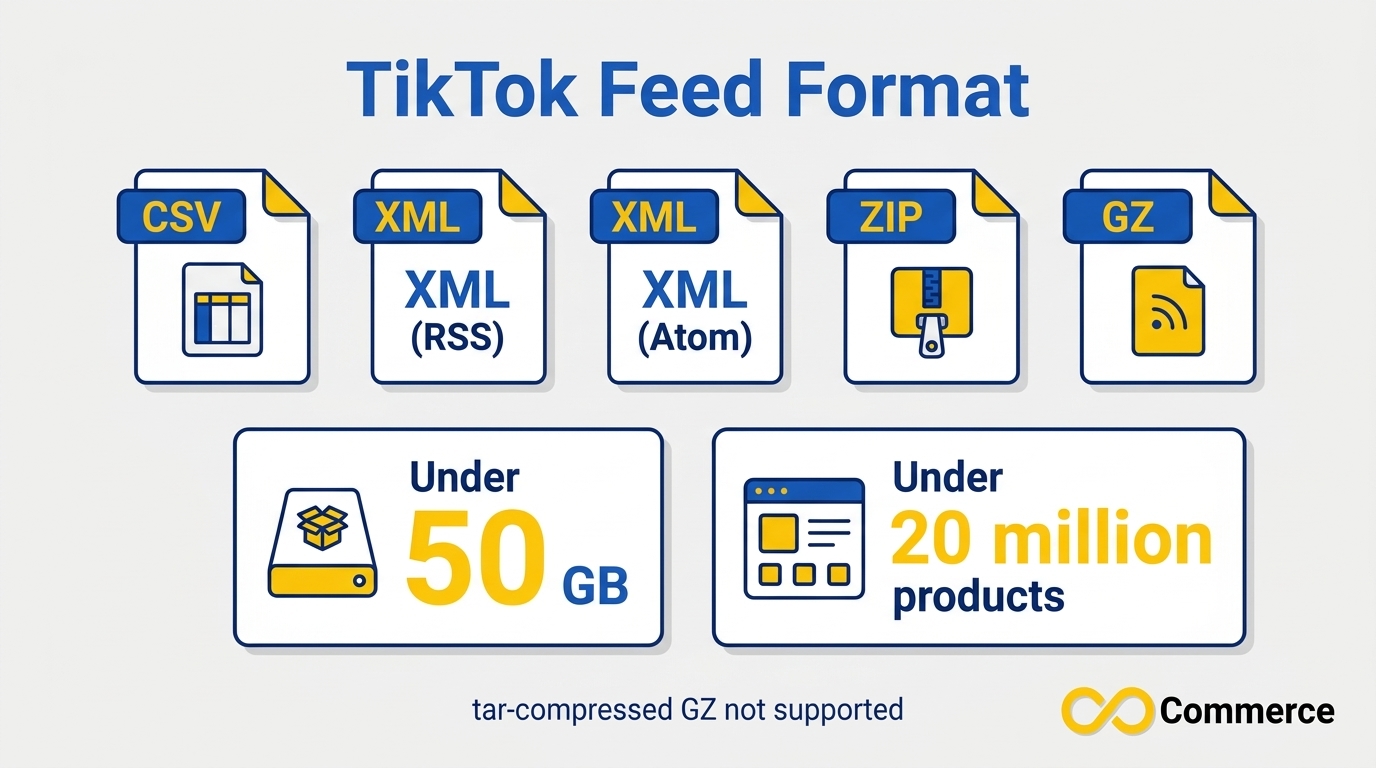
Among all TikTok feed requirements, the TikTok feed format you choose matters less than getting the data right, but the limits are worth knowing. According to TikTok, the supported file types are CSV, XML (RSS), XML (Atom), ZIP and GZ. GZ files compressed with the tar command are not supported. The file must be under 50GB and contain fewer than 20 million products.
For most stores, CSV is the simplest choice, and the TikTok catalog CSV is easy to inspect in a spreadsheet before you upload it. Whichever file type you use, TikTok recommends starting from its official template, which you can download in Ads Manager from Catalog > Manage > Products > Add Products > Download Template.
TikTok catalog CSV rules that prevent import errors
A few practical habits keep a TikTok catalog CSV clean:
- Keep the header row matching TikTok’s attribute names exactly, such as sku_id rather than id.
- Save the file as UTF-8 so special characters survive. This is a common best practice rather than a TikTok-stated rule, but it avoids invalid character problems.
- Wrap any value that contains commas in double quotes. TikTok specifically asks for double quotes around the additional_image_link list.
- Write prices as a number, a space and a currency code, with a period as the decimal separator.
- Do not leave required columns empty on any row.
Example TikTok feed specs in a CSV row
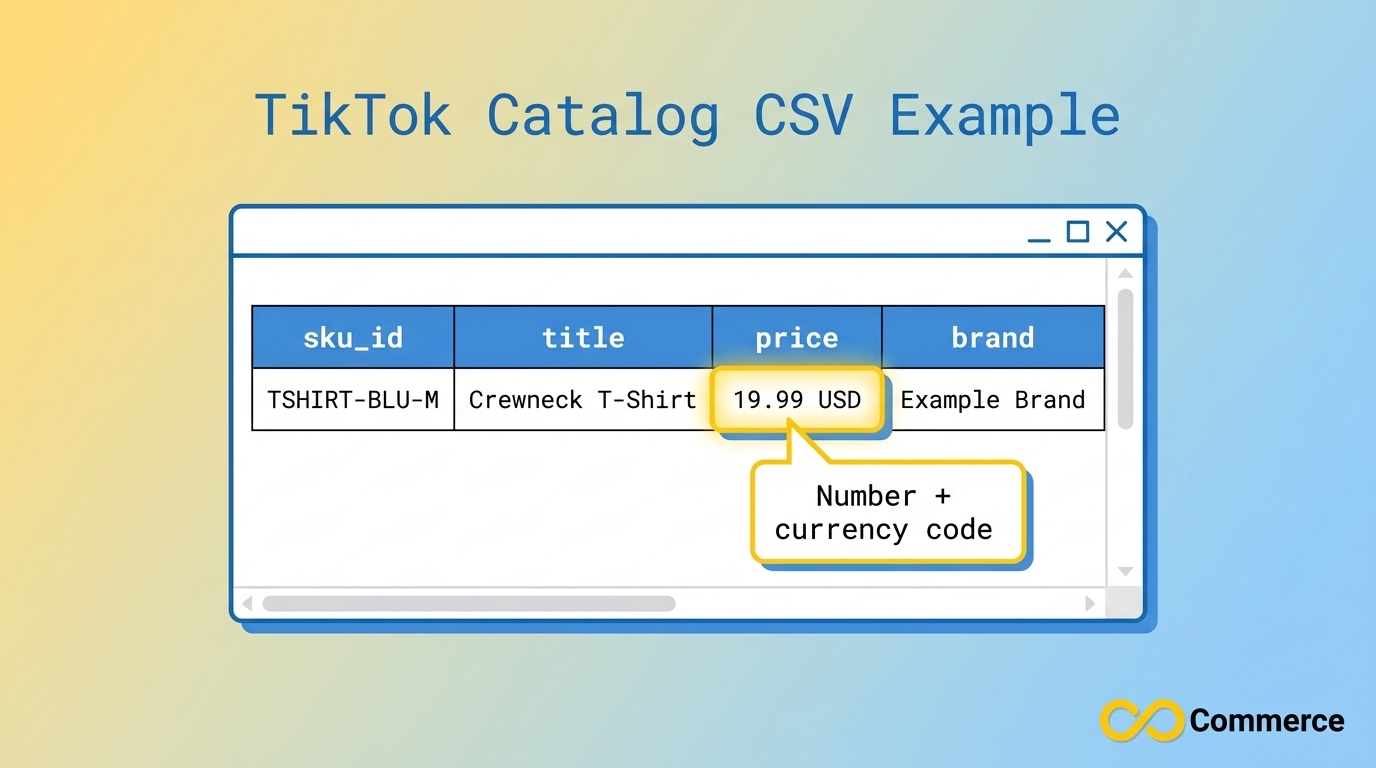
Here is an illustrative example of how the required columns can look in a TikTok catalog CSV. The domain and product are made up for demonstration.
sku_id,title,description,availability,condition,price,link,image_link,brand
TSHIRT-BLU-M,”Crewneck T-Shirt, Blue (Unisex)”,”Cotton crewneck t-shirt in blue with a relaxed fit.”,in stock,new,19.99 USD,https://www.example.com/products/crewneck-blue,https://www.example.com/images/crewneck-blue.jpg,Example Brand
Notice that the title contains a comma, so it is wrapped in quotes, and the price follows the number-space-currency pattern. These are small details, but they are the ones that cause rows to be skipped.
These TikTok feed specs describe the file itself. The creative specs for your video ads are a different set of rules, covered in TikTok’s ad specification documentation.
How to Upload Your Feed to TikTok Ads Manager
Once your file is ready, the upload path follows TikTok’s catalog creation guide.
- Log in to TikTok Ads Manager and open Assets, then Catalog.
- Click Create and enter a catalog name.
- Select a default currency. TikTok says it must match the currency of your listed products.
- Choose a targeting location. This will be the only location you can target with ads featuring the products in that catalog.
- Open the catalog, click Manage, then Products, then Add Products.
- Pick a method: manually add products, set up a Data Feed Schedule, or upload a file.
- For a Data Feed Schedule, enter the feed name and URL, add login details if the file is password protected, then choose an upload frequency and update method.
- For a file upload, use the Check files option to confirm the fields are formatted correctly, then import.
A Data Feed Schedule is usually the better long-term option because TikTok re-fetches the file automatically, so prices and stock stay current without manual re-uploads.
Pre-Upload Checklist for TikTok Feed Requirements
Run through this list before every import. These TikTok product feed requirements cover the most common reasons a file fails or products are rejected.
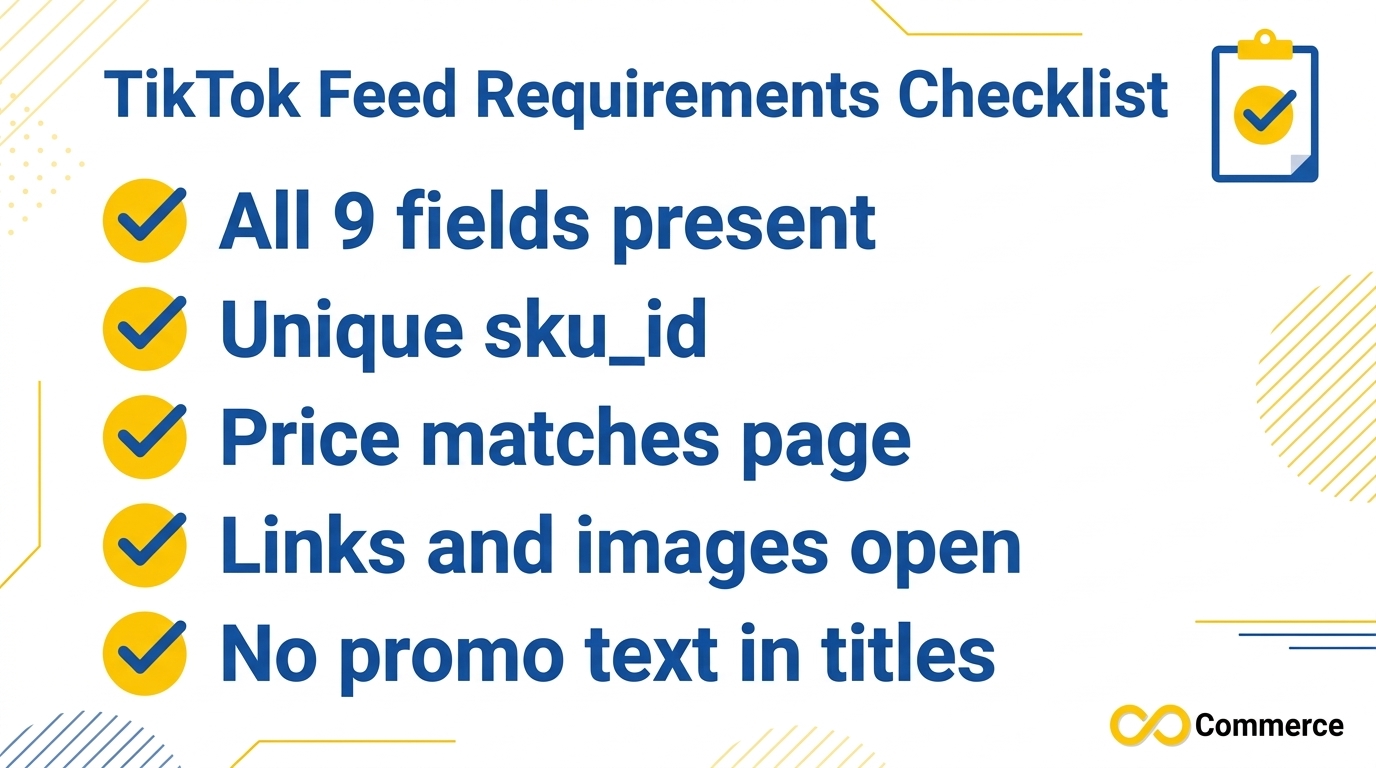
- All nine required fields are present on every row.
- Every sku_id is unique and stays stable between updates.
- Titles contain no emoji and no promotional phrases.
- availability and condition use only TikTok’s supported values.
- Prices match the live product page and include a currency code.
- Product links open a working page, not a 404.
- Image links open, end in JPG or PNG, and do not sit on an unsupported host.
- Square carousel images are at least 500×500 pixels.
- The catalog currency matches the currency in your file.
- Brand values are real brand names, not placeholders.
Common Mistakes That Cause Rejections
Reusing a feed from another channel unchanged. Feeds built for other shopping channels often use id instead of sku_id and may use availability wording TikTok does not accept. TikTok does offer a way to import a catalog from Google Merchant Center, but you should still review the result against TikTok’s fields.
Price drift. If your store runs a sale and the feed is not refreshed, the product page and feed disagree. TikTok flags this as a cause of poor impressions and conversions.
Promotional titles. Phrases like “best quality” or “free shipping” are on TikTok’s list of things to avoid.
Unreachable images. A private link, an expired link or an unsupported host slows down product review.
Duplicate IDs. Duplicated sku_id values are ignored, so some of your products may never appear.
Keeping Your Feed Accurate Without Manual Work
Meeting TikTok feed requirements once is the easy part. Keeping hundreds of products accurate as prices, stock and images change is where manual spreadsheets fall apart.
If you run a Shopify store, the Infinite TikTok Catalog Feed app from Infinite Commerce is built to sync your product catalog to TikTok and automate feed updates. According to the app page, features include automatic product sync, multi-currency and multi-language support, TikTok Pixel integration, scheduled bulk operations and custom labels on paid plans. A free plan is also listed on the app page, so you can check current plan limits there before you install.
Feed data is only half of the tracking picture. Product catalogs work best alongside conversion tracking, so it is worth setting up the Facebook and TikTok Pixel app as well. TikTok’s pixel and catalog setup relies on matching product identifiers, which is another reason to keep your sku_id values stable.
If you also advertise on other channels, you can explore the Microsoft Shopping Feed app to keep that feed consistent with your TikTok data. For more ecommerce and Shopify guides, browse the Infinite Commerce blog.
Conclusion
TikTok feed requirements are manageable once you treat them as a checklist: nine required fields, a supported file format, accurate prices, working links and images, and stable IDs. Get those right and your catalog is far less likely to be rejected, and your ads will show what shoppers actually find on your product pages.
The harder part is keeping that data current. If you would rather automate it, try the Infinite TikTok Catalog Feed app and let Infinite Commerce handle the syncing, or visit the Infinite Commerce homepage to explore the rest of our Shopify apps.
FAQs
There are nine: sku_id, title, description, availability, condition, price, link, image_link and brand. TikTok says you will receive an error message if any of them is missing from your data feed file.
TikTok supports CSV, XML (RSS), XML (Atom), ZIP and GZ files. The file must be under 50GB and hold fewer than 20 million products. GZ files compressed with the tar command are not supported.
Yes. A CSV is one of the supported formats, and you can upload it manually or provide its URL through a Data Feed Schedule. Start from TikTok’s downloadable template so your column headers match.
Availability supports in stock, available for order, preorder, out of stock and discontinued. Condition supports new, refurbished and used.
Write the number followed by the currency code, such as 9.99 USD. The amount must match the price on your landing page, and the catalog currency should match your listed products.
TikTok provides a way to import a product catalog from Google Merchant Center. Review the imported data against TikTok’s required fields afterward, since TikTok uses sku_id as its identifier.

1 Comment
TikTok Shop International: Sell From Shopify (2026 Guide)
November 20, 2026[…] Titles, descriptions, images, prices and availability must be accurate and consistent. Our guide to TikTok feed requirements and every required field lists the mandatory catalogue fields, so use it as a checklist before you sync anything. Fix […]