 Amber Naz
Quick Summary
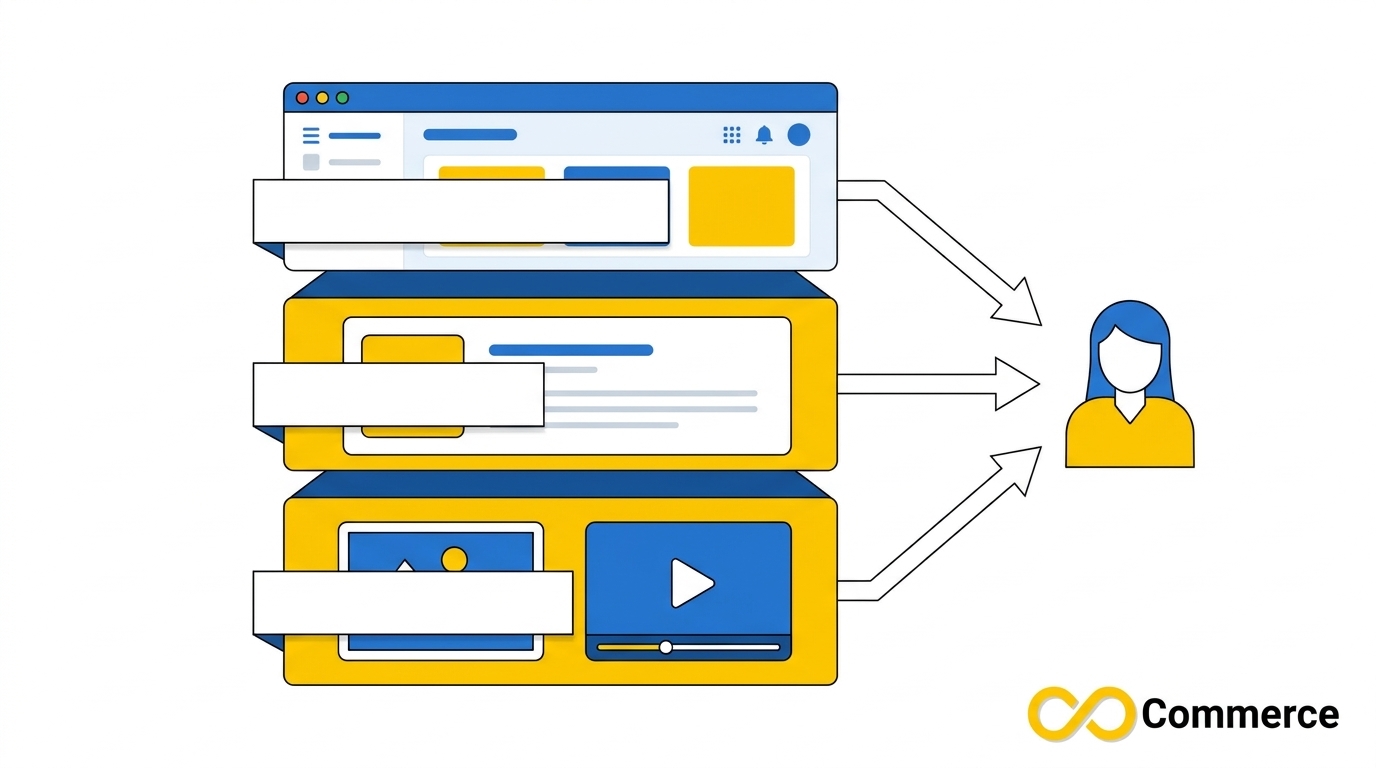
TikTok Shop language settings are not a single switch. Three separate things decide how buyers experience your store: the language of your Seller Center dashboard, the language of your product listings, and the language inside your images and videos. The short version:
- Listings must use a language your target market supports. Singapore accepts English, Malay, Chinese and Tamil, while Belgium requires Dutch, French and German.
- Some markets translate for you, but you still have to review it. In Belgium, TikTok Shop machine-translates supported text fields and asks you to check them before you submit.
- Images, videos and certificates are not translated automatically in that flow, so you localize them yourself.
- Localized TikTok listings go beyond words. Units, sizing, product naming and tone should match the shopper.
This guide explains each layer, which policies apply, and a repeatable workflow to translate TikTok products without getting listings rejected.
Why Language Is a Listing Requirement, Not a Nice-to-Have
Selling across borders on TikTok Shop is exciting until a listing is rejected for using the wrong language, or a buyer leaves because the title reads like a dictionary entry. People who search for TikTok Shop language options usually want one of two things: to change the language they work in, or to sell to customers who speak a different one. Those are different tasks with different rules, and mixing them up is where most mistakes start.
TikTok’s own policies are direct about this. Customers rely on titles, descriptions and pictures to decide what to buy, so listings need to be written in languages the local market supports. This article draws on TikTok Shop Academy policy pages, checked on November 6, 2026, so you can set things up correctly instead of guessing.
What TikTok Shop Language Really Means for Sellers
When sellers talk about language on the platform, they usually mean one of three different layers. Separating them makes every later decision easier.
Layer 1: Your Seller Center interface language
This is the language you read in the dashboard: menus, buttons, error messages and rejection reasons. It affects your own working experience, not what buyers see. It can also change what you see during listing creation. In Belgium’s flow, for instance, the writing-language selector may not appear if your Seller Center system language is already Dutch, French or German.
If you also run TikTok ads, note that Ads Manager has its own language setting. TikTok’s help article says to log in to your TikTok for Business account, hover over the username icon at the upper left, click your username, click Language under User Settings, and choose a language. Changing the Ads Manager language does not change your shop’s listings.
Layer 2: Your listing language
This is the language of your product title, description, attributes and variant names. It is the layer that policy cares about most, and the one that shapes what buyers read. Each market defines which languages it supports, and listings that ignore this can face enforcement action.
Layer 3: Language inside images and video
Text baked into product images, banner graphics, size charts and videos is also part of the listing. Singapore’s policy, for example, expects text within product images to appear in at least one supported language. Because this content is image or video, automatic text translation does not reach it. You have to produce localized versions yourself.
Which Languages Does Each Market Accept?
Supported languages depend on the country where you sell, not on where you are based. The table below summarizes what the official Academy pages state. Policies change, so confirm your market’s current page in Seller Center before you publish.
| Market | Languages stated in TikTok’s guidance |
| Singapore | English, Malay, Chinese, Tamil |
| Vietnam | English, Vietnamese |
| Indonesia (TikTok Shop by Tokopedia) | English, Bahasa Indonesia |
| Belgium | Dutch, French, German (all three required) |
| United States | The official local language or languages of the jurisdiction |
TikTok Shop Language Rules: What the Policies Actually Say
Three rules appear again and again across markets.
Use a supported language in every customer-facing part of the listing. Singapore’s policy says the title, description and text within product images must each use at least one supported language. Thailand’s policy follows the same logic.
Unsupported languages are allowed only in limited cases. Singapore permits registered trademark brand names, demonstrations of a product feature, unrelated background text, and text on the packaging or the product itself. If an image contains text in an unsupported language, it must be accompanied by a translation in a supported one.
Breaking the rules has consequences. Singapore’s page warns that violations can lead to enforcement action against your account and that repeat offenses bring heavier penalties. You can read the full wording in TikTok’s Supported Languages policy for Singapore.
One caution for the United States: its Product Listing Policy also says product images must not include added logos, text, borders or watermarks. That means in some markets the right place to localize is the description and attributes, not text overlaid on photos. Always read your market’s image rules before you translate graphics.
TikTok Shop Multiple Languages: How Belgium’s Multilingual Flow Works
Most guides stop at “set your language to English.” The more interesting case is a market that officially requires several languages at once. Belgium is the clearest documented example, and it shows how TikTok Shop multiple languages work in practice. The details below come from TikTok’s EU Manage Products guide, which can be viewed in English through the Academy language switcher.
The step-by-step flow
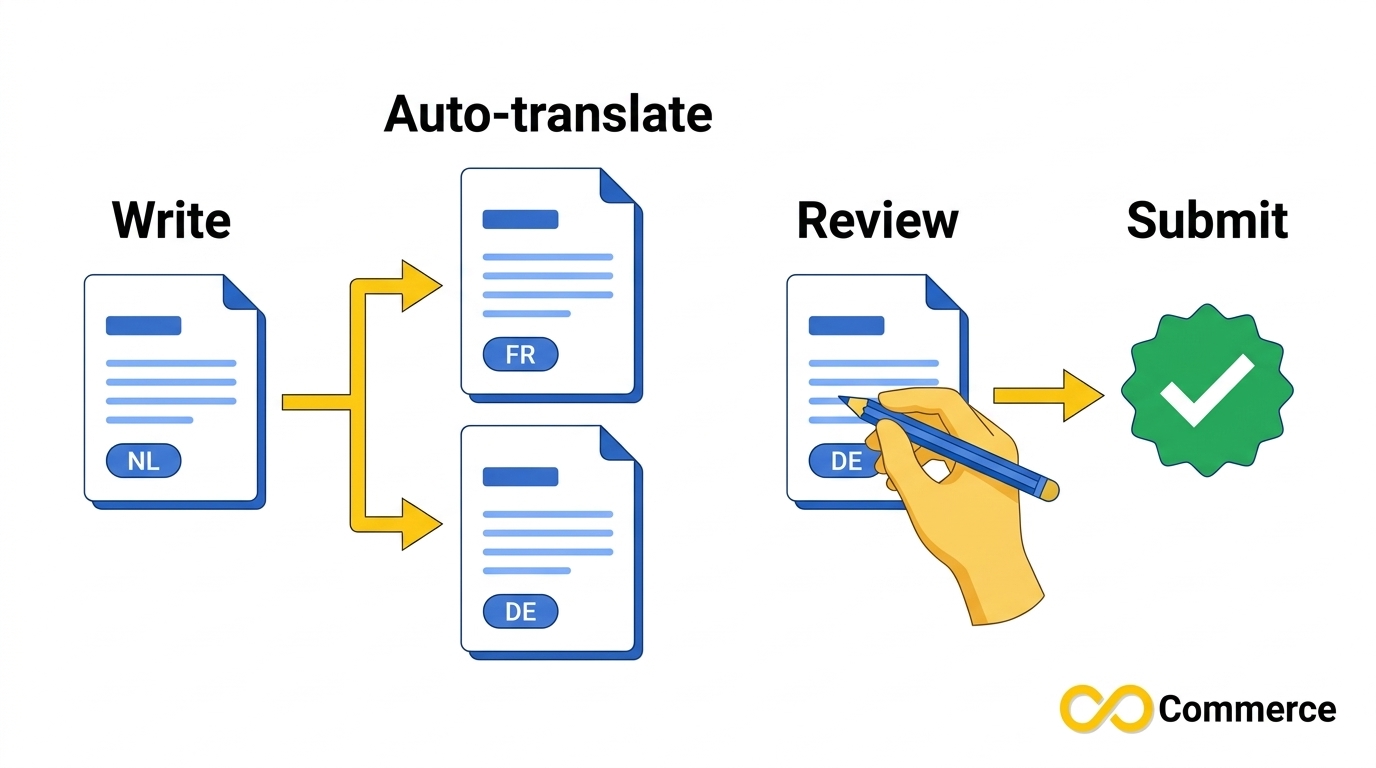
- Choose a writing language. Before you create the listing, you select one of Belgium’s three official languages. TikTok Shop treats this as your original product content.
- Fill in the listing normally. You enter the name, description, features, variants, images, video, compliance and shipping details.
- Let the system translate. TikTok Shop automatically translates supported text fields into the other two official languages.
- Review each translation. Before submission you are prompted to check the translated product name, description, features, variant names and options, and safety warnings. If a translation is wrong, you can edit it manually.
- Submit for review. Once all required fields and translations are complete, the product goes to TikTok Shop for approval.
Two details matter. The writing language cannot be changed once it is set, so pick the one you can write best. And a listing with incomplete or incorrect translations may fail review. TikTok notes that a rejected translated version may show a reason indicating which language has the problem.
What you must translate manually
The same guide is explicit that some content is not translated automatically: product images with text, images uploaded inside descriptions, videos, certifications, and certain compliance information and safety warnings. If you want localized versions of these, you translate them and upload them again.
TikTok’s own best practices for Belgium are worth copying anywhere you localize: write simple, clear source text because it translates better, review all translated content before submission, manually check safety warnings and compliance details, and confirm that variants read correctly in all three languages.
Step by Step: Setting Up Your TikTok Shop Language Correctly
Use this sequence whether you sell in one market or five.
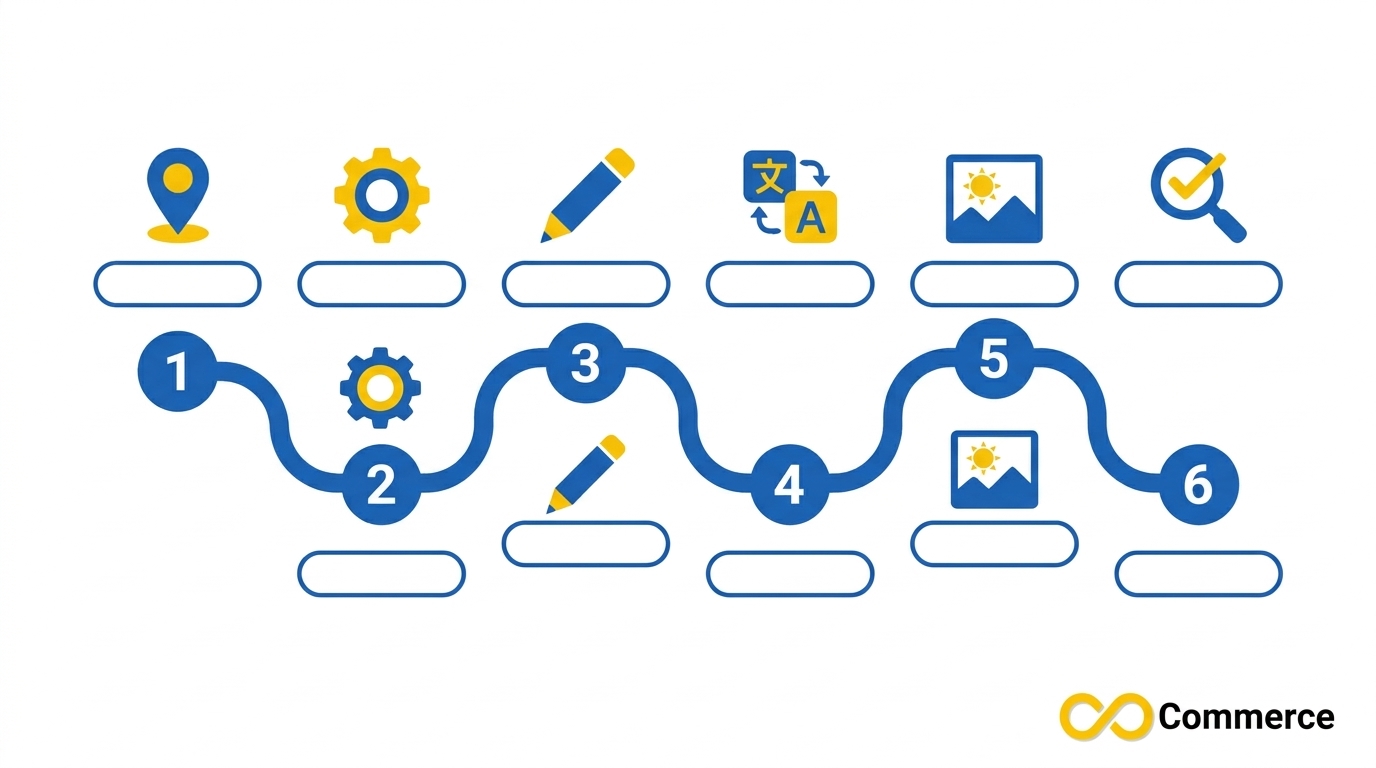
Step 1: Confirm the languages your target market supports
Open the Academy policy page for your destination country, not your home country. Note the supported languages and any rules about text in images.
Step 2: Set your Seller Center language for comfort
Pick the interface language you work in fastest. This only changes your dashboard, so there is no penalty for choosing one you know well, though it may affect which selectors appear during listing creation.
Step 3: Choose the source language for your content
Write the original listing in the language you can control best. In multilingual flows like Belgium’s, this choice is permanent for that listing, so decide before you start.
Step 4: Add or approve translations
Where TikTok Shop generates translations, review each field. Where it does not, add them yourself in the language fields the market requires.
Step 5: Localize your visuals
Check every image, banner and video for text. Replace or supplement text in unsupported languages, and follow your market’s rules on text overlays.
Step 6: Re-check before publishing
Read the final listing as a buyer in each language would. Confirm the title, variants, units and safety information all make sense.
TikTok Product Translation: A Practical Workflow
Good TikTok product translation is a process, not a button. Here is a workflow you can repeat for every product.
Start with a clean source listing
Translation amplifies whatever you give it. Before you translate anything, tighten the English or home-language version: remove slang, avoid stacked jokes and use short sentences. TikTok’s own Belgium guidance recommends simple, understandable text for better translation quality, and the same logic holds for every market.
Build a small glossary
List the 20 to 50 terms that appear across your catalog: product types, materials, size words, feature names and your brand’s fixed phrases. Decide the approved translation for each. This keeps one product from calling the same feature three different things and helps every listing sound consistent.
Translate, then have a human read it
Machine translation is fast and is a reasonable first draft, but it is not a finished listing. A seller-side blog that reviewed TikTok Shop Ireland listings documented examples of awkward, unchecked machine translations, including a listing whose description was translated only into Irish. Always have a fluent speaker read titles and descriptions, especially safety and compliance text.
Watch the character limits
Translated text is often longer than the source. TikTok’s EU bulk-upload template notes limits such as 35 characters for the first variation option and 50 for the second, and a product name under 255 characters. The same guide states a minimum title length of 25 characters. Check that your translated titles and variant labels still fit.
Localize, don’t just convert
Translation changes the words. Localization changes the offer. One video-localization vendor frames it well: adapt product naming, units and measurements (centimeters versus inches, milliliters versus ounces) and the way the offer is presented, so it feels native. Apply that to every field.
Run a final quality check
Before you publish, check spelling, punctuation, units, currency, variant names and any legally required warnings. Then save the translated version of each product so future edits start from an approved baseline.
Localized TikTok Listings: What to Adapt Beyond the Words
Localized TikTok listings win trust because they sound like the shopper’s own market. Here is what to adapt, field by field.
| Listing element | What to localize |
| Title | Use the product name local shoppers actually search for, with brand, product type and one key attribute |
| Description | Rewrite benefits in natural local phrasing instead of translating sentence by sentence |
| Variants | Translate size, color and style labels and keep them within character limits |
| Units | Switch between metric and imperial where the market expects it |
| Images | Replace or supplement text in unsupported languages, following market image rules |
| Video | Add subtitles or dubbing in the buyer’s language |
| Compliance | Check that warnings and required disclosures appear in the correct language |
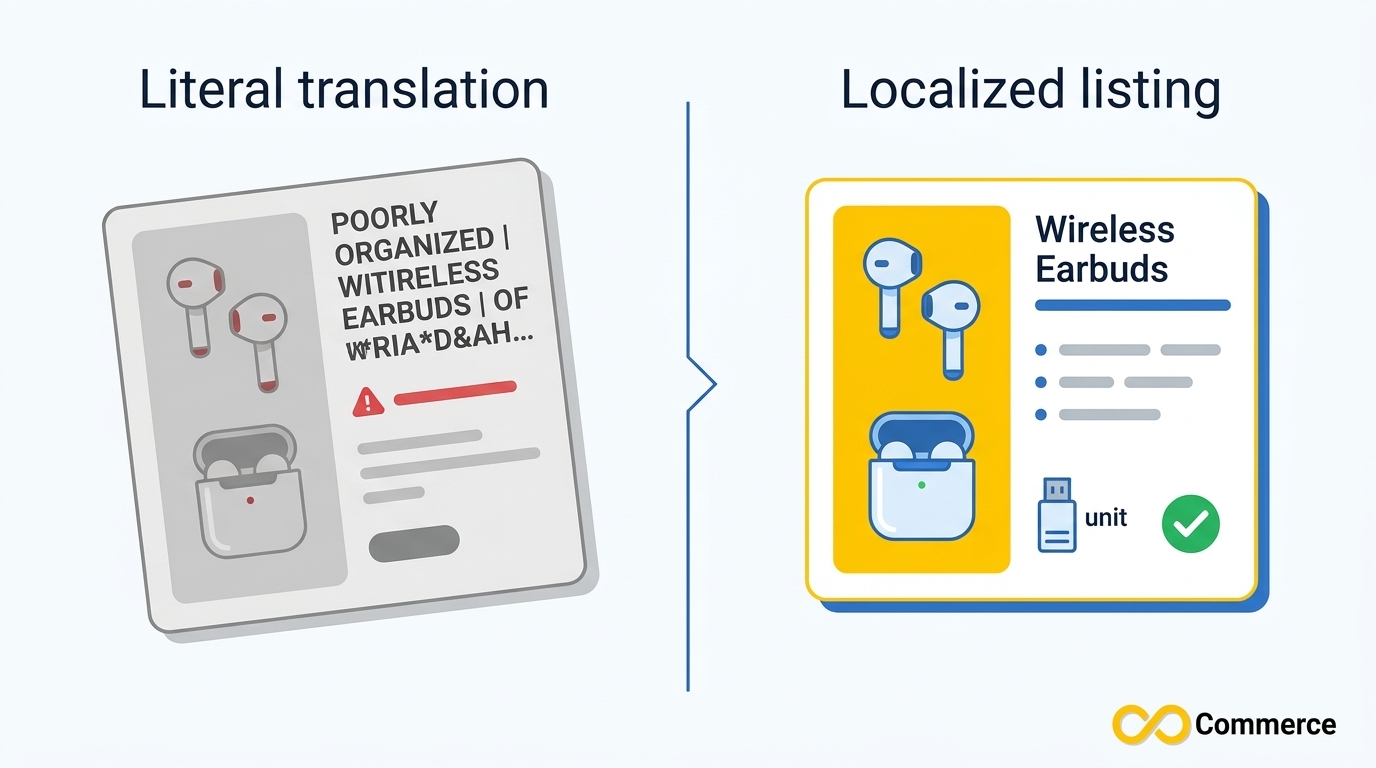
An illustrative example
Here is a simple illustration of the difference, not a real listing.
- Literal translation: “Wireless earphone noise cancel black big battery”
- Localized listing: “Wireless Bluetooth Earbuds with Noise Cancelling, Black”
The second version names the product the way a buyer would, reads cleanly and keeps the important attribute up front. Remember to apply each market’s formatting rules too. The US policy, for example, tells sellers to avoid all capital letters, use numerals instead of spelled-out numbers, and skip subjective claims such as “Best Seller.” Localizing never exempts a listing from policy.
Don’t forget video
Video is part of the listing experience. A repeatable approach recommended by localization vendors is to transcribe the original video, translate with context, rewrite lines that do not carry over, add subtitles and, where useful, dub the audio. Even simple subtitles in the buyer’s language make a product demo easier to follow.
TikTok Multi Language Catalogs and Feeds on Shopify
If you manage products in Shopify, language becomes a data question as well as a writing one. A TikTok multi language setup means your catalog feed needs to carry accurate text for each market, with correct characters and consistent fields.
Two practical points apply.
Encoding matters. Non-English text includes accents and special characters. Our guide to TikTok catalog feed errors explains why feeds should be saved as UTF-8: other encodings can turn accented letters into garbled text, which can be flagged as corrupted data.
Automation saves time. The Infinite TikTok Catalog Feed app lists multi-currency and multi-language support among its features, and its FAQ describes multi-language support as a way to localize product information for different markets. Check the app page for current plan details before you rely on a specific capability.
Once your listings are live in more than one market, measure each one separately. Our Facebook – TikTok Pixel app can help you track conversions so you can see which language versions perform.
Common Language Mistakes to Avoid
- Translating into a language the market does not support. Always check the Academy page first.
- Leaving untranslated text in images. In markets with language rules for images, unsupported text needs a supported translation.
- Trusting machine translation without review. Errors in titles, variants and warnings cost sales and can fail review.
- Ignoring character limits. Longer translations can overflow variant and title fields.
- Skipping compliance text. Safety warnings and certifications are not always translated for you.
- Choosing the wrong writing language. In flows where the choice is permanent, you cannot change it later.
- Forgetting that policy still applies. Localized text must follow each market’s title, description and image rules.
Conclusion
Getting TikTok Shop language right means treating it as three layers: your dashboard language, your listing language and the language inside your media. Start with your target market’s supported languages, write a clean source listing, translate with a glossary, and review everything a buyer will read, including images, videos and warnings. Localized TikTok listings take more effort than a one-click translation, but they are easier to approve and easier to trust.
Ready to scale across markets? Explore the Infinite TikTok Catalog Feed app to keep your Shopify catalog synced to TikTok, visit Infinite Commerce to see our full app lineup, and browse more practical guides on the Infinite Commerce blog.
FAQs
It depends which language you mean. Your Seller Center interface language changes what you read in the dashboard. Your listing language is set when you create or edit a product and must match your market’s supported languages. TikTok Ads Manager has its own language option under User Settings.
It depends on the market. Belgium requires all three official languages, with automatic translation you must review. Other markets require at least one supported local language. Check your destination country’s Academy policy before listing.
In Belgium’s documented flow, yes for supported text fields, and you must review the results. Images with text, videos, certifications and some compliance content are not translated automatically. For other markets, confirm in Seller Center what is available.
Only in limited cases. In Singapore, text in an unsupported language needs a translation in a supported language, with exceptions for registered trademarks, packaging, product feature demonstrations and unrelated background text.
It is a good first draft, not a finished listing. Review titles, variants, units and safety information with a fluent speaker. Poorly checked translations can cause rejections and weaken buyer trust.
TikTok’s US Product Listing Policy says listings must be provided in the official local language or languages of the jurisdiction where they are offered.
