 Amber Naz
Quick Summary
A TikTok Shop product rejected notice means TikTok’s review found a problem with your listing or with the product itself. To see why, open Seller Center, go to Products, then Manage Products, then Suspended, and read the reason shown under the Failed tab. Most rejections trace back to nine causes: a wrong category or missing attributes, image problems, unsupported claims, price mismatches, links or contact details that send shoppers off TikTok, restricted categories without approval, missing documents, brand rights, or a prohibited product. Fix the real cause, resubmit once, and use support or an appeal if you believe the decision is wrong. If the listing is Frozen, check whether the product is allowed on TikTok Shop before you edit a single word.
You uploaded the product, waited for approval, and a TikTok Shop product rejected message showed up with a vague reason. That is frustrating, especially when the same product sells well on Shopify or Amazon. The good news is that a tiktok shop listing rejected notice is usually specific and fixable once you know where to look.
This guide explains what each status means, the nine most common causes, how to fix and resubmit, and what to do when a live listing is suddenly taken down. It also covers a Shopify problem: one mistake copied across dozens of products during a catalog sync. Policies change, so confirm details in the official TikTok Shop Seller University before you act.
TikTok Shop Product Rejected: What the Status Really Means
A rejected product failed TikTok Shop’s review against its policies and guidelines. It is not a deleted listing or a banned shop. In most cases the listing is parked in a suspended state until you fix the problem named in the notice.
When you submit or sync a product, it first appears with a Reviewing status while TikTok checks it against its policies. According to AfterShip’s help article on failed TikTok Shop reviews, TikTok does not publish a fixed review time, so a listing can sit in Reviewing for a while. If the wait feels unusually long, TikTok’s support options in Seller Center are the right route, not deleting and relisting.
Failed, Frozen and Deactivated: Know Which One You Have
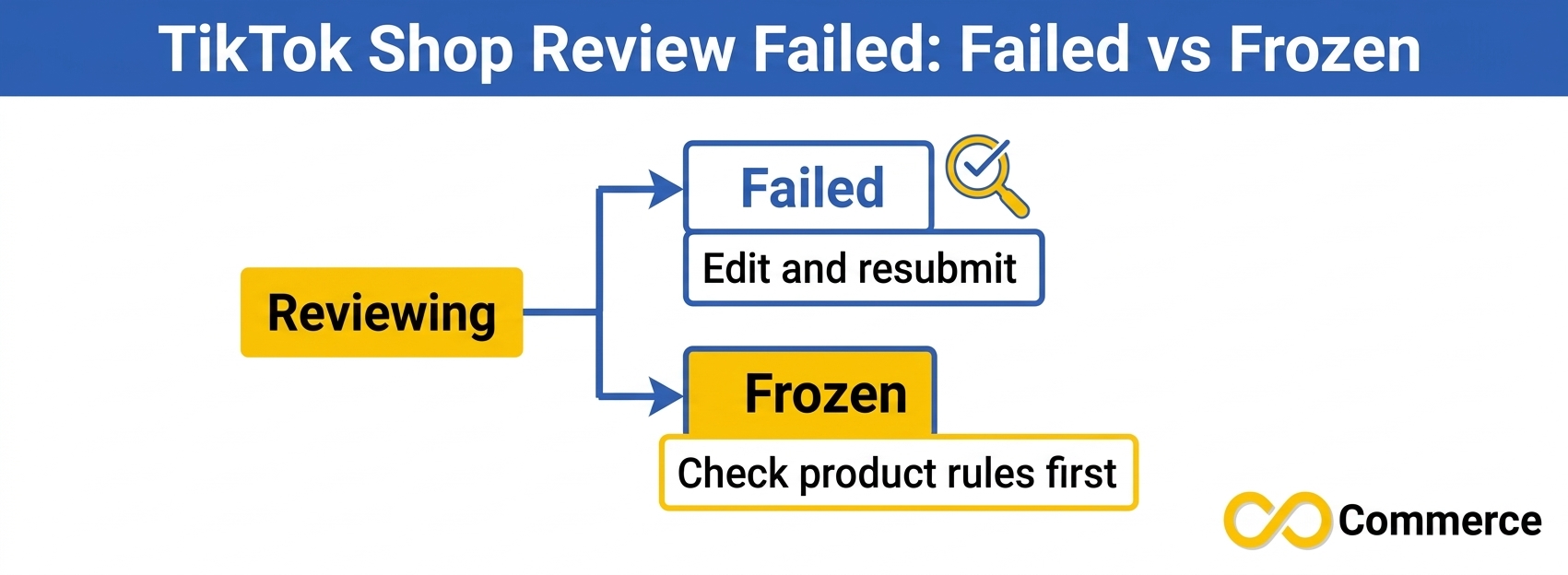
The label decides your next move. A tiktok shop review failed message and a frozen listing look similar, but they are handled very differently.
| Status in Seller Center | What it means | What to do next |
| Reviewing | TikTok is checking the listing against its policies | Wait, and avoid unnecessary edits |
| Suspended > Failed | The listing failed review, and a reason is shown | Read the reason, fix the cause, resubmit |
| Suspended > Frozen | A serious violation; it cannot be fixed and sent for review again as it stands | Check whether the product is allowed at all, then contact support if you think the decision is wrong |
| Deactivated | The listing is turned off | Check whether you or TikTok deactivated it, then reactivate or review the notice |
A Failed listing is usually a data or content problem you can edit. A Frozen listing usually signals a product or policy problem that editing the title will not solve.
Where to Find the Rejection Reason in Seller Center
TikTok shows the reason, but you have to know where to look. Follow this path:
- Log in to TikTok Shop Seller Center.
- Go to Products, then Manage Products.
- Open the Suspended tab and choose Failed.
- Find the product and read the message under Unapproved product listing.
- Click Learn more to see the changes TikTok says are needed.
If you use a connected app or feed tool, its dashboard may show its own “Failed” label. The authoritative reason is the one inside Seller Center.
Seller Center also shows enforcement notices. According to EchoTik’s guide to fixing policy violations, a tiktok shop violation notice can arrive by email and in the Seller Center Inbox, and the ticket usually names the product, the reason, and next steps. Corrections and appeals are time-sensitive, so check Account Health and Violation Records regularly.
First Decide: Is It the Listing or the Product?
Before editing anything, answer one question: is this product allowed on TikTok Shop at all?
TikTok sorts problem products into two groups.
- Prohibited products cannot be sold on TikTok Shop under any circumstances. The only fix is to remove them from your TikTok catalog.
- Restricted products can be sold only if you meet extra requirements, such as category approval, documents, certificates, or brand authorization.
A product that is legal and popular on another marketplace may still be prohibited or restricted on TikTok Shop, and rules differ by country. Check the policies for your market in Seller University before you list. If you are unsure, do not keep resubmitting with cosmetic changes, because fixing the wrong field never solves a policy problem.
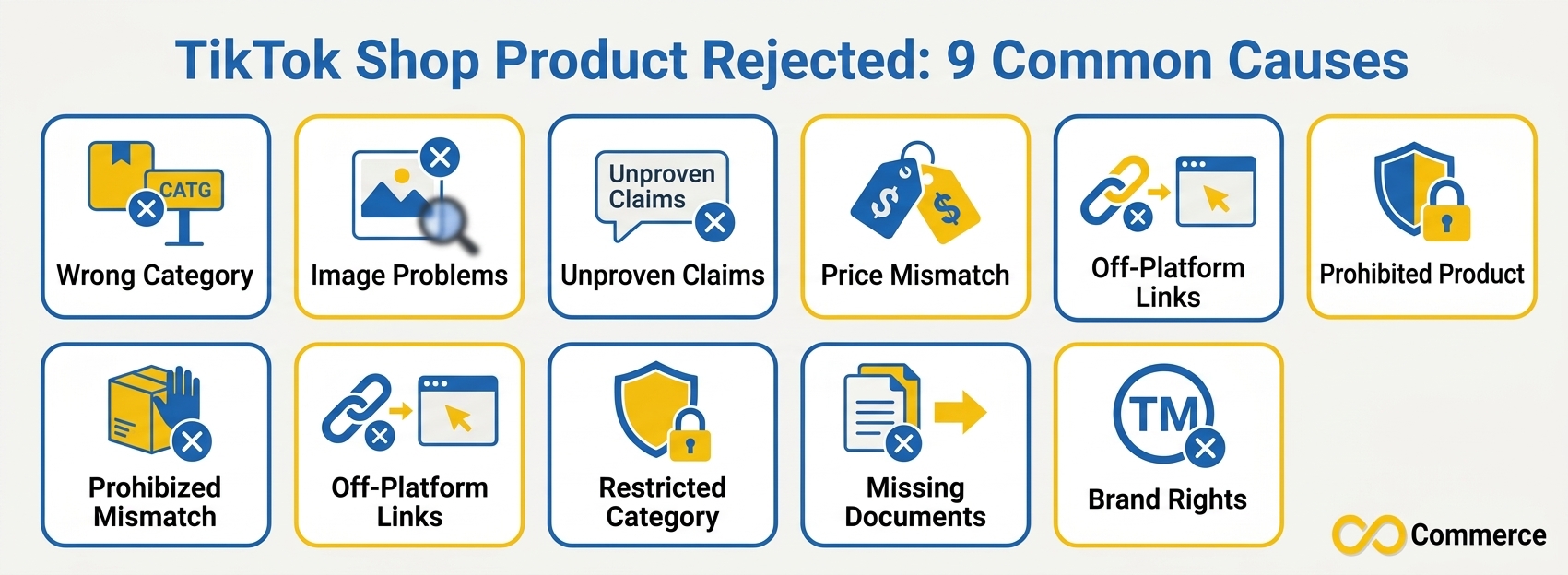
Why Is My TikTok Shop Product Rejected? 9 Common Causes
Here are the nine causes that account for most rejections, with what each one looks like and how to fix it. If your message is generic, work through this list in order.
1. Wrong Category or Missing Attributes
What happens: TikTok cannot verify what the product is because required details are blank, incorrect, or do not fit the chosen category.
Why it happens: Every category has its own required attributes. Bulk imports often map products to the closest-looking category and leave fields empty.
How to fix it: Confirm the category first, because it decides which attributes are required. Then complete every required field with information that matches the real product and its packaging.
2. Image Problems
What happens: Your photos break image rules or do not match the item being sold.
Why it happens: Supplier photos often carry watermarks, another seller’s logo, promotional text, or show a different color or bundle than the variant you are listing.
How to fix it: Use clean images that show exactly what the buyer will receive. Remove watermarks, other platforms’ branding, and text overlays. Check the current technical image and video requirements in Seller Center for your category before uploading.
3. Misleading or Unsupported Claims
What happens: The title, description, or images say something TikTok considers inaccurate or unproven.
Why it happens: Supplier copy is often full of claims like “clinically proven,” “best seller,” or “guaranteed results.” Beauty, wellness, and supplement-adjacent products are especially sensitive.
How to fix it: Remove every claim you cannot document. Describe what the product is, what it is made of, and how it is used in plain, factual language. A tiktok shop product disapproved for a health claim usually stays disapproved until the claim is gone everywhere, including image text and variant names.
4. Price or Information Mismatches
What happens: Details in the listing do not match what the shopper sees at checkout or receives.
Why it happens: Compliance guides list differing prices between a listing and checkout as misleading information. Mismatched sizes, colors, quantities, or package contents cause similar problems.
How to fix it: Make sure price, variants, quantity, and contents match reality, and confirm synced price and stock update correctly.
5. Redirecting Traffic Off TikTok Shop
What happens: Something in the listing encourages shoppers to leave TikTok Shop or contact you elsewhere. AfterShip names this as the top review failure it covers.
Why it happens: TikTok’s rule is broad. Content counts as redirecting traffic when it includes links, references, or calls to action that push users to other platforms. That covers shop windows, videos, livestreams, cover pages, titles, descriptions, and other listing features. AfterShip’s examples include product images with hyperlinked information, a QR code to scan, an invitation to buy through a Facebook page, “add me on WhatsApp to order,” and an email address or phone number paired with a sales message.
How to fix it: Remove every website address, QR code, social handle, email address, and phone number from your images and text. A shopper should be able to learn and buy everything inside TikTok Shop.
6. Restricted Category Without Approval
What happens: The product is allowed, but your shop is not yet approved to sell in that category.
Why it happens: Categories such as beauty, certain health goods, and electronics often need extra approval. Sellers list first and qualify later.
How to fix it: Apply for category approval in Seller Center with the documents TikTok requests, and resubmit only after approval.
7. Missing Safety Documents or Certificates
What happens: TikTok wants proof that the product meets safety or compliance standards, and the proof is missing or invalid.
Why it happens: Some products require supporting documents. One guide on resolving rejected listings explains that a missing or invalid Safety Data Sheet can block products in some categories.
How to fix it: Check what your category requires, collect the documents from your supplier, and upload them in Seller Center. Keep invoices, labels, and certificates organized.
8. Brand and Intellectual Property Problems
What happens: TikTok believes the listing uses a brand, logo, or design you do not have the right to sell.
Why it happens: Naming a recognizable brand or reusing official brand images without authorization triggers extra scrutiny.
How to fix it: Keep brand authorization letters or supplier invoices on file for branded goods. If you cannot show you have the right to sell a brand, do not list it. Never edit a brand’s marks out of an image to slip past review.
9. The Product Is Prohibited
What happens: The listing is rejected or frozen because the product type itself is not allowed.
Why it happens: Prohibited categories cover items that raise safety, legal, or platform integrity concerns. Better wording will not help.
How to fix it: Remove the product from your TikTok catalog. If you think the classification is wrong, contact support with the product ID and the exact rejection wording.
How to Fix a TikTok Shop Product Rejected, Step by Step
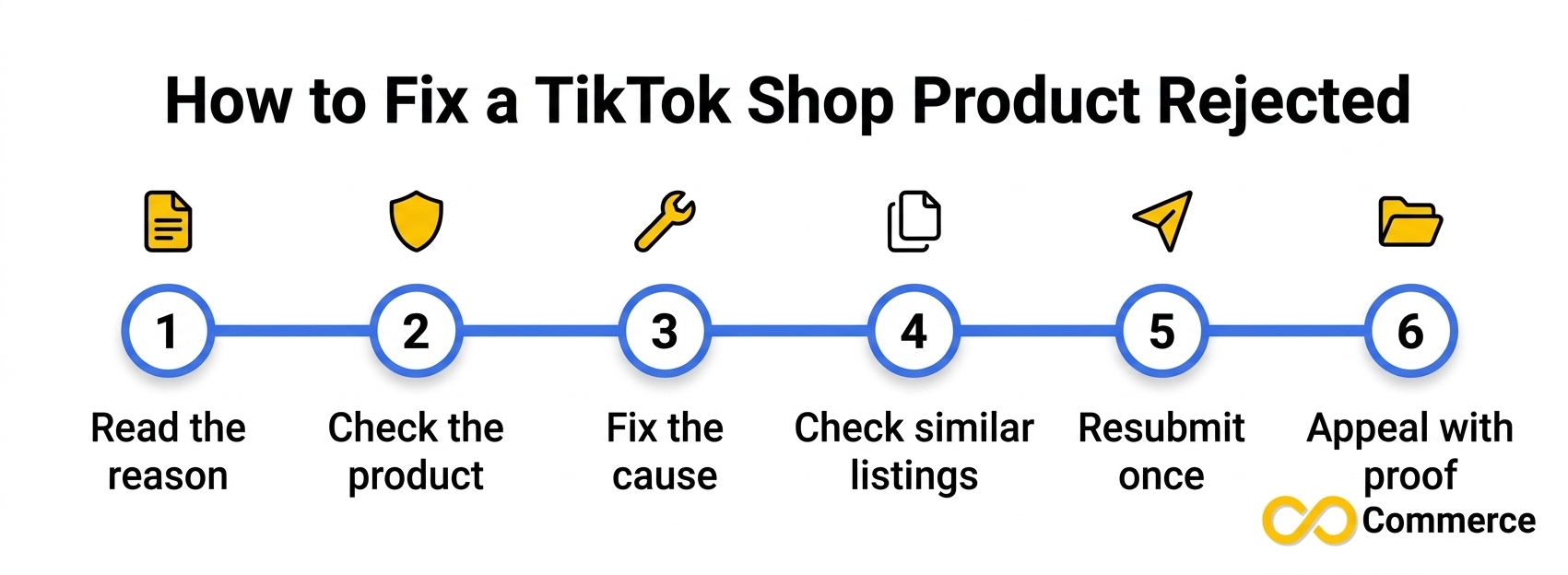
Sellers who tweak one word, resubmit, and repeat lose days. Use this process instead.
Step 1: Read the Exact Reason and Save It
Copy the full message, including any linked policy, and take a screenshot. You will need it for an appeal if it comes to that.
Step 2: Triage the Product
Run the check from earlier. If the product is prohibited, stop and remove it. If it is restricted, start category approval before changing anything else.
Step 3: Fix the Root Cause of a TikTok Shop Product Rejected
Fix the cause, not the symptom. Should an image trigger the rejection, replace it. When a claim causes the issue, remove it everywhere it appears. In cases involving off-platform contact details, be sure to inspect all images, descriptions, and variant names.
Step 4: Check Every Similar Listing
The same supplier photo or paragraph often appears across dozens of products. If one phone case fails because of a watermark, the supplier’s other cases probably carry it too. Fix them together, then resubmit.
Step 5: Resubmit Once and Watch the Status
Submit the corrected listing once. If a tiktok shop review failed notice comes back with the same reason, compare your fix against the notice line by line before trying again.
Step 6: Contact Support or Appeal When You Have Evidence
If you are confident the listing complies, do not keep resubmitting. Create a support ticket in Seller Center or use the appeal option if one is offered. Appeals need evidence, not complaints. Useful proof includes updated listing screenshots, supplier invoices, brand authorization letters, test reports, labels, and certificates. According to EchoTik’s guide, appeals are limited and time-sensitive, so avoid sending a weak one. “Other sellers list this” is not proof.
Shopify to TikTok Shop Sync: Why Rejections Multiply
If you sell on Shopify and push products to TikTok Shop, a single bad field can turn into a bulk problem. A catalog sync copies your product data, so any watermark, unsupported claim, or empty attribute is copied with it. That is why a tiktok shop listing rejected message often arrives for twenty products at once instead of one.
Common patterns include blank required attributes, wrong category mapping, supplier images and descriptions carried over unchanged, and app labels that differ from the status in Seller Center.
The practical fix is to clean your source data first. Fix titles, descriptions, categories, and images in Shopify before syncing, then confirm the result in Seller Center, not just in your app.
If you list Shopify products on TikTok through a catalog feed, the feed is only as good as the product data behind it. Infinite Commerce offers a TikTok Catalog Feed app for Shopify, and a feed tool does not replace TikTok’s review. You still need accurate titles, clean images, and compliant claims. If you also run TikTok ads, the Facebook and TikTok Pixel page covers tracking, which is separate from the catalog work here.
TikTok Product Removed After Approval: Why It Happens
Approval is not permanent. Sellers are often surprised when a listing that sold for months is suddenly a tiktok product removed case. Usual triggers include:
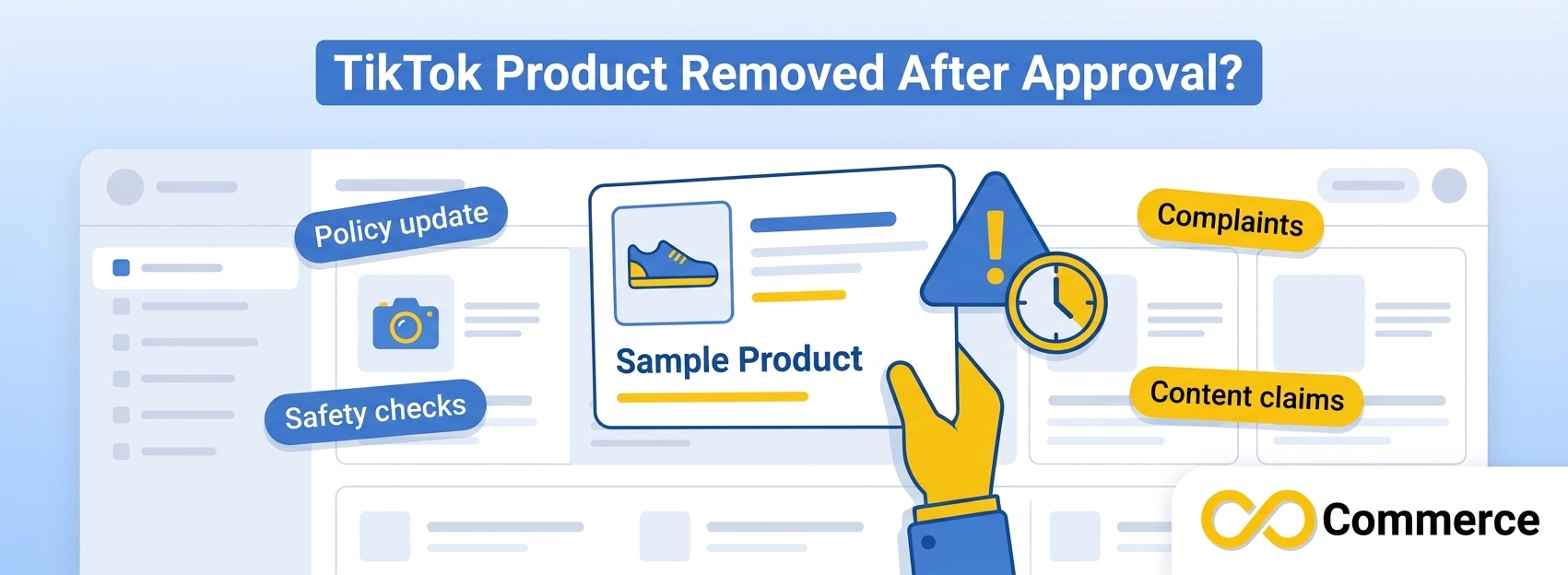
- Policy updates. TikTok updated its listing and content policies during 2026, and older listings can be reviewed against newer standards.
- Complaints and returns. Defects, damaged packaging, or items that do not match the listing can lead to enforcement.
- Safety or compliance concerns. TikTok may ask for documents proving the product meets standards.
- Content issues. Creator videos or live sessions with unsupported claims can put the product at risk.
Look for the notice first. A tiktok shop violation record explains the reason, the product affected, and whether a correction or appeal is available. If correction is offered, fix the listing and upload proof before the deadline. If you think the action was an error, appeal with evidence. Also pause ads, creator scripts, and live language tied to the same product. Heading into a busy sales period? Our Shopify Black Friday checklist can help you prepare the rest of the store.
Pre-Listing Checklist to Prevent Rejections
- Product: Not prohibited, and approved if restricted.
- Category: Matches the real product, with every required attribute filled.
- Images: No watermarks, other brands’ logos, text overlays, URLs, QR codes, or social handles.
- Claims: No superlatives, health benefits, or certifications you cannot prove.
- Contact details: No emails, phone numbers, or invitations to buy elsewhere.
- Price and stock: Match what the shopper sees at checkout.
- Documents: Certificates, safety sheets, invoices, and brand authorizations on hand.
- Policy check: Re-read Seller University whenever TikTok announces an update.
Conclusion
Every TikTok Shop product rejected notice is really a to-do list in disguise. Start with the status, because Failed and Frozen need different responses, and a tiktok shop product disapproved message is not the end of the road. Read the exact reason in Seller Center, decide whether the problem is the listing or the product, and fix the root cause across every similar listing before you resubmit once. If you have proof that your listing complies, use support or an appeal rather than guessing again.
Prevention is easier than repair. Clean images, factual claims, accurate categories, and organized documents will head off most problems, especially if you sync products from Shopify in bulk. Policies change, so build a habit of re-checking your catalog whenever TikTok announces an update.
If you sell on Shopify and want your TikTok catalog and tracking set up with fewer manual steps, explore the apps from Infinite Commerce, including the TikTok Catalog Feed. For more practical guides on tracking, product feeds, and growing your store, browse the Infinite Commerce blog.
FAQs
Usually the edit did not address the real cause. Compare the exact rejection reason with your change, and check whether the product is prohibited or restricted. Cosmetic edits never fix a category or documentation problem, and repeated resubmission without a fix can make things worse.
Both sit under the Suspended tab. A Failed listing was rejected (a tiktok shop listing rejected case), and you can usually edit it and resubmit after fixing the stated issue. A Frozen listing has a serious violation and cannot be corrected and sent for review again as it stands. Check whether the product is allowed first, then contact support if you think the decision is wrong.
Yes, if you believe the listing complies. Contact support or use the appeal option in Seller Center. Include the product ID, the exact rejection reason, and supporting documents such as certificates, invoices, or brand authorization. Appeals are time-sensitive, so prepare your evidence before you submit.
A tiktok product removed notice after approval can follow a policy update, customer complaints, quality or safety concerns, or content issues tied to the product. Read the violation notice in Seller Center to see which rule applies, then correct the listing or appeal with evidence.
Yes, as long as the products are allowed in your market and the data you sync is accurate and compliant. Clean your titles, descriptions, images, and categories in Shopify before syncing, and confirm statuses in Seller Center after every batch. No tool can guarantee approval, because TikTok makes the final decision.
