 Amber Naz
Quick Summary
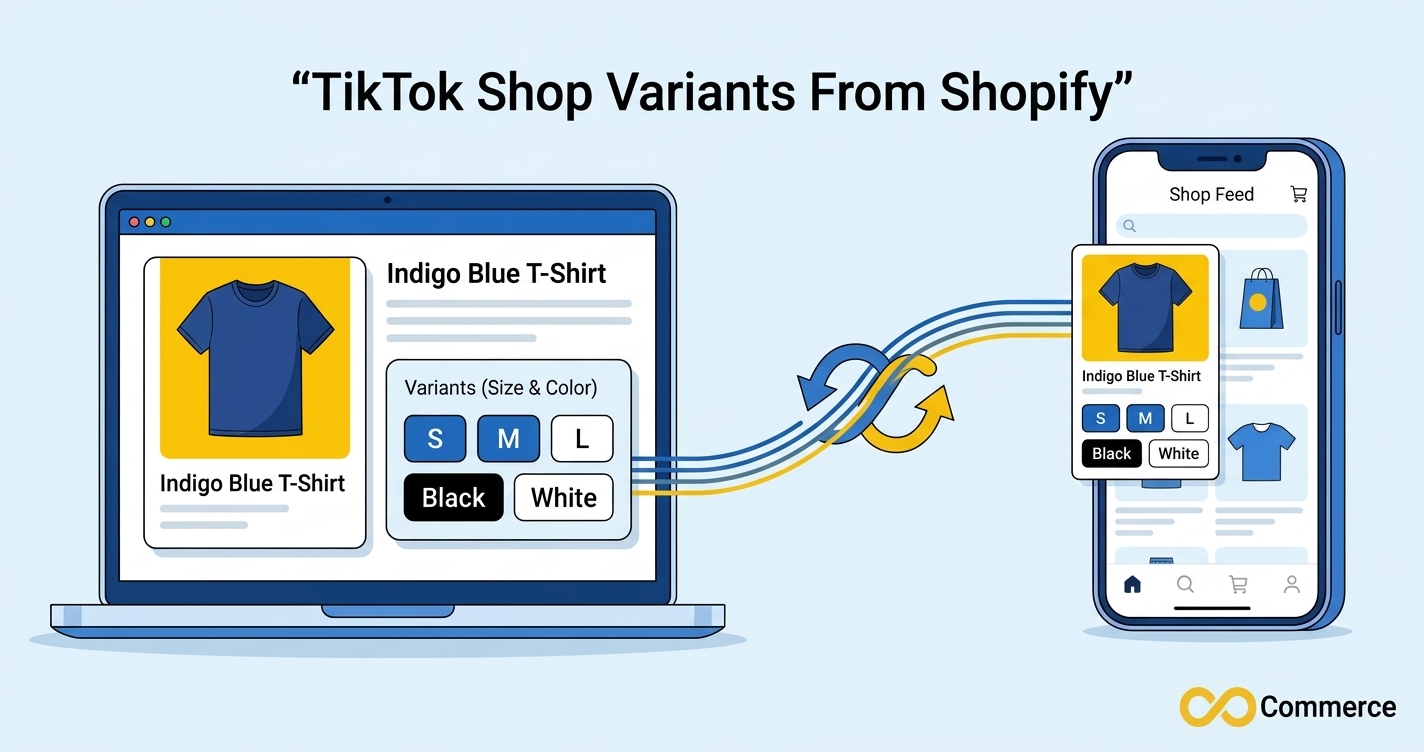
TikTok Shop variants are the size, color, and style options attached to one TikTok listing, and each combination is tracked as its own SKU. When you connect Shopify, those variants are pulled from your Shopify products and kept aligned with TikTok through sync. The sync works cleanly only when every variant has a unique SKU, a price, stock, and an option structure TikTok accepts. This guide explains how the mapping works, how to prepare your catalog, and how to fix SKU mismatches and variants that fail to appear.
You build a Shopify product with a neat grid of sizes and colors, connect the TikTok sales channel, and expect the same grid to appear in TikTok Shop. Sometimes it does. Other times shoppers see a single option, the product splits into separate listings, or the listing never goes live at all. Almost every one of those outcomes traces back to how variants are structured and identified on each platform, not to a broken connection.
This explainer covers how the sync works, what TikTok expects from each variant, how to prepare your catalog, and how to diagnose the problems merchants search for most: SKU mismatches, variants that will not sync, and variants that are not showing. Most fixes do not need a developer.
What Are TikTok Shop Variants and How Do They Differ From Shopify’s?
A variant is one purchasable version of a product. A T-shirt offered in three sizes and two colors is one product with six variants. Shopify stores that structure as a product with options (Size, Color) and one variant for each combination. Every variant carries its own SKU, price, and inventory count.
TikTok Shop follows the same idea with different vocabulary. A listing holds one or more SKUs, and the attributes that tell those SKUs apart, such as size or color, are sometimes called sales attributes in integration documentation. Each SKU has its own seller SKU, price, and stock.
Shopify and TikTok Shop terms side by side
| Concept | Shopify | TikTok Shop |
| Parent item | Product | Product listing |
| The choice a shopper makes | Option (Size, Color) | Sales attribute or variation |
| One purchasable version | Variant | SKU |
| Your own identifier | Variant SKU | Seller SKU |
| Stock | Inventory per variant and location | Stock per SKU |
The two platforms are not identical. TikTok Shop applies category rules, and some categories do not allow variations at all. Shopify is far more relaxed about how many options you combine and what you name them. That gap is where most sync problems begin.
Why variant structure matters for sales
A variant that maps incorrectly does more than look untidy. Stock tracked against the wrong SKU can show availability you do not have, which leads to cancellations. A dropped variant means shoppers cannot buy that size, and you lose the sale silently.
How Shopify Variants Sync to TikTok Shop
When you use the TikTok sales channel in Shopify, the products you make available to that channel sync to TikTok Shop automatically. According to Shopify’s own help documentation, you choose which products go to the channel from the product page, and the sync handles the rest. In practice that means a new product, or an edit to an existing one, flows from Shopify to TikTok without you re-uploading anything.
What typically syncs
Based on Shopify’s documentation and the integration guides that rank for this topic, a working connection typically keeps these items aligned:
- Product titles, descriptions, and images
- Variants and their SKUs
- Prices
- Inventory quantities
- Orders, which flow back into Shopify so you fulfill from one queue
Treat this as a general picture, not a guarantee. What syncs, and how often, depends on your connector and TikTok region.
How TikTok Shop variants map to Shopify options and SKUs
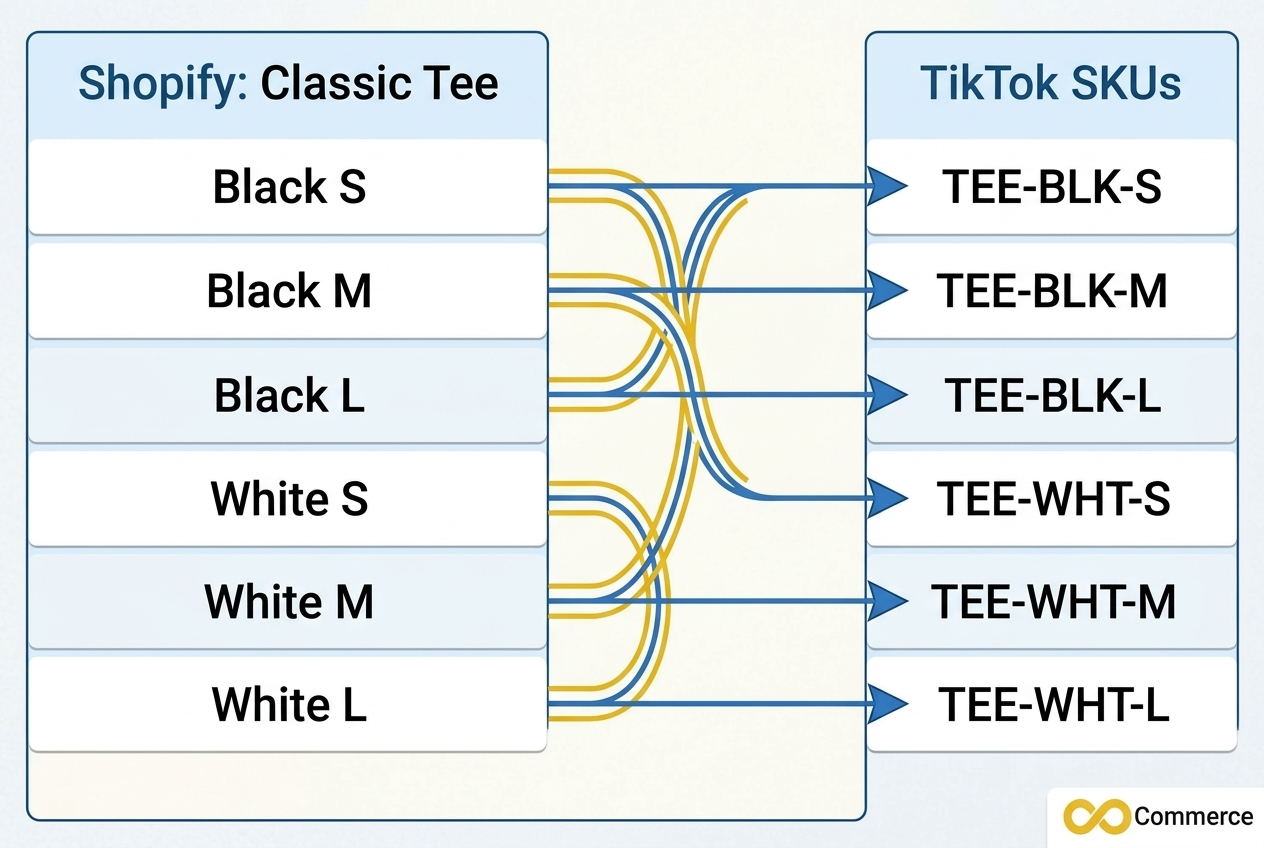
Mapping is the heart of the process. Each Shopify option value, such as Black or Medium, needs to become a matching attribute value on TikTok. Each Shopify variant then needs to become one TikTok SKU. The SKU value is the thread that ties the two sides together, especially when you link a listing that already exists on TikTok to a Shopify product.
Here is a simple example. A Shopify product called Classic Tee has two options, Color and Size, and six variants. On TikTok it should appear as one listing with six SKUs. If two variants share a SKU, or one has none, TikTok cannot reliably tell them apart, and one of them may be dropped, merged, or given the wrong stock count. One integration guide notes that unmapped variants are the most common reason inventory looks wrong on one channel but right on the other.
Sync happens at the product level, not the variant level
A frequent question in the Shopify community is whether you can sync only some variants of a product. Merchants using the official TikTok channel report that sync works at the product level, so you cannot publish a subset of variants from one product. You can read that discussion in the Shopify Community thread on syncing selected variants to TikTok. The same thread points out a practical limit: variants that rely on Shopify custom text fields for personalization are not something TikTok Shop supports.
If part of your range needs a different setup, the workaround suggested by experienced sellers is to create a separate product for TikTok with only the variants you want, then sync inventory between the two.
Sync is not the same as visibility
A completed sync only means data moved. It does not mean TikTok has approved the listing or is showing it to shoppers. Guides that cover this topic point out that a product can sync successfully and still sit in a pending or suspended state in Seller Center, or be held back because of category eligibility or missing attributes. Always check the listing status in TikTok Seller Center, not just the Shopify channel screen.
Shopify Variants TikTok Needs: A Pre-Sync Checklist
Most variant problems are cheaper to prevent than to repair. Before you publish a product to TikTok, work through this checklist inside Shopify. It takes a few minutes per product and prevents most of the errors covered later.

- Give every variant its own SKU. Missing, duplicate, or inconsistent SKUs are the top cause of variants that do not match. Each variant of a product should have a different SKU, even when the products look nearly identical.
- Use a clean SKU format. Stick to letters, numbers, hyphens, and underscores. Avoid spaces, symbols, and very long strings, because some TikTok tools and connectors report errors when SKU names are too long.
- Keep the option structure simple. One or two options (for example, Color and Size) are far safer than stacking three. Flat structures sync more reliably than complicated or nested ones, and category rules on TikTok may limit what is allowed. Check the rules for your category in Seller Center.
- Clean up option names and values. Remove emojis, symbols, promotional text, and long labels from option values. Write Black, not a decorated version of it.
- Fill in price, stock, and an image for every variant. A single variant missing a price or quantity can hold back the whole product.
- Check required identifiers and attributes. Some categories need a GTIN, UPC, or EAN, plus mandatory attributes. Missing identifiers are a common rejection trigger.
- Confirm your inventory location and region. Multiple inventory locations with no clear primary source, or a Shopify store region that does not match your TikTok Shop region, cause confusing stock and order behavior.
- Publish only what belongs on TikTok. Remove test, archived, duplicate, and discontinued products from the channel before the first sync.
Messy versus clean: a quick example
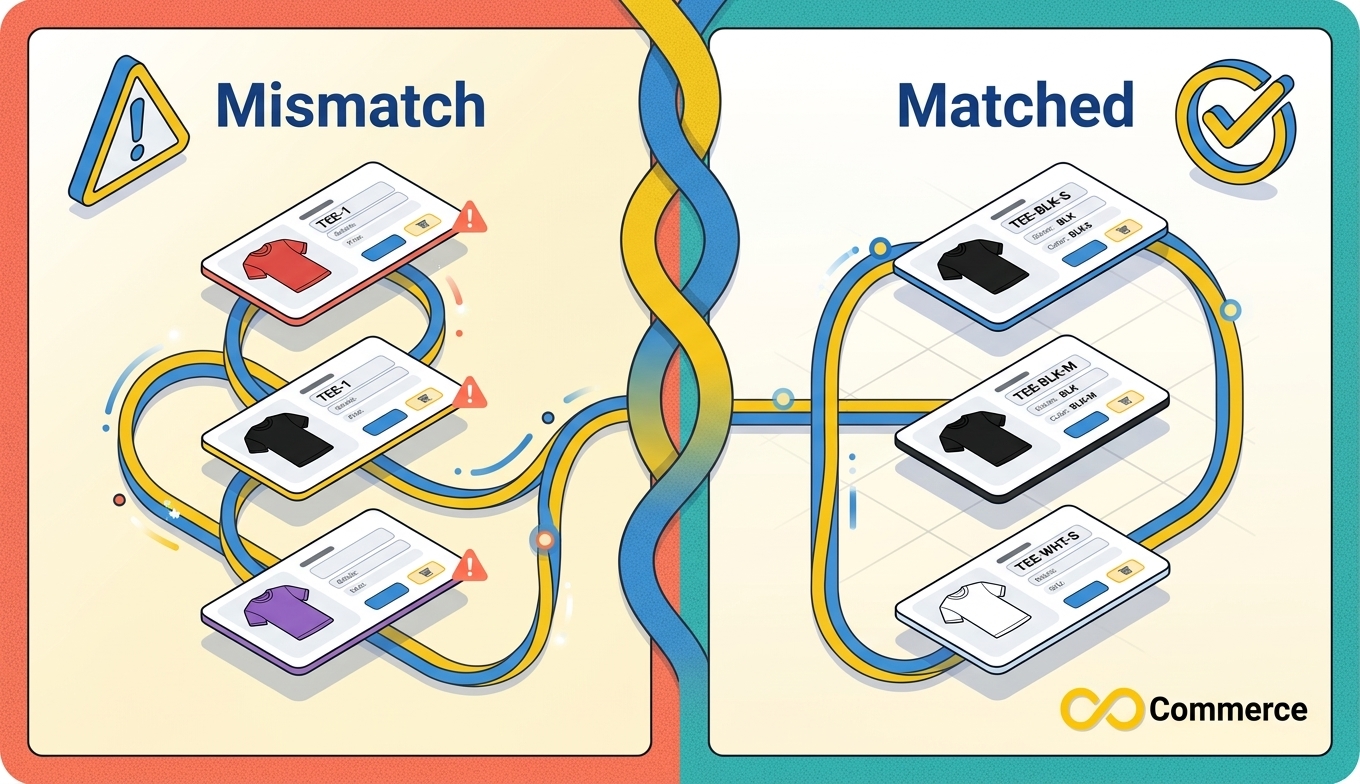
| Variant (what the shopper sees) | Messy data | Clean data |
| Black, Small | Option value: a long decorated label; SKU: blank | Color: Black, Size: S; SKU: TEE-BLK-S |
| Black, Medium | Option value: same label; SKU: TEE-1 | Color: Black, Size: M; SKU: TEE-BLK-M |
| White, Small | Option value: lowercase variation; SKU: TEE-1 | Color: White, Size: S; SKU: TEE-WHT-S |
In the messy column, two variants share a SKU and one has none. In the clean column, every SKU is unique and predictable, so you can read it at a glance and match it across channels.
TikTok Shop SKU Mismatch: Causes and Fixes
A SKU mismatch happens when the SKU or variant data in Shopify does not line up with what TikTok holds for the same item. The result is catalog errors, wrong inventory, and orders that do not map to the right product. If you are seeing a TikTok Shop SKU mismatch, one of these causes is usually behind it.
Common causes
- Two or more variants share one SKU, or a variant has no SKU
- A SKU was edited in Shopify after the TikTok listing already existed
- An existing TikTok listing was created manually and never mapped to the Shopify product
- Small formatting differences, such as extra spaces or different capitalization, between the two sides
- Different options or option values on each platform
- Several inventory locations with no clear source of truth
How to fix a SKU mismatch
- Audit in Shopify first. Export your products and filter for blank or repeated SKUs. Shopify is your source of truth, so fix it there.
- Assign unique SKUs to every variant. Use a consistent pattern such as product code, color code, size code.
- Compare against TikTok. Open the listing in Seller Center and check that each SKU, price, and quantity matches the Shopify variant it should represent. TikTok requires a new variation SKU to be unique within the same product.
- Map existing listings before syncing. If you already sell the product on TikTok, link the TikTok listing to its Shopify product in the channel’s mapping screen, then map each variant. Syncing before mapping can create duplicates.
- Re-sync one product and verify. Change the stock of a low-risk SKU in Shopify and confirm the change appears on TikTok.
Avoid mass-editing SKUs on live, mapped products without a plan, because changing identifiers can break the mapping you are protecting. Test on one product, confirm, then roll out the rest.
TikTok Variants Not Showing? A Troubleshooting Guide
When TikTok variants are not showing, the cause usually sits in one of a handful of places. Use the table to match your symptom to the most likely cause before you start changing settings.
| Symptom | Likely cause | What to do |
| Variants missing entirely | A variant lacks a SKU, price, or stock; option structure too complex | Fill in the missing data and simplify options, then re-sync |
| Variants split into separate listings | TikTok cannot interpret how the variants are structured | Flatten to one or two options with clean values |
| Product stuck in draft or pending | Missing TikTok-specific information or required attributes | Complete the required fields in Seller Center |
| Product synced but not visible to shoppers | Category eligibility, review status, or region settings | Check status and eligibility in Seller Center |
| One size shows the wrong stock | Variant not mapped or SKU mismatch | Re-map the variant and verify inventory source |
| Nothing syncs and the channel shows an internal error | Connection or permissions problem | Reconnect the channel and check sync logs |
Variants missing or split apart
When variants look perfect in Shopify but TikTok drops them or splits them into separate listings, the problem starts with how TikTok reads the structure. Guides covering this issue point to the same triggers: more than two variant options, symbols or emojis in labels, very long names, and variants missing a SKU, inventory, or price. Clean those up in Shopify, since that is where the sync starts.
Listings that synced but are not visible
Here the sync often succeeded, but TikTok chose not to surface the listing. TikTok checks products against category eligibility, mandatory attributes, and SKU formats. Image problems and conflicting attribute values are other common reasons for rejection. Open the product in Seller Center and read the status message, because it usually names the exact gap.
Fixing TikTok Shop variants that stop syncing
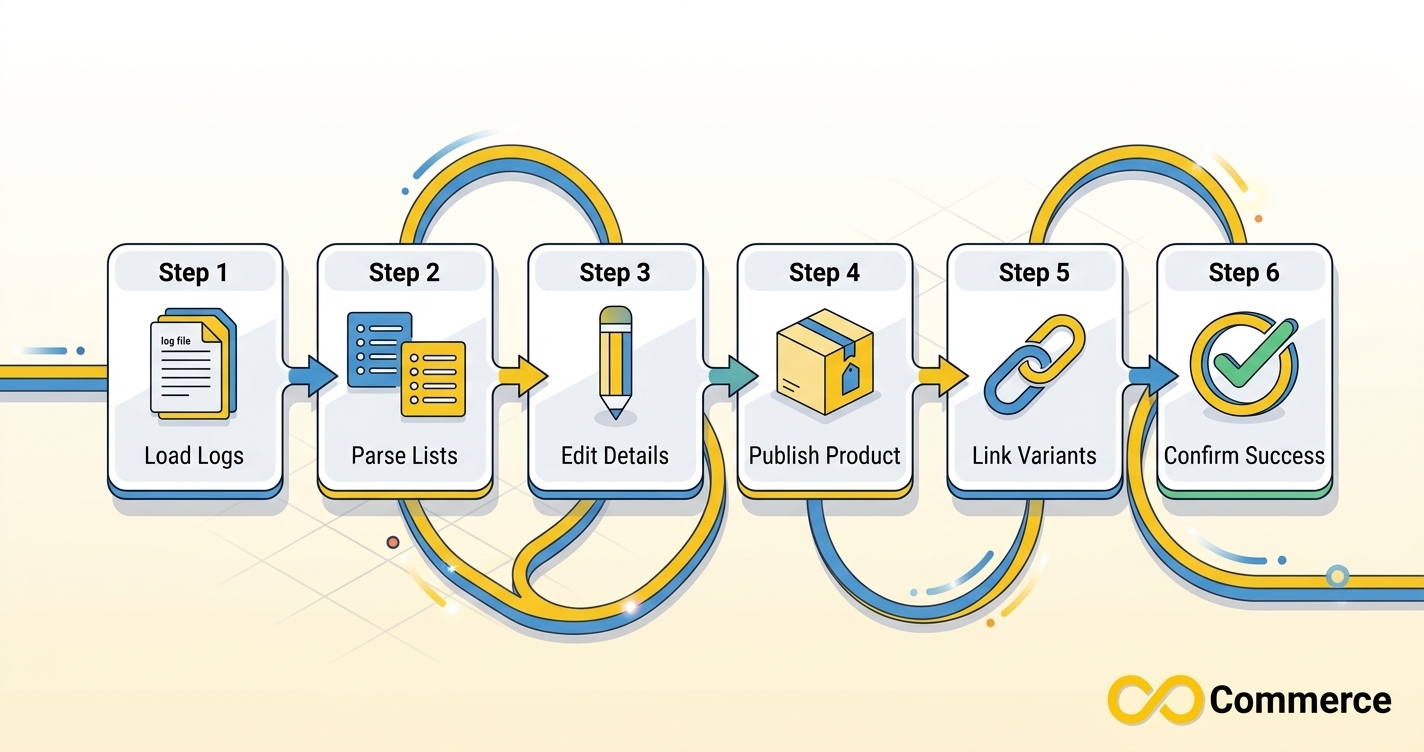
When a product that used to sync stops updating, work through these steps in order:
- Check the channel status and sync log. If you use a connector app, its log often shows which product failed and why. The reason is not always visible on the Shopify product page.
- Compare variant lists line by line. Open Shopify and TikTok side by side and check options, values, SKUs, prices, and stock.
- Fix the data in Shopify. Correct the SKU, price, or option value at the source.
- Re-sync a single product. If a product does not update after fixes, some guides suggest disconnecting and reconnecting that product’s link to force a refresh. Try this on one product first.
- Reconnect the channel if everything fails. Confirm you are using the same account email on both sides and that your permissions and fulfillment location are recognized by Shopify.
- Wait and verify. Check the listing in Seller Center, not just the Shopify channel screen.
Some Shopify Community merchants also report internal errors or stalled syncs with no clear fix. Data fixes will not help there, so contact support for your channel or connector.
A Routine for Reliable TikTok Variant Sync
A reliable TikTok variant sync is a habit, not a one-time setup. These practices keep problems small:
- Test with a low-risk SKU. After connecting, change the inventory of one inexpensive variant in Shopify and watch it update on TikTok.
- Audit SKUs monthly. Filter for blank or duplicate SKUs after every big product import or bulk edit.
- Keep one source of truth. Edit products in Shopify and let the sync carry changes across, rather than editing the same data in both places.
- Log what you change. A short note of renamed options or edited SKUs makes it much easier to trace a mismatch later.
- Check status weekly. Look for pending or suspended listings in Seller Center instead of waiting for customers to tell you something is missing.
- Prepare before peak season. Inventory errors cost the most during sales events. Our Shopify Black Friday checklist covers store readiness, and the same discipline applies to your TikTok catalog: clean SKUs, accurate stock, and verified listings before traffic spikes.
For background on how Shopify manages which products reach a sales channel, see Shopify’s help page on managing product availability for TikTok.
Where Infinite TikTok Catalog Feed Fits
If you manage a catalog feed for TikTok and want less manual work, a feed app can help. According to its page, Infinite TikTok Catalog Feed syncs a Shopify catalog to TikTok, offers multi-currency and multi-language support, and includes bulk editing on its paid plans. The free plan covers up to 100 products, and paid plans start with a 7-day trial. Plan details can change, so check the app listing for current features and limits.
Whichever tool you use, the rules in this guide still apply. A connector can move data quickly, but it cannot invent missing SKUs for you.
Conclusion
TikTok Shop variants sync well when the data behind them is clean. Give every Shopify variant a unique SKU, keep options simple and consistently named, fill in price and stock, and map existing listings before you sync. When something breaks, compare the variant lists, fix the source in Shopify, re-sync one product, and verify the result in Seller Center.
Do this once and the mismatches, missing sizes, and listings that never appear become rare. For more practical Shopify and social commerce guides, browse the Infinite Commerce blog.
Ready to simplify your TikTok catalog? Explore the Infinite TikTok Catalog Feed to sync your Shopify products with less manual work, or contact our team to talk through your setup. You can also start from the Infinite Commerce homepage to see all of our Shopify apps.
FAQs
They are the options, such as size and color, that let one TikTok listing offer several purchasable versions of a product. Each combination is tracked as its own SKU with its own price and stock.
When you use the TikTok sales channel and make a product available to it, Shopify syncs that product to TikTok Shop automatically, including its variants. What syncs and how fast depends on your connector and region, so confirm the result in Seller Center.
The most common causes are missing or duplicate SKUs, SKUs edited after a listing already existed, and TikTok listings that were never mapped to the Shopify product. Fix the SKUs in Shopify, map the listing, then re-sync.
Usually a variant is missing a SKU, price, or stock, the option structure is too complex, or the listing is pending or held back in Seller Center. Check the listing status and required attributes first.
Merchants report that the official TikTok channel syncs at the product level, so you cannot publish only selected variants from one product. A common workaround is a separate product for TikTok that holds only the variants you want.
Yes. A unique SKU per variant is the most reliable way for Shopify and TikTok to match inventory and orders correctly.
